Native macOS · WebP · PNG · JPEG · HEIF

Make every image
unique.

Vexel re-encodes your images so they look identical to the eye — but over 99% of pixels are technically different. Imperceptible pixel changes, invisible & visible watermarks, metadata removal, and AI renaming. All on-device.

No account needed to try · Lifetime license $19 · Apple Silicon

🔒 100% on-device 🖼 Batch processing 🪄 AI smart rename 💧 Invisible watermark 🧹 Metadata stripped
Vexel app interface
Everything you need

One pass. Truly unique images.

A focused toolkit for making images unique while keeping them beautiful.

Imperceptible uniqueness

Forces 99%+ of pixels to change with sub-perceptual nudges — defeats duplicate & perceptual-hash matching.

💧

Invisible watermark

Hide your name or logo in the pixels (LSB steganography). Recover it anytime to prove ownership.

🏷

AI smart rename

Names files from their content in clean English — reads any language (Persian, Arabic…) via Apple Vision, OpenAI, Gemini or Claude.

🎛

Pixel effects

Noise, warp, wave, twirl, motion blur, grain, sharpen, vignette, brightness/contrast — each with intensity.

🖼

4 output formats

Export to WebP, PNG, JPEG or HEIF with a live compression slider.

🧹

Metadata removal

Strip EXIF, GPS & the rest by default — privacy on, one click.

🪧

Logo stamp

Drop your logo bottom-center on every image with size, opacity & margin controls.

⚡️

Fast batch

Drag a folder in, run all, stop anytime. Built natively in Swift.

🛡

Watermark integrity

Live guidance keeps your hidden mark intact when you tune compression and effects.
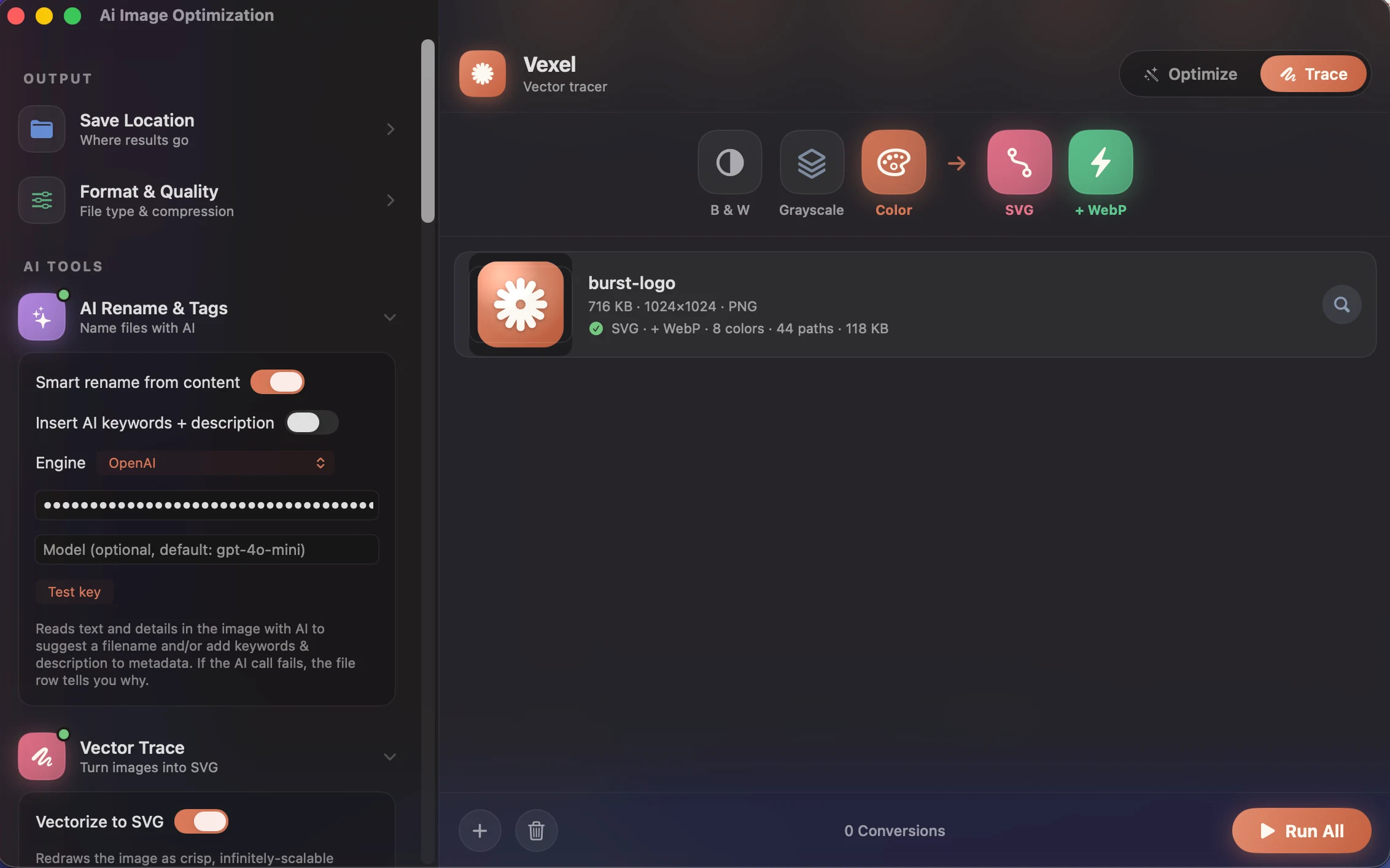
How it works

From drop to done in seconds

1

Drop images

Drag in WebP, PNG, JPEG, HEIC or TIFF — or a whole folder.

2

Pick a format

WebP, PNG, JPEG or HEIF, right in the center of the window.

3

Tune (optional)

Watermark, effects, rename engine — sensible defaults already on.

4

Run all

Unique files saved next to the source or your chosen folder.

The fast way to rank images

Rename hundreds of images for SEO — in seconds.

Google and shoppers read your filenames. IMG_2049.JPG says nothing; blue-running-shoes-sale.webp ranks and earns clicks. Vexel reads each image's content — text in any language, or the subject itself — and writes clean, keyword-rich English filenames automatically, across a whole folder at once.

  • Batch-rename an entire shoot or product catalog
  • Reads Persian, Arabic & any language → English keywords
  • Offline (Apple Vision) or AI (OpenAI · Gemini · Claude)
  • Hours of manual renaming → one click
Try it free
Before → After

IMG_4821.HEIChandmade-leather-wallet-brown.webp

Screenshot 2026.pngmacos-pricing-dashboard.webp

عکس ۲.jpgdigital-voucher-guide.webp

DSC_0099.JPGsunset-beach-couple-walking.webp

product-final-FINAL.pngwireless-earbuds-charging-case.webp

Who it's for

Made for people who ship a lot of images

📈

Marketers & SEO

Keyword filenames at scale, a unique creative for every ad account, and metadata stripped for privacy — more reach, far less busywork.

🎨

Designers & agencies

Batch-brand exports with a logo stamp and watermark, deliver in any format, and protect ownership with a hidden mark.

🛒

Ecommerce & dropshipping

Make every product image unique to avoid duplicate flags, and auto-name them for product SEO.

📷

Photographers

Watermark and rename entire shoots, strip GPS/EXIF, and export web-ready WebP in a single pass.

📱

Social & content

Repost-safe, unique variants for every platform and account — named for discoverability.

🏢

Teams

One consistent, on-device workflow — no uploads, no subscriptions, no cloud lock-in.

Why it matters

What it does · how it works · why it helps

What it does

Re-encodes images so they look identical but are technically unique — watermarked, clean of metadata, and named from their own content.

How it works

Sub-perceptual per-pixel shifts plus a forced LSB nudge guarantee 99%+ different pixels; on-device Vision/AI reads content for filenames; libwebp & ImageIO encode the output.

Why it helps

Save hours of editing and renaming, rank higher with keyword filenames, avoid duplicate detection, and keep everything private on your Mac.

Simple pricing

Try free. Own it forever.

No subscriptions. One payment, lifetime updates for 1.x.

Free trial

3 days full features
  • Every feature unlocked
  • Unlimited images
  • No account required
  • On-device & private
Download & try

Download Vexel

Apple Silicon · macOS 14+ · ~2 MB. Start your 3-day trial now.

First open on a new Mac: right-click the app → Open (signed without notarization).

FAQ

Questions, answered

Will the output look different?

No. Vexel changes pixels imperceptibly — a mean of about 1–2 levels per channel — while making 99%+ of pixels technically different.

Which formats are supported?

Input: WebP, PNG, JPEG, HEIC, TIFF and more. Output: WebP, PNG, JPEG or HEIF.

How does AI renaming handle other languages?

It reads text in any language. Offline it uses Apple Vision (English + Persian/Arabic) with transliteration; with an OpenAI, Gemini or Claude key it translates to clean English keywords.

Is my data private?

Everything runs on your Mac. Images are only sent out if you explicitly enable a cloud AI rename engine and add your own key.

How do I activate after buying?

You receive a license key by email. Paste it into Vexel → Settings → License → Activate. No server check, works offline.