Rivals Benchmarking is smarter when true SERP neighbors are identified, their structure crawled, and gaps mined for quick wins with overlap surfacing tools.
Go Past Keywords to Find Your Secret Sauce
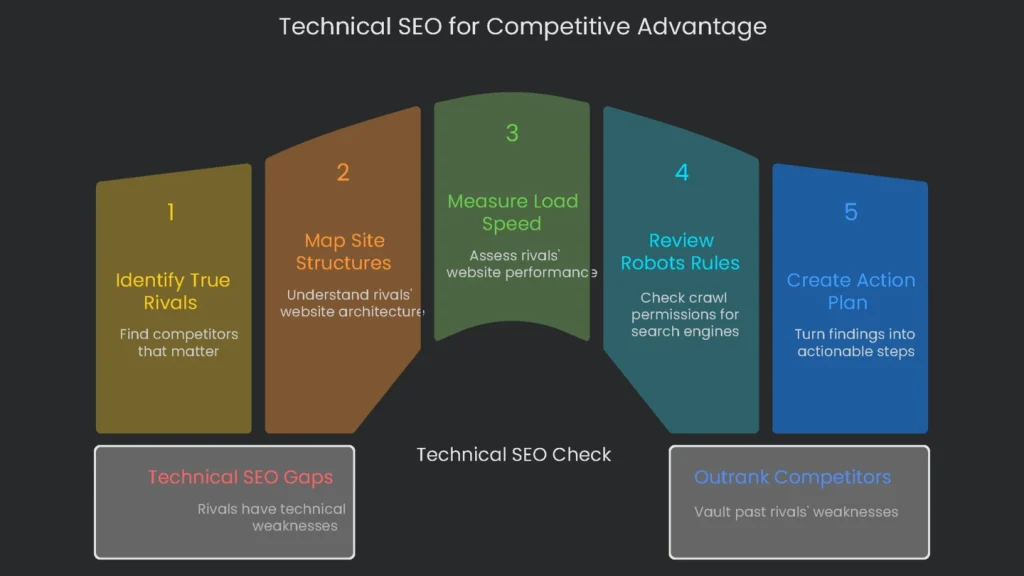
Why Technical Gaps Matter
When you want to zoom up the search results, everyone says to comb through keywords and study backlinks. That helps, however it is only half the story. The real gold often hides in a rival’s technical setup. Simply watching what they rank for skips the bigger picture: the why and how behind their wins. Consequently, the widest openings to outrank a rival often live in a painfully slow site speed, disabled image compression, or a mangled site index.
What This Guide Covers
To grab the lead, peer under the hood. A website is like a race car. Content is the fuel, backlinks are the driver, and the technical setup is the finely tuned engine. If that engine sputters-say, because a page blocks crawlers-no amount of fuel or skill matters. In short, a site that search engines cannot crawl, parse, and index will sit in the back of the pack.
This guide shows how to gather competitive secrets the smart way. With a technical SEO check, you look deeper than copying rivals. Instead, you uncover their weak spots and use those gaps to vault past them. The goal is not to mimic; it is to spot tech slip-ups and leap over the barriers they left behind. If a site ranks at the top despite obvious gaps, that leader is not unbreakable. Therefore, a careful challenger can still swoop in.
Next, you will work step by step through a full check. You will locate the true rivals that matter, map their site structures, and measure real load speed. You will also review robots rules and what they actually allow search engines to see. Finally, you will turn those findings into a simple, smart plan you can act on.
Identify Your Real SERP Rivals
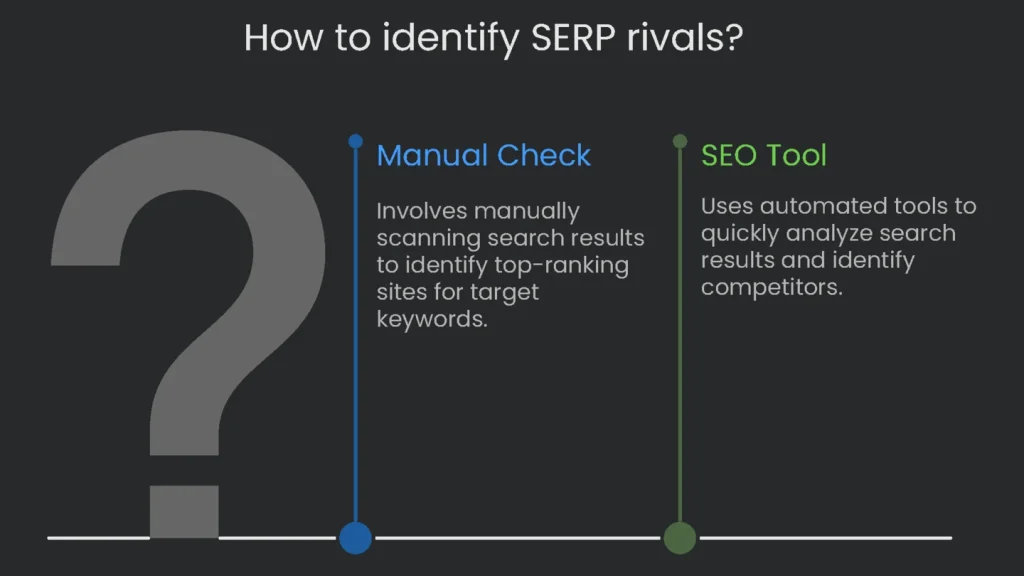
The first step is to define the actual battleground and the true competitors. Many people mix up the brands they face in sales with the ones that dominate search results. However, the business most like yours is not always the one taking the top spots for the phrases that matter. Your genuine SERP rivals are the sites that own the queries bringing customers your way.
Business Rival vs. SERP Rival
A business rival sells what you sell. A SERP rival shows up for the same keywords, whether they offer the same product or not. For example, a CRM maker targeting “best CRM for small business” will face direct CRM brands, but also comparison charts, a magazine like Forbes, and educational blogs. Those publications are SERP rivals, too. The sites landing first reveal what Google believes users want. If page one is full of how-to articles and light on buy buttons, searchers want answers, not checkout. Therefore, you must shape the right page type to rank.
How to Spot Your SERP Rivals
To beat a keyword, you must know who is already winning. You can scan results manually, or you can speed things up with an SEO tool.
- Step-by-Step Manual Check
- Compile a Focus List: Pick 10-15 high-intent keywords that drive buyers.
- Search without bias: Open an incognito tab to reduce personalization.
- Rate the front-page sites: For each keyword, record the top 5-10 organic URLs in a sheet. Then count frequency. As a result, the most frequent domains become your priority rivals.
- Using SEO Tools
- Tools can automate discovery and save time.
If you’re ready to dig into competitive insights, try SpyFu for speed and detail. Yes, services like Semrush and Ahrefs work as well, but SpyFu makes this analysis almost click-and-go. Just enter your URL in the “Organic Competitors” report to get a rundown. The tool checks your keywords, finds domains sharing similar terms, and presents the list. Consequently, you discover rivals you did not know, plus overlap metrics that show who shares your SERP.
Prioritizing Your Analysis
After the tool produces a list, decide where to invest effort. Crawling and auditing dozens of sites is heavy. Therefore, pick the top three to four that matter most. By focusing on a small set, you keep the analysis lean, the roadmap clear, and the deliverables actionable.
Check How the Site is Built
Why Architecture Signals Authority
Think of a website’s architecture like a treasure map. If the map is neat, both people and search engines reach the prize quickly. If it is messy, visitors get lost and bots waste time. As a result, a site that is easy to follow passes strength-sometimes called link juice-from important pages to the ones behind them. Clear structure builds trust and often exposes fixable issues. Peeking at a rival’s map reveals what they value and how they earn “best answer” status. For example, if a competitor groups cloud services under “/services/cloud-calculator/” and “/services/cloud-security/,” they are building a topical silo. Therefore, you can adopt the idea and improve it.
Here’s How to Break It Down
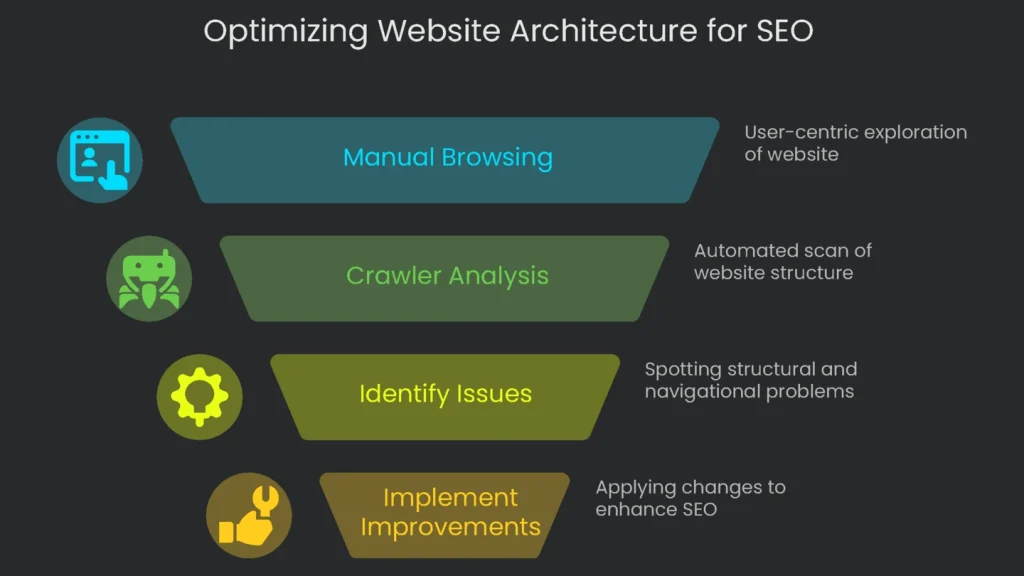
First, click through the site like a visitor. Then scan faster with a crawler that maps the behind-the-scenes structure.
- Manual Browsing: Think Like a User
Start at the homepage. Review the top navigation and featured links. As you explore, focus on two details:
- Click Depth: Count the clicks from the homepage to high-value pages such as products or pricing. Anything deeper than three or four clicks is a detour. Consequently, crawlers may skip these URLs and traffic dries up.
- URL Style (Folders vs. Subdomains): Prefer clean subfolders over subdomains for sections you want to strengthen. For example, example.com/services/technical-seo keeps authority under one roof. In contrast, blog.example.com can be treated like a neighbor, so the main site may miss part of the benefit.
- Breadcrumbs: Look for a row of links (e.g., Home > Blog > Pet Care Tips). Breadcrumbs aid users and clarify hierarchy for search engines.
- Using a Crawler: See What Bots See
A crawler walks through every page like a search engine would. Therefore, it exposes depth, orphan pages, and blocked sections.
- Force-Directed Crawl Diagram: Visualizes pages as nodes, with the homepage at the center. It highlights indexable vs. non-indexable pages and reveals deep or poorly linked sections.
- Directory Tree View: Shows the site as folders. You get a snapshot of where content lives and which areas are thin. As a result, you can spot deep nests, weak internal links, and sections that need navigation support.
Check Website Speed & Core Web Vitals
Why Speed Is a Competitive Edge
Today, speed acts like secret sauce. A slow page drives bounce, hurts rankings, and frustrates leaders. Google’s Page Experience guidance elevated user experience signals. Therefore, consistently fast pages are no longer a bonus; they are table stakes. If a rival’s pages load slowly, that is your slipstream. Beat their speed and you win users and visibility. By comparing Core Web Vitals, you can map clear actions. For example, if their Largest Contentful Paint suffers due to huge images, you can prioritize image optimization and take the lead.
How to Size Up Competitor Load Speed
The easiest method uses Google’s own tool, PageSpeed Insights. It serves “lab data” from controlled tests and “field data” from the Chrome User Experience Report. Field data reflects real users and matters most.
The steps are clear-cut:
- Pick key pages: Test 3-5 URLs per rival: homepage, a high-value product/service page, and a top blog article.
- Run PageSpeed: Paste each URL into PageSpeed Insights.
- Check both devices: Review mobile and desktop. Prioritize mobile because Google uses mobile-first indexing.
Mobile-first means the mobile version drives ranking. Therefore, a page that flops on phones is in trouble.
What to Check on the Report
The PSI report packs detail. Focus on these pieces first:
- Core Web Vitals Metrics
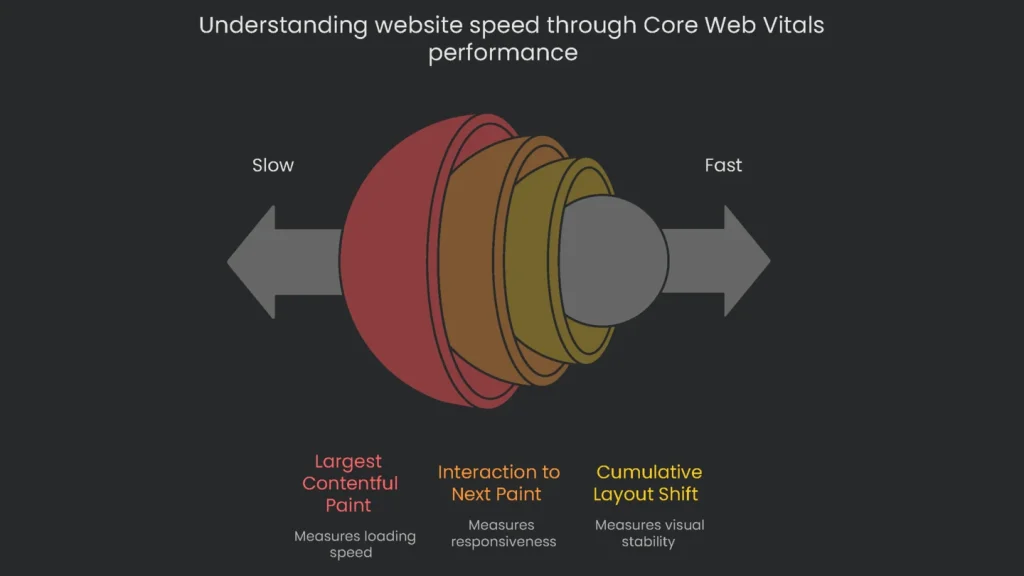
The report gives a “Pass” or “Fail” for three metrics. A page must pass all three to pass overall.
- Largest Contentful Paint (LCP): Measures loading. Good is ≤2.5 s. Slow scores often come from server delay, render-blocking code, or oversized media.
- Interaction to Next Paint (INP): Measures responsiveness. A good INP is 200 ms or less. High INP usually means heavy JavaScript keeps the browser busy.
- Cumulative Layout Shift (CLS): Measures visual stability. A good score keeps shift under 0.1. Large shifts come from images or ads without dimensions or late-loading elements that push content.
- Opportunities & Diagnostics
PSI also suggests fixes. For example, it often recommends next-gen images (e.g., .webp), reducing render-blocking scripts, deferring non-critical code, and improving server response. Consequently, you get a ready-made to-do list.
If a rival still wins despite weak vitals, content and backlinks may be carrying them. However, ship a smoother experience and you can pull share over time.
Check the On-Page Tech Stuff
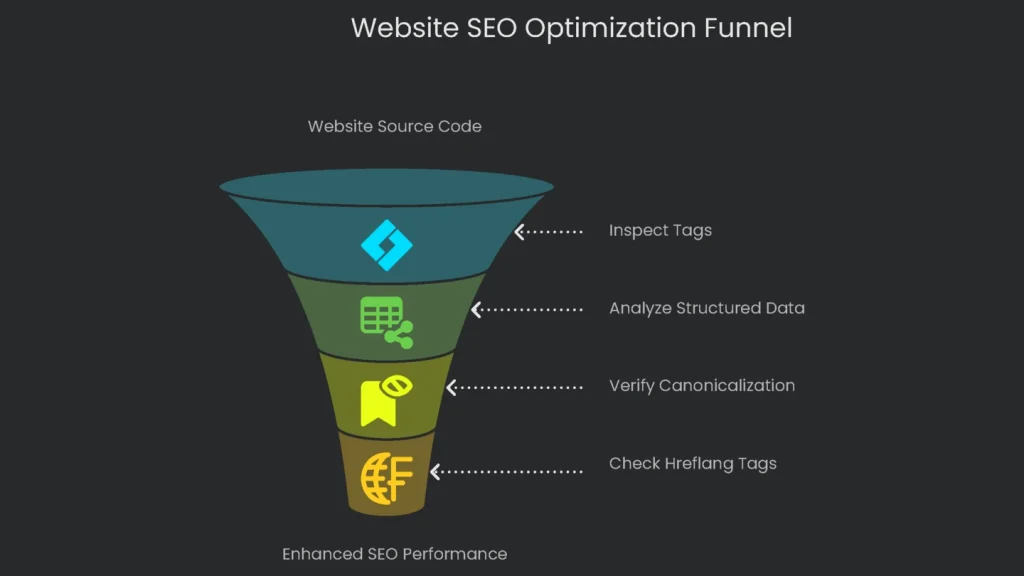
How to Look Under the Hood
View the page source to inspect tags. Right-click and choose “View Page Source.” The key tags usually sit in the head. If you want more detail, use a browser extension or dedicated tool. Therefore, you can assess quality quickly.
What to Focus On
- Structured Data (Schema Markup)
- What it does: Structured data is a clear sign for search engines, often using Schema.org terms. It can turn a plain result into a rich result with stars, FAQs, or details.
- How to peek: Use Google’s testing tools to preview potential rich results and the Schema Markup Validator to confirm implementation.
- What to act on: Common types include Product, FAQPage, Article/BlogPosting, and LocalBusiness. If rivals earn rich snippets and you do not, add the missing markup to key pages.
- Canonicalization
- What it is: The canonical tag tells search engines which URL is primary among near duplicates.
- How to check: In source, look for
. - What to analyze: Pages should self-reference. Parameter pages (e.g.,
?color=blue) should canonicalize to the clean category. This protects crawl budget and consolidates authority.
- Hreflang for International Sites
- What it does: Hreflang serves the right language or region version.
- How to spot it: Look for
. - What to check: Ensure reciprocal links, correct ISO codes, and no canonical conflicts across languages. Otherwise, Google may ignore the signals.
If hreflang tags are wrong, entire regions can see the wrong pages. Therefore, fixing them can yield fast gains.
Check the Crawl and Index Paths
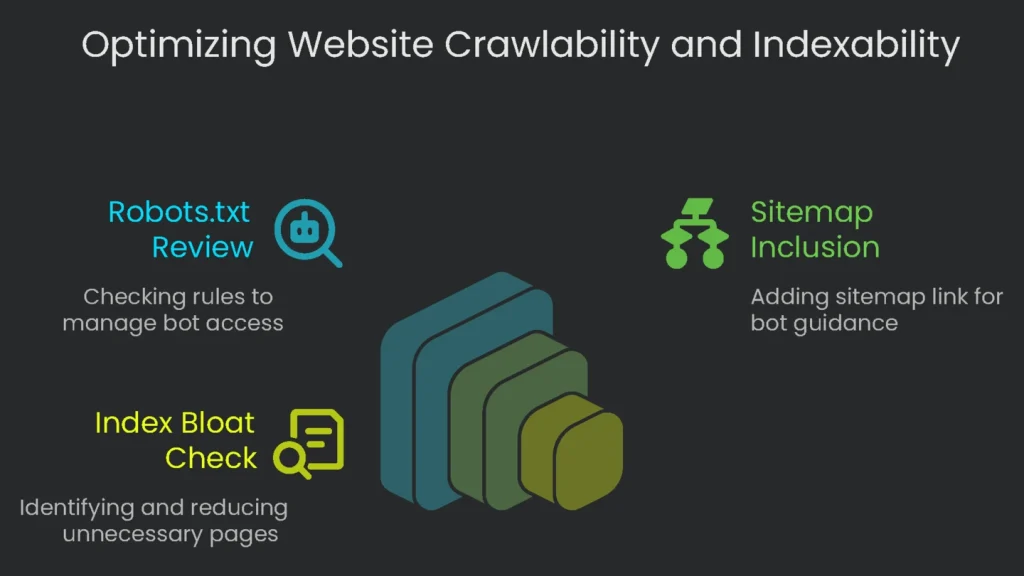
Quick Checks for Robots and Indexing
Now review how the site treats bots. Crawlability decides whether a bot can reach a page. Indexability decides whether it can be stored and shown. Managing both keeps valuable pages in front of users and junk out. Otherwise, you risk “index bloat.” One stray character in robots.txt can hide a whole section. Conversely, indexing thin pages wastes crawl budget.
Today we will run two quick checks: robots.txt settings and a rough indexed-pages count.
- Robots.txt Review
- Open the file: Visit
https://the-other-guy.com/robots.txt. - What to read: Look for Disallow rules that keep low-value areas out of crawls: thin parameter pages, comment feeds, search results, and login areas. These rules protect crawl budget.
- Common pitfall: Do not block essential assets like
/css/or/js/. If bots cannot fetch them, pages may render poorly and lose trust. - Sitemap reminder: Include the XML sitemap line:
Sitemap: https://competitor.com/sitemap.xml.
- Open the file: Visit
- Index Bloat Check
- What it is: Index bloat happens when search engines collect too many junk or duplicate pages, often from tags, filters, or archives.
- Fast test: Run
site:competitor.comin Google for a rough count. Then compare it to the URLs listed insitemap.xml. If Google shows 100,000 indexed but the sitemap lists 10,000, bloat is likely. - What to analyze: Skim results for parameter URLs (
?filter=), tag folders (/tag/), and other low-value pages. Trim these on your site to keep the index lean.
Make Your Findings an Action Plan
The Prioritization Framework: Impact vs. Effort
A technical SEO competitor analysis fills your drive with data. It pays off when you shape it into a clear action plan. Listing failures is not enough. Therefore, organize tasks by expected impact and required effort.
- Quadrant 1: High Impact, Low Effort (Quick Wins) – Do these first for fast gains.
- Quadrant 2: Low Impact, Low Effort (Easy Wins) – Small tasks you can slot between bigger work.
- Example: A rival skips FAQPage on how-to guides. Add it to your articles. You may earn rich snippets and, over time, lift click-through rate.
- Quadrant 3: High Impact, High Effort (Major Projects) – Plan and resource these carefully.
- Example: Most competitors struggle with Core Web Vitals. A site-wide speed overhaul is costly but pays long-term.
- Quadrant 4: Low Impact, High Effort (Deprioritize) – Avoid time sinks with little return.
- Example: Rebuilding URLs just to copy a rival’s pattern when yours already work.
Next, build a simple comparison table. Label columns with technical areas such as Loading Speed, Mobile Friendly, and Meta Tags. List your URL and your top rivals. As a result, gaps jump out and link directly to your next moves.
| Technical Area | Competitor A Finding | Competitor B Finding | Your Site’s Status | Strategic Opportunity/Action | Priority (Impact/Effort) |
| Site Architecture | Key service pages hide five or more clicks from home. | Blog content sits on a subdomain, likely leaking authority. | Key pages are three clicks from home. Blog sits in a subfolder. | Maintain current navigation. Monitor B’s subdomain; if authority drops, capitalize. | Low Impact / Low Effort |
| Core Web Vitals | Product pages show LCP ≈ 4.5s due to oversized images. | Interactive pages show INP ≈ 500ms from heavy scripts. | LCP is borderline (3.2s); INP is healthy. | Convert images to WebP, enable lazy-load, and target LCP bottlenecks. | High Impact / High Effort |
| Structured Data | Service pages lack FAQ schema. | Product schema misses review data. | Product schema complete; FAQ schema absent. | Add FAQPage to top service pages to expand SERP real estate. | High Impact / Low Effort |
| Canonicalization | Filter URLs use inaccurate canonicals, causing duplicates. | Self-referencing canonicals implemented well. | Mostly correct; parameters need review. | Validate parameter URLs and consolidate to primary categories. | Medium Impact / Medium Effort |
| Indexing/Crawlability | Site search reveals index inflation from dated tag pages. | Robots.txt is tidy and preserves crawl budget, yet some low-value tag pages still index. | Index includes many inessential tag pages. | Remove excess tags. Add noindex to tag pages and block /tag/ in robots.txt. | Medium Impact / High Effort |
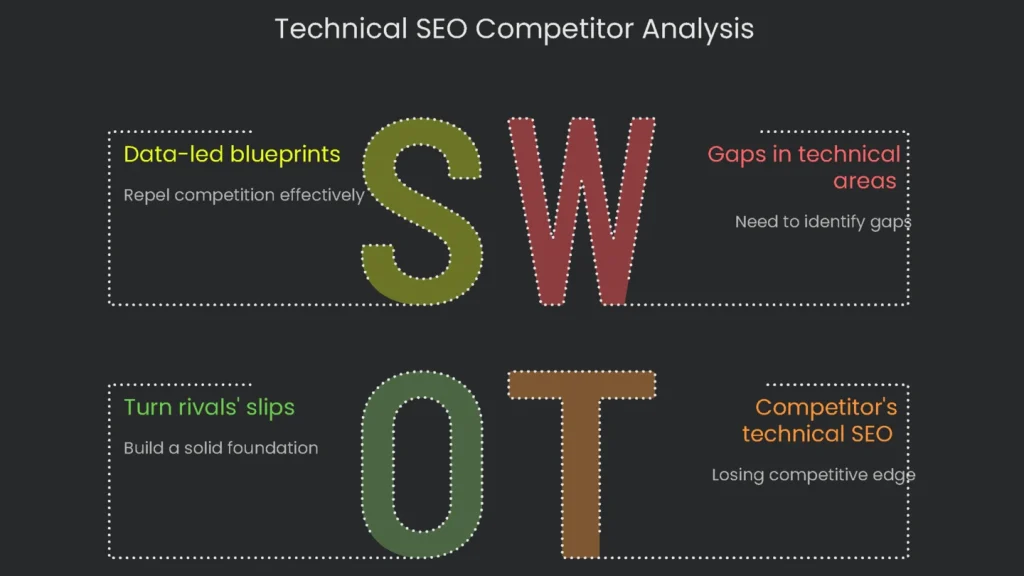
This kind of technical, big-picture check keeps winners winning. It gives you a playbook, not guesswork. Companies ready to move past basics and secure an edge need insights like these. At Technicalseoservice, deep technical dives are daily work. We sift every byte to find quiet wins and craft cautious, data-led blueprints that repel competition. When you are ready to turn rivals’ slips into your foundation, push the button and let our crew show you the math behind the microscope.
Implementation steps
- Map who ranks above you for each keyword topic—beyond direct brands.
- Gauge their setup architecture, load times, content model, and link patterns between pages.
- Measure content thoroughness and referring links to uncover empty spots and chances.
- Ethically mirror proven strategies, layer on fresh value, and make your version shine brighter.
- Keep a monthly pulse on their moves and your standings side-by-side
Frequently Asked Questions
Why look at rivals?
To spot blind spots, highlight what they do well, and spot holes in code speed or buzz on a page.
What speed up that research?
SpyFu, Semrush, Ahrefs, and a crawler that sketches out links and tech stacks.
What nitty-gritty do I deep-dive?
Permalink recipes, link jargon, schema tags, Core Web Vitals, and article footprints.
Where do I first apply my effort?
Zoom in on the 3–4 pages that hold the same Google result spot and go deep.
Is that sneaky?
Nope—only the stuff that Google and Black Widow can see, no brute-force drills.