Having breadcrumbs on a page improve user experience and spread around authority. We demonstrate rich HTML and accessible patterns along with the required JSON‑LD for enhanced SERP result displays.
What Are Breadcrumbs?
Definition
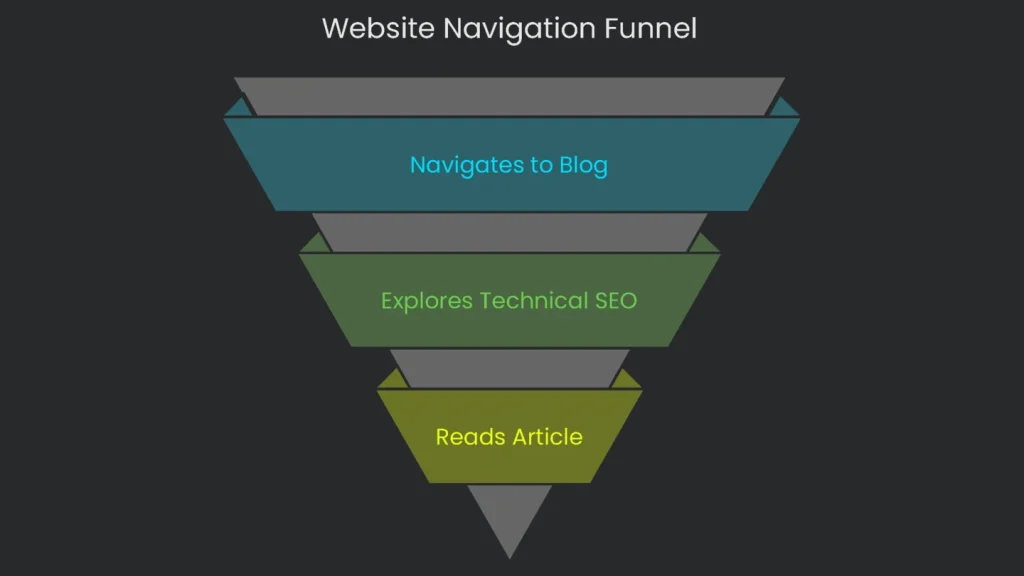
Think of website breadcrumbs as a built-in GPS for your visitors. In short, these navigation strips show users where they stand inside your site. When a person navigates deeper into categories or topics, breadcrumbs appear at the top of the page and show the route taken.
How They Look
Usually, you’ll see breadcrumbs as a thin line of clickable text links. Therefore, each piece of the line points to a page higher up the hierarchy and allows a visitor to backtrack with a single click.
A Simple Example
For example, picture a blog post about SEO. The breadcrumbs might read:
Home > Blog > Technical SEO > How to Implement Breadcrumbs
This trail indicates four levels. As a result, readers can see “Home,” then “Blog,” then “Technical SEO,” and finally the article they’re reading. That clear, instant view of their path is the big advantage breadcrumbs offer.
Why Breadcrumbs Matter for SEO
Overview
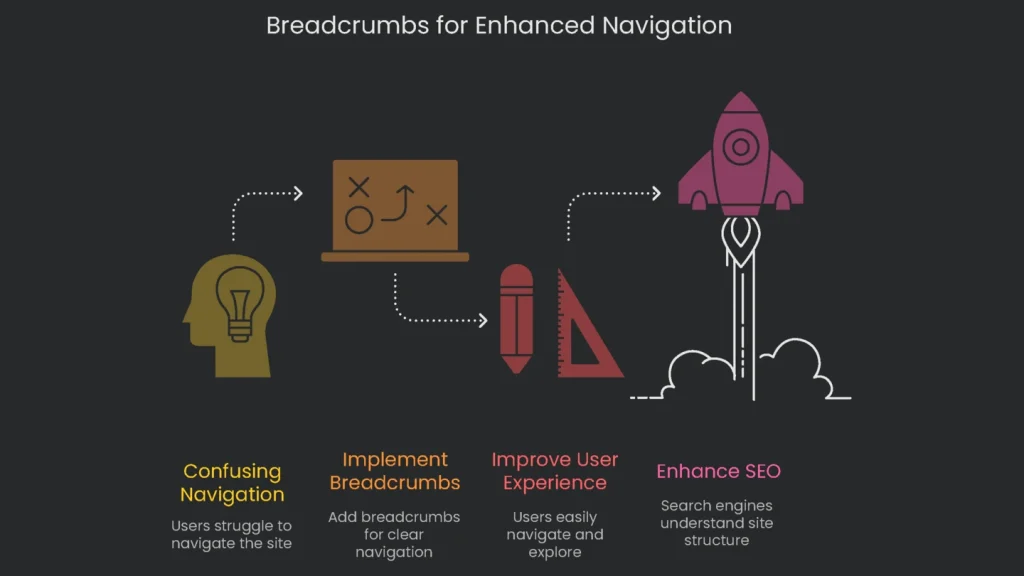
Breadcrumbs boost both the user’s journey and your odds of getting spotted by search engines. Consequently, when a site goes three levels deep or more-think e-commerce shops, sprawling blogs, or big corporate pages-these trails become a must-have.
For Users (UX): Guiding Your Audience
For example, a shopper lands straight on a sneaker page from Google and skips the homepage. Breadcrumbs show the backstory in a heartbeat and trace the path from the homepage all the way down. “Oh, I’m under the running category?” they realize. Next, the natural impulse is to click the category name and discover more, without retracing a confusing trail.
Instead of slamming the back button or fishing for a main menu, a user can glide step by step by tapping a tiny grey link. As a result, fewer clicks lead to a calmer brain, and that calm usually turns into a longer visit. A case study from Moz shows that time on site can rise after breadcrumbs are added.
For Search Engines (SEO): Clarifying Site Structure
Search engines, especially Google, need to understand a website’s layout. Therefore, when crawlers move from page to page, they look for signals showing how pages connect. Breadcrumbs act like a clear, labeled shortcut that lays everything out in machine-readable terms. Google’s engineers note they rely on breadcrumb code to see how a site is stacked.
Breadcrumbs do double duty. Each trail link acts like a mini traffic guide. Consequently, when a link in the trail is clicked, some “authority” travels back up to strengthen the pages and categories that link points to. In a hangout, Google’s Gary Illyes said breadcrumb links behave like other links when Google figures out the PageRank of the page.
The clearest visual update breadcrumbs give is how they dress up your search result. With the right schema markup, Google can swap the usual URL for a cleaner breadcrumb path. Consequently, searchers see where the page sits and feel more confident to click.
Here’s a regular snippet that might show up in search:
https://www.example.com/products/category/item-12345
With breadcrumb schema, it gets a makeover to:
https://www.example.com > Products > Category
This fancier result, called a “rich result,” helps users see the big picture right away. Consequently, many more people click.
Types of Breadcrumbs
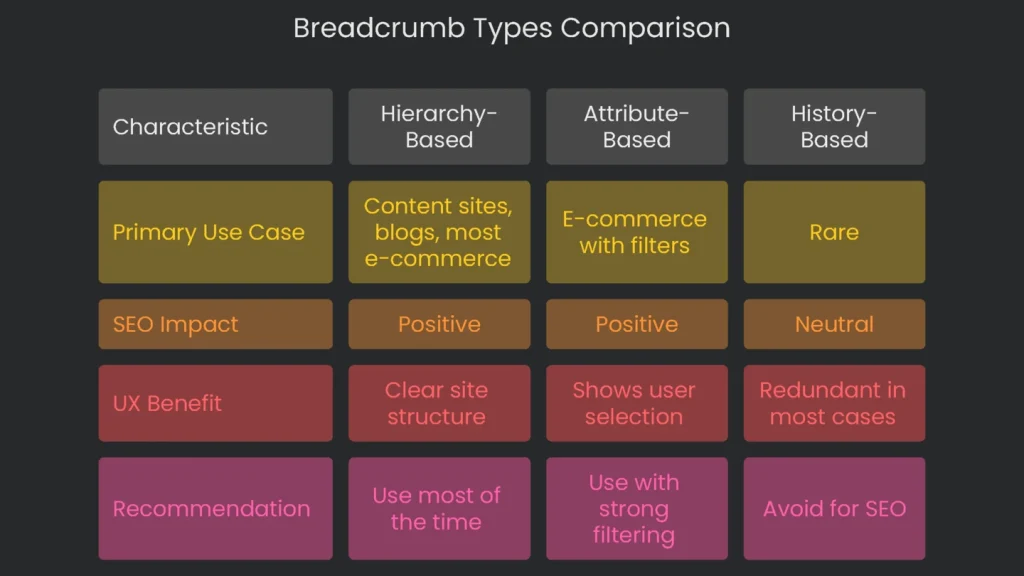
Breadcrumbs sound simple, but they come in a few flavors. In short, picking the best type for your site can supercharge navigation. You’ll see three main kinds: hierarchy-based, attribute-based, and history-based.
Hierarchy-Based (Location) Breadcrumbs
The hierarchy-based breadcrumb is the crowd favorite. Therefore, most sites should consider it first. This type shows a straight path from your homepage to the current page and never wavers. Screens, tablets, and bots all see the same route. As a result, search engines clearly understand how every page fits into the bigger picture.
- For an online store, a trail based on category hierarchy would look like this:
Home > Women’s Apparel > Dresses > Summer Dresses
- For a blog, the layout is the same:
Home > SEO Blog > Technical SEO > How to Implement Breadcrumbs
In both cases, the trail stays logical and mirrors the site’s category system. Consequently, visitors get a stable reference point, and search engines get a clear structure.
Attribute-Based Breadcrumbs
Attribute breadcrumbs are flexible and common on e-commerce sites with product filters. Rather than a fixed hierarchy, these crumbs show the filters a shopper has picked, like brand, size, or color. Therefore, the trail snapshots the shopper’s selections and lets them quickly change or clear filters without redoing the search.
For example, if someone is looking for a laptop, the trail might read:
Home > Laptops > Brand: Dell > Screen Size: 15-inch > Color: Black
Each section of the trail is a crumb for an active filter. Consequently, the criteria stay clear and easy to adjust. Many websites mix two types: hierarchy, which shows site structure, and attribute, which summarizes selected filters. This combo keeps visitors oriented and informed at a glance.
History-Based (Path) Breadcrumbs
History breadcrumbs appear the least and aren’t great for SEO. They automatically record the user’s journey and resemble the browser’s history bar:
Home > Last Page > Page Before That > Current Page
The trouble is chaos: every user sees a different trail. However, SEO bots prefer tidy, predictable patterns. Mix-and-match paths hide the site’s order. To visitors, this often looks like the “Back” button. If the trail is long, it muddies instead of clarifies. Therefore, stick with hierarchy breadcrumbs to keep pages tidy and clear.
Breadcrumb Type Comparison
Here’s a handy table that stacks the three types for a quick glance. Use it to pick which one boosts both user ease and search engine understanding.
| Type | Primary Use Case | SEO Impact | UX Benefit | Recommendation |
| Hierarchy-Based | Content sites, blogs, most e-commerce | Positive | Clear site structure | Use most of the time |
| Attribute-Based | E-commerce with filters (size, color) | Positive | Shows user selection | Use with strong filtering |
| History-Based | Rare | Neutral | Redundant in most cases | Avoid for SEO |
Implementing Breadcrumbs
Basic HTML Structure
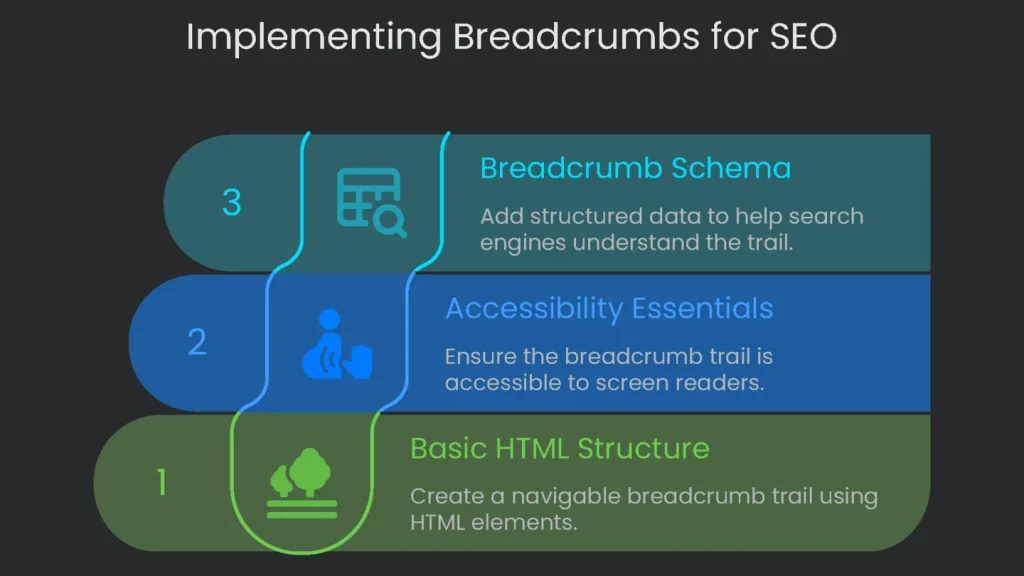
Breadcrumbs should look like a path at the top of your page. Each step should be a clickable link, and the last step shows where the page is but isn’t a link.
Here’s the basic code:
HTML
In the code, the nav tag wraps the whole trail. Each link is an a tag. The span tag marks the page the reader is on, and the aria-current attribute tells screen readers that it’s the current page.
Accessibility Essentials
Next, add the JSON-LD markup. It’s like a secret message to search engines that explains the trail without changing the on-page look.
Here’s that code:
HTML
Replace the @id with each page’s real URL and fill in the correct step names. Using an ordered list is the best way to show the order of your breadcrumb trail, and your HTML should include a to mark the whole area as a navigation block. For the full rundown, see MDN.
Keep accessibility in mind, too. To make the trail friendly for screen readers, you need these two ARIA attributes:
- Stick
aria-label="breadcrumb"on the element to let screen readers know this area is a breadcrumb trail. - Use
aria-current="page"on the last list item to signal the page the user is on.
Here’s a tidy HTML breadcrumb you can use:
HTML
The last item is inside a so readers know it can’t be clicked.
Adding Breadcrumb Schema
While the code you saw is for visitors, schema markup is for search engines. To help Google show your breadcrumbs as rich results, include BreadcrumbList structured data. Next, use JSON-LD so you can add data without touching existing HTML. Remember, the JSON-LD output must match what visitors see. Otherwise, Google may ignore the markup or, worse, flag it.
Here’s a quick walkthrough of the schema you’ll fill out:
@context: The standard vocabulary; alwayshttps://schema.org.@type: The data type; useBreadcrumbList.itemListElement: An array where each item represents one crumb.itemListElement item: Set@typetoListItemfor each.position: Required index (1, 2, 3, …).name: The breadcrumb label users see.item: The full URL for the page the crumb points to; the last crumb is the current page.
WordPress Implementation
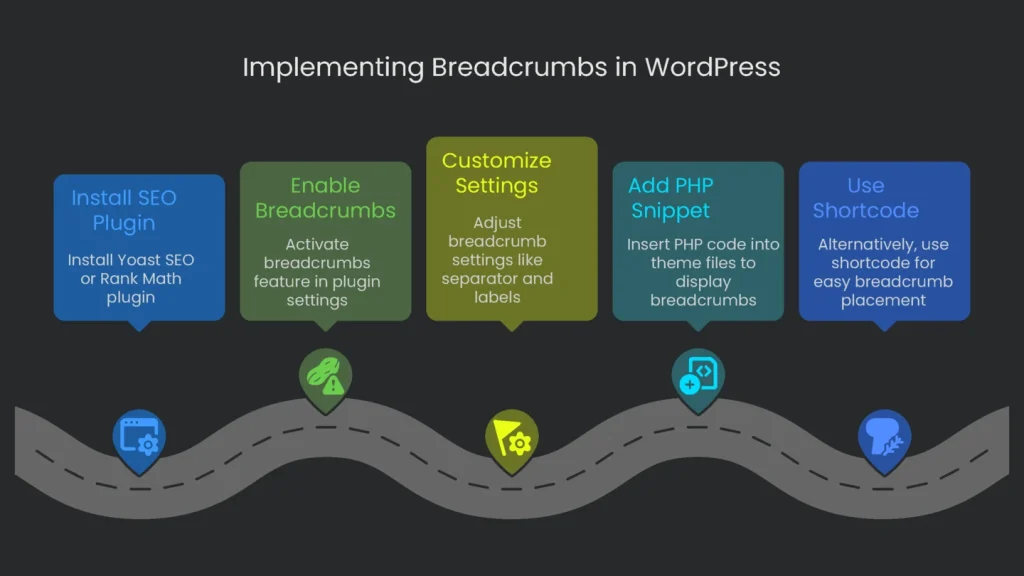
Plugins Overview
If your site runs on WordPress, adding breadcrumbs is simple with SEO plugins. They build the HTML and JSON-LD behind the scenes so you don’t have to. The two champs-Yoast SEO and Rank Math-do the job like pros.
Turning on Breadcrumbs with Yoast
- Get the Plugin: Go to Plugins > Add New in your dashboard. Next, type “Yoast SEO,” then click Install and Activate.
- Switch on Breadcrumbs: Head to Yoast SEO > Settings. Open Advanced and find Breadcrumbs. Then flip “Enable breadcrumbs for your theme.”
- Tweak the Settings: Adjust the separator, the homepage label, and which category to feature on different post types.
- Drop in the Code: Yoast creates the breadcrumbs, but your theme must display them. Therefore, add the PHP snippet Yoast provides to your theme. We recommend using a child theme so updates don’t wipe changes.
Copy this code from the Yoast example, replacing the code block.
PHP
', '');
}
?>
Now, paste this snippet into your child theme. For example, put it in header.php to show it on every page, or in single.php and page.php just above the title. You’ll find step-by-step instructions on the Yoast page, even if this sample uses Rank Math. As an easier option, Rank Math also offers the [rank_math_breadcrumb] shortcode. You can place that shortcode in the editor where you want breadcrumbs to show.
Setting Breadcrumbs with Rank Math
Switching to Rank Math, here’s how to set breadcrumbs:
- Turn On Schema: In the Rank Math dashboard, enable the Schema module.
- Breadcrumb Controls: Go to General Settings > Breadcrumbs and turn them on. If you prefer, toggle Advanced Mode for more options.
- Customize Settings: Pick the separator and adjust how archives look.
- Snippet in Theme: As with Yoast, paste a PHP snippet into your theme to display breadcrumbs.
Here’s the code you need to copy:
PHP
Now, paste the code inside your child theme. You can drop it in header.php, single.php, or anywhere else you need breadcrumbs to show. Alternatively, type the [rank_math_breadcrumb] shortcode anywhere in a post or page to pull in the trail without opening theme files. For details, see Rank Math’s knowledge base.
E-commerce Platforms
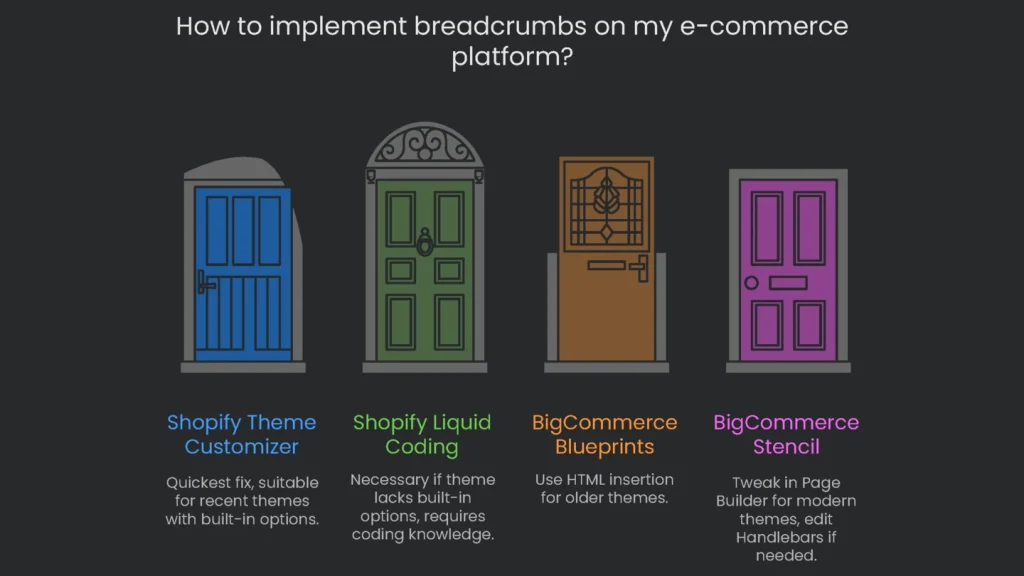
Shopify
Online shops need breadcrumbs even more than blogs. Consequently, they help customers track where they are in a multi-level catalog. Recent themes on Shopify usually offer breadcrumbs you can enable in the Theme Customizer. That’s the quickest fix, so check there first.
However, if your theme skips that option, you can code it using Liquid. Open the theme code editor and create a snippet named breadcrumbs.liquid. Then paste code that generates your breadcrumb trail. Be careful to write a trail based on your collection hierarchy. Otherwise, a default history trail may appear, which isn’t great for search visibility. Next, open layout/theme.liquid and drop {% render 'breadcrumbs' %} where you want the trail. If you’re new to code, it’s safer to hire a Shopify Partner.
BigCommerce
For BigCommerce, the steps change based on your theme.
- Blueprints (Older Models): Open the theme’s HTML files and insert
%%Panel.PageBreadcrumb%%. - Stencil (Modern Models): Most newer themes already include breadcrumbs. You can tweak them in Page Builder. If further changes are needed, edit the Handlebars template files.
A frequent e-commerce challenge is a product listed under several categories. Therefore, create a single, clear breadcrumb trail in such cases to keep both shoppers and search engines from getting mixed up.
Tips for Smart Breadcrumbs
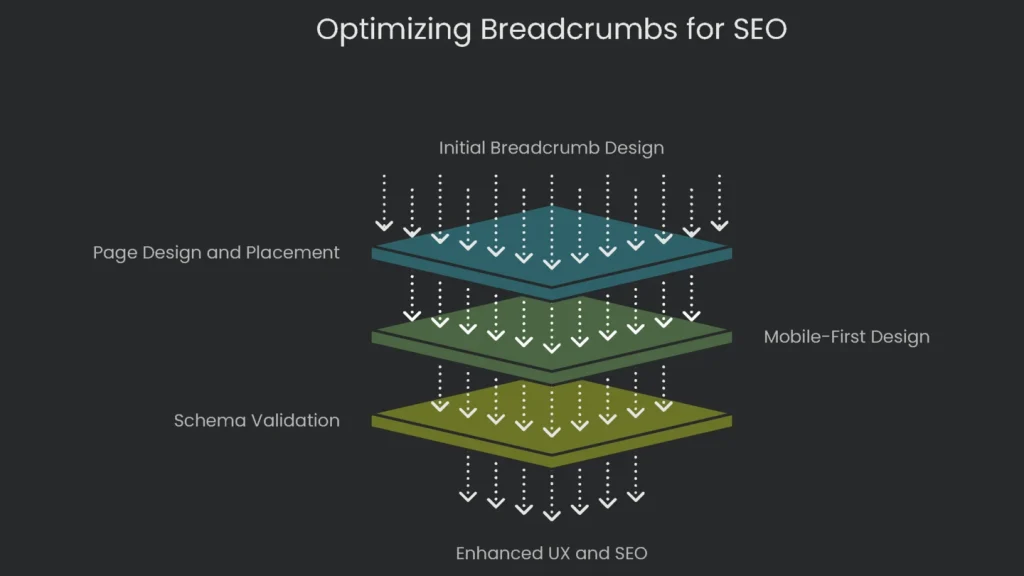
Design Principles Overview
Slapping breadcrumbs on your site won’t automatically help it. To maximize benefits, fine-tune their style, role, and setup. Consequently, these finishing touches let breadcrumbs shine for great UX and better rankings.
Page Design and Placement
How and where you design your breadcrumbs matters. Since they should help visitors without stealing attention, aim for balance: place them under the main menu and above the main section heading.
- Placement. Make sure breadcrumbs sit right beneath the main menu and above the H1 heading. Consequently, they stay visible yet out of the way of the headline you want readers to notice.
- Styling. Treat breadcrumbs like a quiet assistant. Use a smaller type size or a softer shade. Therefore, they guide readers without shouting.
- Separators. The “greater than” symbol (>) is the go-to choice. It hints you’re moving down a family tree of categories, step by step.
The Untouchable Last Item
One important rule is that the last item-the current page title-should never be clickable. Instead, it should appear as regular text, often with a slightly different style. Otherwise, users expect it to lead elsewhere and get confused when the page just refreshes. Therefore, plain text at the end says, “This is where you are.”
Mobile-First Breadcrumb Design
On tiny screens, long trails can wrap across several lines. To get it right, think mobile first.
- Truncation: Shorten long titles with an ellipsis (…) to save space while keeping structure clear.
- Horizontal Scrolling: Group the trail into a swipeable box. Next, add arrows to show users they can drag to view more.
- Collapsing Menu: Hide middle steps behind a collapse symbol. When tapped, show the hidden categories in a quick menu.
- Parent-Only Link: For a tidy option, display a link like “Go back to [Category Name].”
Whichever option you pick, double-check that buttons are big enough for thumbs. Otherwise, users may tap the wrong link and bounce.
The 2025 Mobile SERP Update
In early 2025, Google rolled out a switch for mobile search results. Instead of the full breadcrumb trail, Google now shows the site’s domain at the top of the result. This aims to create a neater appearance on small screens, where long paths get chopped.
However, this update only changes how results look on phones. The BreadcrumbList schema still matters, and here’s why:
- Desktop results still display breadcrumb rich snippets. Consequently, keeping the schema helps you attract clicks on larger screens.
- Google’s crawlers continue to use structured data to understand site architecture. Therefore, indexing and ranking benefit even if mobile hides the trail.
So, dropping breadcrumb schema due to the new mobile look is risky. As a result, on-page breadcrumbs matter even more for UX. In short, keep the schema and keep on-page breadcrumbs to guide visitors and support search performance.
Why You Must Validate Your Code
Breadcrumbs can be a win for SEO, but only if Google can “see” the markup. If there are schema mistakes, Google ignores them and the boost won’t happen. Therefore, validating your code isn’t optional-it’s a must-do.
- Google’s Rich Results Test: Use this to check structured data. Paste a URL or code and click “RUN TEST.” Look for “Breadcrumbs.” A green tick means you’re good. Otherwise, fix listed errors.
- URL Inspection Tool in Google Search Console: After implementation, this tool shows how Google crawls the page. Consequently, it confirms your BreadcrumbList schema is visible.
- Google Search Console Reports: Visit the “Breadcrumbs” report within “Enhancements” in Google Search Console. Next, review flagged issues monthly to prevent site-wide problems.
Wrap-Up
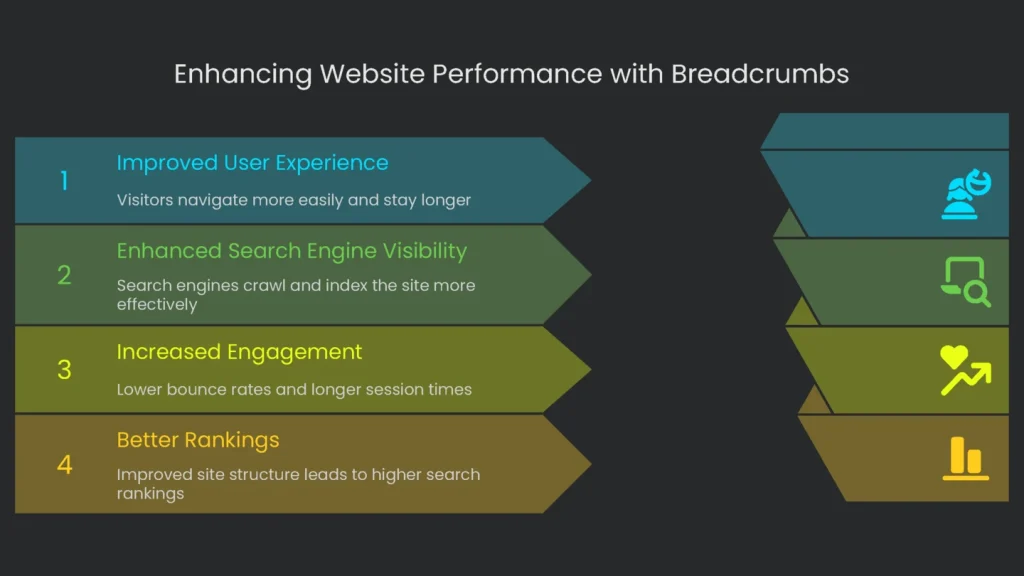
Key Takeaways
Often, tiny touches create the biggest improvements. Breadcrumb navigation is a prime example. Easy to add and affordable to maintain, it polishes two essentials: happier visitors and stronger visibility in search.
This guide unpacked what breadcrumbs can do. For people browsing, the trail feels like a reliable path through a maze. Consequently, it replaces uncertainty with clear steps, trims excess clicks, and nudges visitors to deeper pages. The result? Lower bounce rates and longer sessions.
Next Steps
Search engines benefit too. Breadcrumbs serve as a clear site map and strengthen internal links. The structured data they provide powers richer features. Consequently, Google crawls the site, indexes it, and digs into content more effectively, setting you up for smoother visibility and better rankings.
Sure, setup takes some care, but you have options. You can code by hand, use a drag-and-drop plugin, or rely on built-in platform settings. Finally, keep breadcrumbs in the right spot, design them for mobile thumbs, and validate the schema. Follow those steps, and you’ll get the most from this navigation boost.
At Technicalseoservice, we believe SEO is only cool when it feels easy for real people. Good breadcrumbs prove it in action: they guide visitors and help search engines see the site map-a double win. If you want help laying out crumbs on every page and dialing in the schema, the TechSEO team is ready to clear the path for your users and your rankings.
Implementation steps
- Shape a unified breadcrumb path that traces the same order as the site map.
- Insert HTML crumbs with hyperlinks and aria-current for the last breadcrumb.
- Embed JSON-LD BreadcrumbList with each entry’s precise spot.
- Check that crumbs stay visible and respond to keyboard navigation.
- Verify the markup with the Rich Results Test and watch the display on the search results
Frequently Asked Questions
Why bother with breadcrumbs?
They enhance user experience, carry context across pages, and can show up as rich results.
What markup do I use?
I add a JSON-LD BreadcrumbList and also make sure the HTML has proper ARIA labels for accessibility.
Where do the breadcrumbs go?
They sit near the top of the page and are placed exactly the same way across all templates.
What mistakes do I see often?
Missing aria-current, breadcrumbs in the wrong order, or links that are broken.
Do breadcrumbs boost page rank?
Not directly, but clearer navigation and good internal linking help search engines discover more pages.