
The first step in organic growth is crawlability. We explain the friction and simplicity in removing the blockers to growth (broken links, JS gaps in rendering, unlimited spaces, etc.).
What is Crawlability?
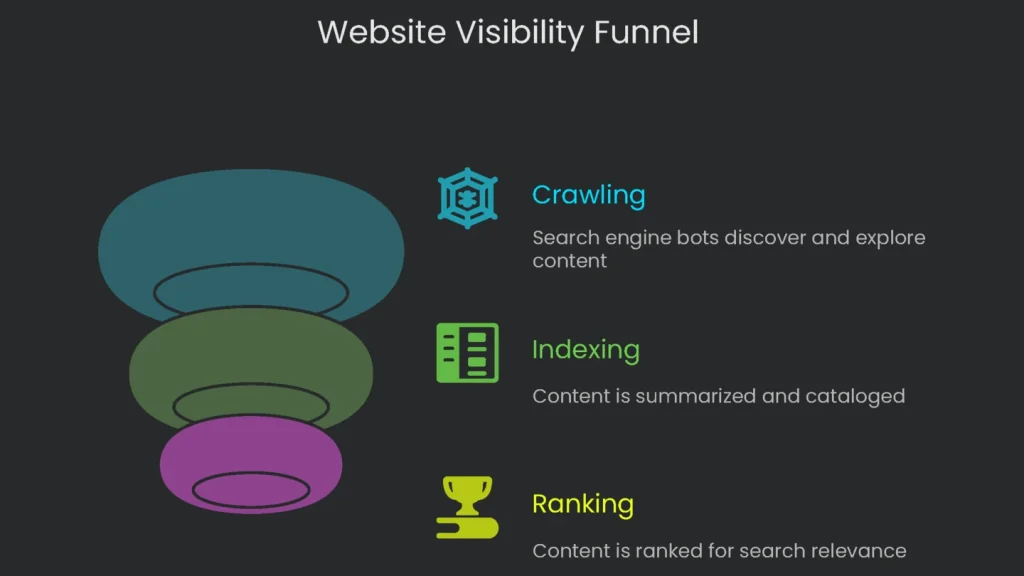
Definition and Importance
For any site to show up on Google’s first page and start bringing in clicks and sales, Google has to know it exists. The massive automated journey search engines follow to discover new pages is called “crawling.” This step is the opening chapter of search engine optimization (SEO). In short, no crawl, no visibility.
How Crawlability Works
Now, crawlability comes into play. Crawlability tracks how easily Google’s automated bots—often called crawlers or spiders—can reach every piece of content on your site and move from one page to the next. These digital explorers wander the web and send back reports on what they discover. If they get stuck, the page never gets logged.
Simple Analogies
Let’s picture this: Your website is like a cozy little townhouse, and Googlebot is the delivery driver with the pizza you ordered. Crawlability is how easily the driver can figure out where the food must go. When the street signs are bright and the house number is glowing, the driver zooms right up. Therefore, you’re munching within minutes. However, when the streets are a maze or the house has no address, the driver gets stuck on Google Maps. In search, if content is hard to access, future fans never taste what you’re serving.
Now picture the internet as a towering library loaded with millions of books, one for every webpage. You can think of a search engine crawler as a robot librarian on a quest to catalog the whole thing. Crawlability means leaving the library doors wide open and keeping the aisles clear. As a result, the little librarian can zoom from shelf to shelf and scan every title without tripping.
Crawl → Index → Rank
Every webpage follows a routine after the librarian arrives:
- Crawling: The librarian finds the new book and flips the cover to see what’s inside.
- Indexing: The robot writes a summary of the book, tags it, and files it in the digital catalog.
- Ranking: Finally, when a patron asks for the best book on a topic, the library pulls out the most relevant title and puts it at the front of the shelf.
Website crawlability is crucial because it sets the first step in motion. If crawling stumbles, the follow-up jobs of indexing and ranking freeze. Consequently, visibility disappears.
How Search Engines Crawl
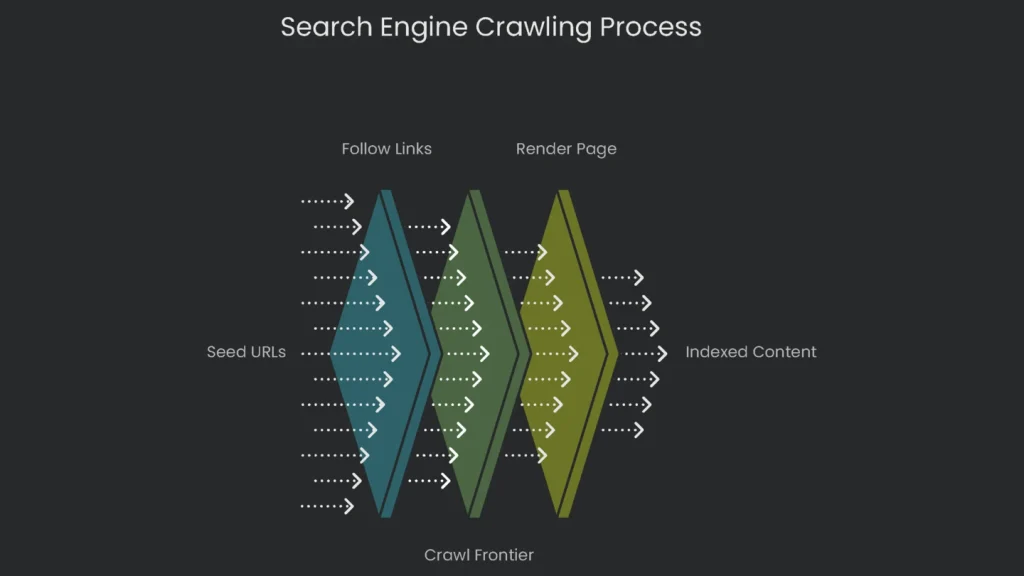
The Jump-Off Point: Seed URLs
These scouting bots don’t turn up from nowhere. They kick off from a list of web addresses called “seed URLs.” This list is updated through older crawls and from XML sitemaps that site owners send in. An XML sitemap is a treasure map of your site, showing search engines which pages are the shiny prizes. That way, crawlers never waste time wondering which way to go first.
The Web’s Pathways: Following Links
When a web spider lands on a page, it mostly uncovers new stuff by hopping from link to link. Every hyperlink—whether it points to another part of your domain (that’s an internal link) or to a different site (that’s external)—offers a new route. Think of the web as a giant map of paths, and crawlers as tourists wandering link by link. Therefore, smart internal linking matters. You show spiders a clear, easy map of where to go next.
The To-Do List: The Crawl Frontier
After spotting a new link, the crawler sticks it on a to-do list called the crawl frontier. Algorithms decide which sites get crawled, how often they’re revisited, and how many pages get checked each visit. These choices hinge on a site’s authority, content freshness, and whether the server can handle traffic. The limit on the crawler’s energy is often called a “crawl budget”—a fixed allowance a search engine spends on a site over time.
More Than Just Code: Rendering the Page
Once upon a time, search engines cared only about plain HTML. However, the web evolved. Websites now assemble spiffy pages where JavaScript pumps life and fancy features. To a crawler that eats only HTML, the site looks like a sealed soda can—shiny but closed.
Wise engines like Google adapted. Enter Googlebot: a crawler that wears a Chrome browser mask. It loads pages, runs JavaScript, and applies CSS. It’s like an invisible friend opening the page, clicking buttons, and waiting for the fireworks. If a site shows key content only after JavaScript fires and the bot misses that cue, the info stays hidden. Consequently, a page that looks eye-popping to users can appear gray to Google.
The Golden Rule of SEO
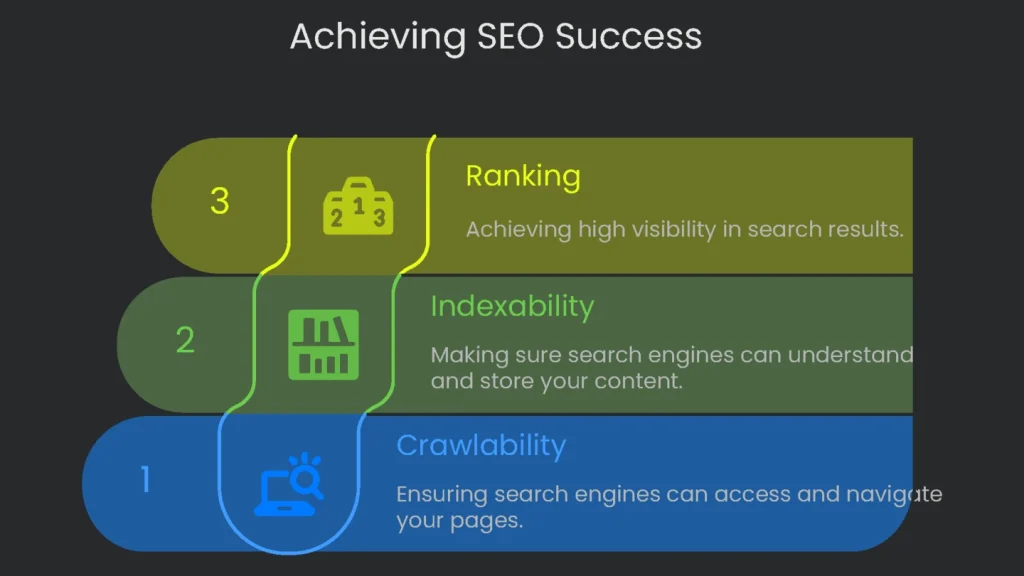
One Rule to Remember
In the tangled jungle of SEO, one commandment lights the path like a glowing neon sign. Follow it and the path opens; ignore it and tweaks crumble. The top rule is simple: If a search engine can’t crawl a page, it can’t index it, and if it can’t index it, it won’t show up in search results or “rank.” Every link you see in Google went through crawl, then index, and then rank. Therefore, halting at any stop removes the page from the running. That’s why crawlability is the rock-solid first step of SEO.
Crawlability vs. Indexability
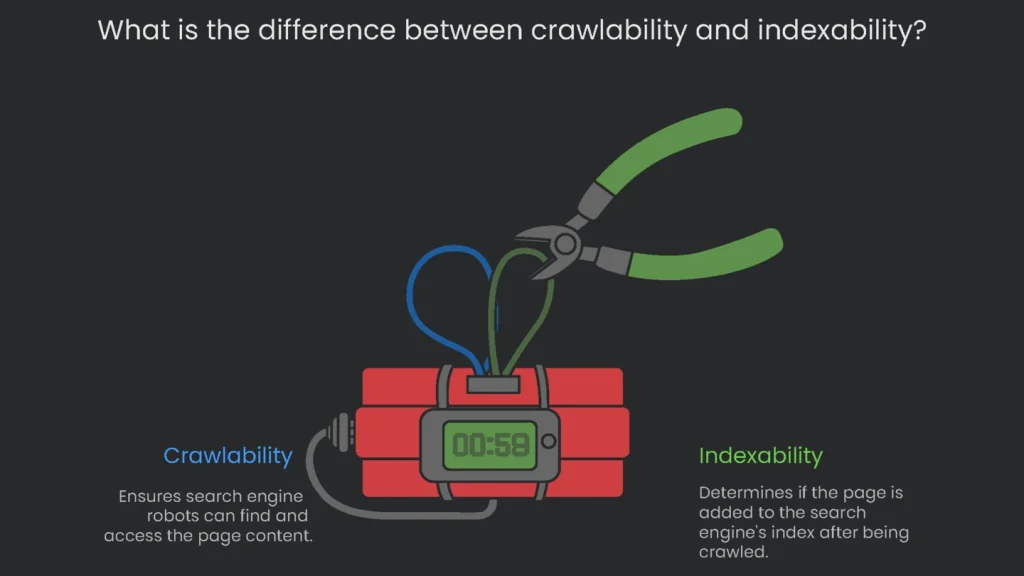
The Difference
Beginners sometimes confuse “crawlability” with “indexability,” but they don’t mean the same thing. Get the terms straight and you can spot why a site is dragging. Consequently, fixes become faster.
- Crawlability = Discovering and Entering: This is the opening lap. It checks if the search engine robot can find your page and reach its content. Think of it as the robot’s road map: no link, no entry. Blocks like no-follow tags, asset passwords, or server downtime can put up invisible road signs.
- Indexability = Reading and Adding: This is the next lap, which happens only after crawl finishes. It asks if the engine can read the page and store it in its vast catalog, the index. Reasonable quality cues like page speed, title quality, and HTML structure help decide if the page makes the final cut.
Library Analogy
Think of building your website like setting up a library of your own. Crawling is the librarian coming to your shelf and grabbing a book off the edge. Then, indexing is the librarian skimming the pages and deciding whether it’s a one-of-a-kind story worthy of the main catalog, or something already on the shelf twice. If it’s the same tale with a different cover, the librarian still visited. However, the story won’t join the big catalog. In short, being seen on the shelf doesn’t guarantee a separate listing in the broader index.
Common Crawlability Roadblocks
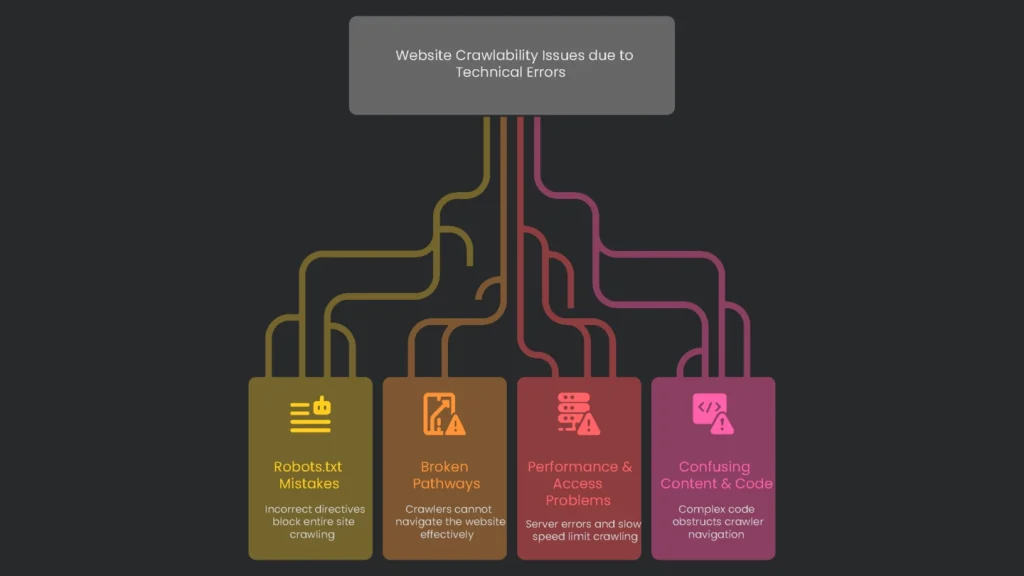
“Keep Out” Labels
Sometimes, a site sends a clear signal asking search-engine bots to stay away from certain regions. A tiny mistake here can mean no page gets seen. Therefore, review these settings carefully.
- robots.txt Mistakes: A plain text file guides crawlers and keeps secret spots—like admin logins—hidden. But a tiny slip can scuttle the effort. When a line says
Disallow: /, the warning says “no page, anywhere.” An error like that can stop the entire site from being crawled, making content vanish from search results.
Broken Pathways
When a bot lands on a page, it follows links like cruising a city on a web of streets. If streets are out, misplaced, or hiding, the bot can’t find its way. Consequently, discovery slows.
- (404 Errors): When a link leads to a vanished page, it shows a “404 Page Not Found” message. To a crawler, that’s a dead end—like finding a “Bridge Out” sign when you’re trying to cross.
- Orphan Pages: These are loners on your site. No other page links to them, so unless they’re in the XML sitemap, crawlers are left staring. They’re tiny “floating islands” with no bridge to the rest of the web.
- Redirect Chains & Loops: A redirect nudges visitors and crawlers from one URL to the next. But a long chain (A → B → C) or a looping chain (A → B → A) makes crawlers dizzy and eats up their limited crawl budget. As a result, they may quit before reaching the real destination.
Performance & Access Problems
Even the best map doesn’t help if the crawler hits a real barrier. Therefore, remove access blockers and keep the server healthy.
- Content Behind Login Forms: Crawlers can’t fill out forms or type passwords. Anything locked behind a login is a door they can’t open, which makes that content invisible to them.
- (5xx Errors): When a crawler reaches a page but the server is busy or down, it sees a server error like a 503 “Service Unavailable”. If outages happen a lot, Google sees the site as unreliable and may reduce crawling.
- Slow Page Speed: Google, Bing, and others can check only a limited number of pages on any site. If pages load slowly, they check fewer before time’s up. Important updates might never get the green light. Consequently, speed matters.
Confusing Content & Code
Crawlers are like expert backpackers—they need clear maps. If code is tangled, they waste time trying to find the exit. Therefore, keep navigation simple.
- Links Hidden in Complex JavaScript: The most straightforward signpost for a crawler is a plain HTML link. When a link hides inside complex JavaScript that needs special clicks, it can vanish like a mirage. That’s invisible ink, not a helpful guide.
- Duplicate Content from URL Parameters: E-commerce sites often add filters and sorts to URLs (think
?color=blue). If you don’t clean those up, the crawler faces thousands of near-identical doorways. It clicks one, sees a slightly different one, and clicks again—burning crawl budget in a maze.
Fast Reference: Crawl Blockers
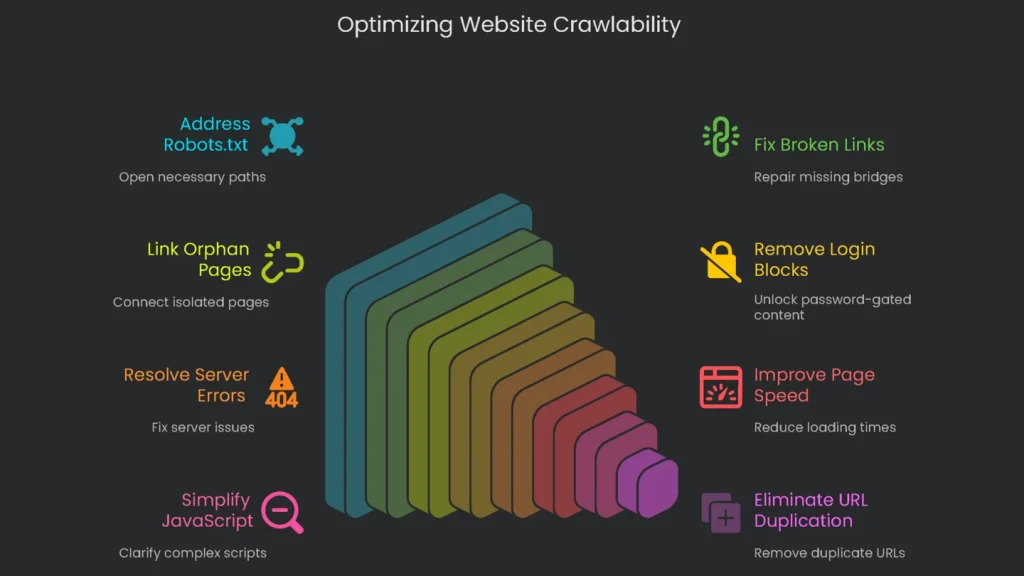
Quick Table
This mini-table gives you quick phrases, maps them to real-life signs, explains the crawl nuisance, and tells you the first step to take. For example, start with obvious errors, then move to deeper checks.
| Sign | Problem for Google | What to Do First |
| robots.txt Block | No Entry | Rules say, “Don’t go here. This part’s off-limits.” Open the needed paths. |
| Broken Links | Missing Bridge | The path ends, and the crawler can’t go to farther pages. Browse the Google Search Console “Pages” report for “404 Not found” entries. |
| Orphan Pages | Island in the Sea | No one links to the page, so there’s zero path for crawlers. Use a crawler tool to spot pages that no other page links to. |
| Login Block | Door is Locked | Login forms stop the crawler, so any password-gated pages are hidden. Scour your site for important content that needs a login. |
| Server Errors | Road Block | Google sees a break and thinks, “Maybe this site’s not worth re-visiting.” Check the “Server error (5xx)” section of the Google Search Console “Pages” report. |
| Slow Page Speed | Heavy Traffic | Delays waste the crawl window, so fewer pages get seen. Fire up a speed test and fix bottlenecks. |
| Complex JavaScript Links | Invisible Ink | Overly complex scripts can hide links. Use the URL Inspection tool in Google Search Console and compare the crawled and rendered versions. |
| URL Parameter Duplication | Hall of Mirrors | One URL spawns hundreds of clones, blowing the budget. Scout your URLs for extra bits (?, &) and check duplicate clusters. |
Scanning for Crawl Problems
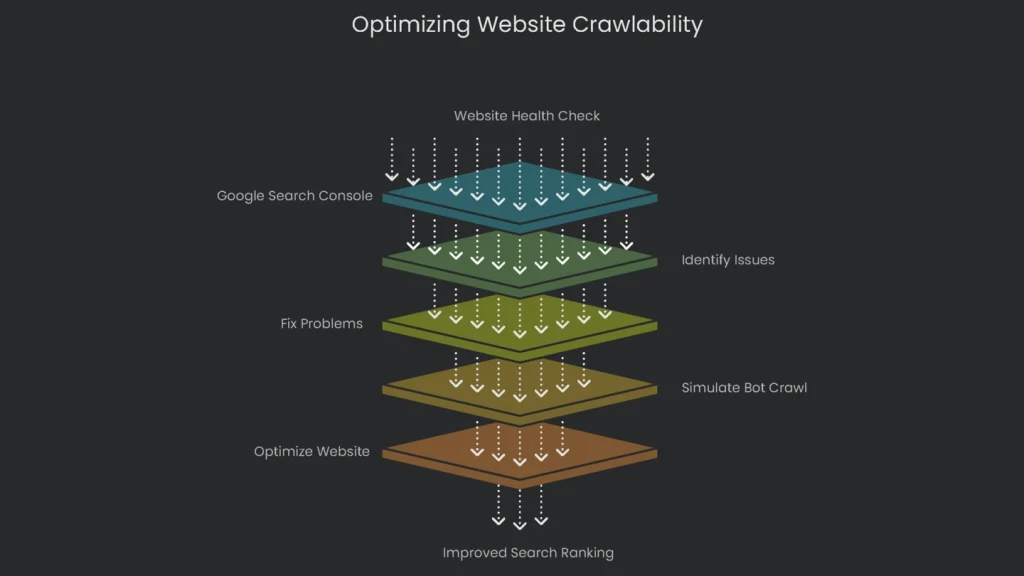
Kickoff with the Free Tool: Google Search Console
Locating and squashing crawl problems is a core move in tech SEO. Good news: you’ve got serious tools that let you see your site through a crawler’s eyes. The aim is simple—squish bugs before they squash your ranking. Therefore, start with Google Search Console.
Head to the link, and you’ll enter a free system that tracks site health. It shows what Google sees, surfaces hiccups, and flags big issues. Setting GSC should be the first big click for every site owner. When you want to check how Google can find and read pages, start with the “Pages” report. It lists every page Google has seen and splits them into “Indexed” and “Not indexed.” The “Not indexed” group reveals why some pages didn’t make search results. Next, review the common problems that appear as to-do items:
- Not Found (404): Google clicks a link to a page that vanished. Therefore, fix the broken link.
- Blocked by robots.txt: The page exists, but robots.txt shows a stop sign. Adjust the file to allow crawling.
- Server error (5xx): Googlebot arrived to find your server busy or offline. If frequent, speak with your host.
- Crawled – currently not indexed: The page loaded, but Google thinks it’s not good enough to show. This often hints at thin or duplicate content. Consequently, improve quality.
Pro Tip: Simulate a Bot Crawl
Want to get ahead of technical issues? Use a crawler. Think of these tools as mini search-engine robots that sweep your entire site and report detailed health checks. Fixing problems before Google spots them is a major win.
Probably the best free option is the Screaming Frog SEO Spider. Download it to your computer and it dishes out vital information on your site’s back end. For beginners, it highlights typical trouble spots we’ve covered:
- It flags every broken link (where a page disappeared, the dreaded 404).
- You’ll see the exact URL that’s broken and where the link lives.
- It traces redirect chains and spots loops, so you can clean hopscotch paths before they confuse humans and bots.
- It reveals which pages robots.txt blocks, plus any with “noindex” tags you may have forgotten.
- It can even find lonely orphan pages with no internal links pointing to them.
- It reports server issues, duplicate titles, slow pages, and more. Consequently, you get a prioritized fix list.
Conclusion
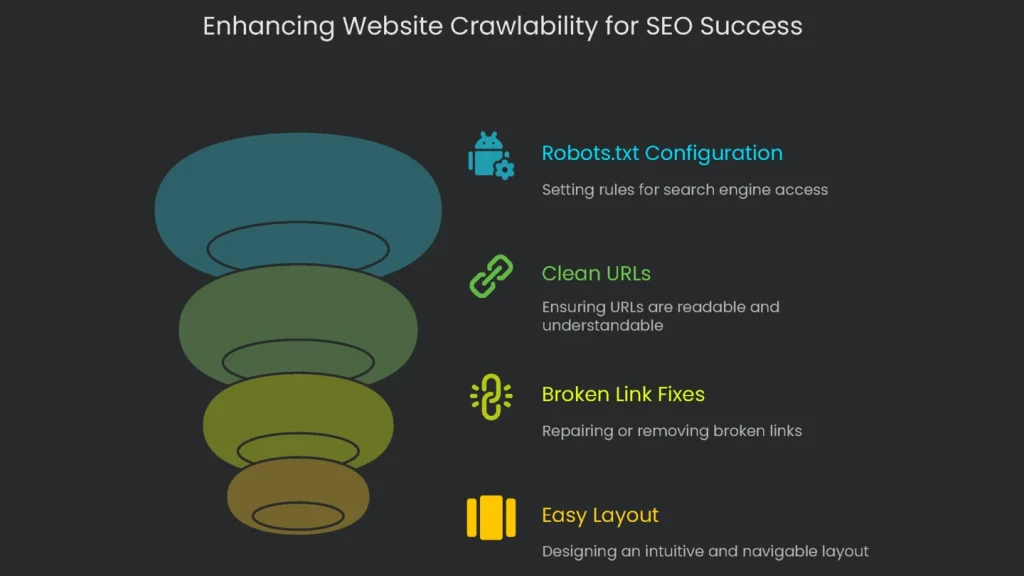
Key Takeaways
Crawlability isn’t just a fancy tech term—it’s what lets your site show up where it matters: search results. Think of it as the first step that lets search engines peek inside your site, find the cool stuff you’ve created, and move from one page to the next. If pages can’t be crawled smoothly, even the greatest articles and videos won’t find an audience. Therefore, prioritize access.
Next Steps
The rule is clear: build straightforward, open trails that guide search engines to every page that matters. Don’t leave visitors standing in the rain at a locked door (that’s an incorrect robots.txt), send them the long way around a broken shortcut (that’s a 404), or confuse them with a messy route (that’s weak structure). Managing crawlability isn’t a tech-widget chore; it’s good business. In short, unlock the storefront, switch on the lights, and keep aisles clear.
Once you nail the crawlability essentials—using robots files correctly, offering clean URLs, fixing broken links, and setting an easy-to-follow layout—you can use Search Console and SEO crawl tools to monitor your invisible lines. When those tools show a green light, you’ve flung the door wide open to search engines and to the millions of daily shoppers who start with a search box. Consequently, success in search rests on clear routes ready and waiting, all day, every day.
Implementation steps
- Conduct a fresh discovery crawl to identify any URLs that are blocked, any broken links, or pages that are unreachable.
- Repair any internal links that are broken and ensure that all major pages receive links from hub pages.
- Verify all URLs are returning the appropriate HTTP status codes (200, 301, 404, or 410) and maintain a consistent level of server performance.
- Strip out client-side JS traps from main content; deliver key links as instant HTML.
- Run a fresh crawl; check high-priority pages are surfaced in no more than three clicks
Frequently Asked Questions
What does crawlability mean?
It’s how simply search bots can spot and reach your pages and their links.
What breaks it?
Broken links, infinite scroll gaps, JS content hidden behind clicks, and slow error pages.
Does a sitemap replace links?
No—pages still need clear paths between them, but sitemaps alert crawlers to what’s out there.
How do I test crawl paths?
Crawl the whole site and scrounge the server logs for dead ends and loops.
Can speed affect crawlability?
Totally—lagging or flaky servers tell crawlers to slow down or go home.