
Insight on when a CDN improves TTFB and Core Web Vitals in relation to moving the assets to the users and how to set up post-launch monitoring.
What is a CDN?
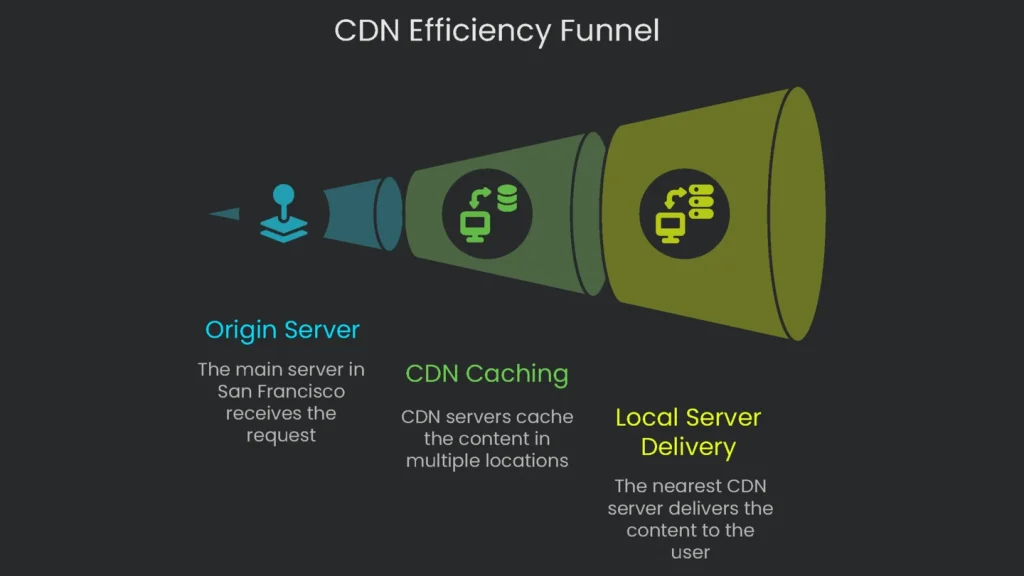
Let’s Make the Internet a Shorter Trip
Picture your website living in a gigantic library in San Francisco. For example, when a person in Sydney opens a page, the library ships it all the way to Australia. That trip takes time and may slow down because of traffic or storms. A CDN is like placing a smaller, identical library in Sydney. As a result, the page arrives in seconds.
What a CDN Actually Does
The CDN is a worldwide team of mini-servers that keeps copies of your site’s files. The images, videos, and code that stay the same for every user get
cached, or temporarily stored, in dozens of cities. Consequently, when I visit your site, I get a speedy download from a nearby copy. The magic works because the CDN shortens the trip for everyone, everywhere. The farther the origin is, the longer the wait; however, a CDN sidesteps that by planting copies close to users. In short, this cuts lag to milliseconds, boosts reliability, and adds a layer of protection—all without visitors noticing.
How a CDN Shrinks the Internet
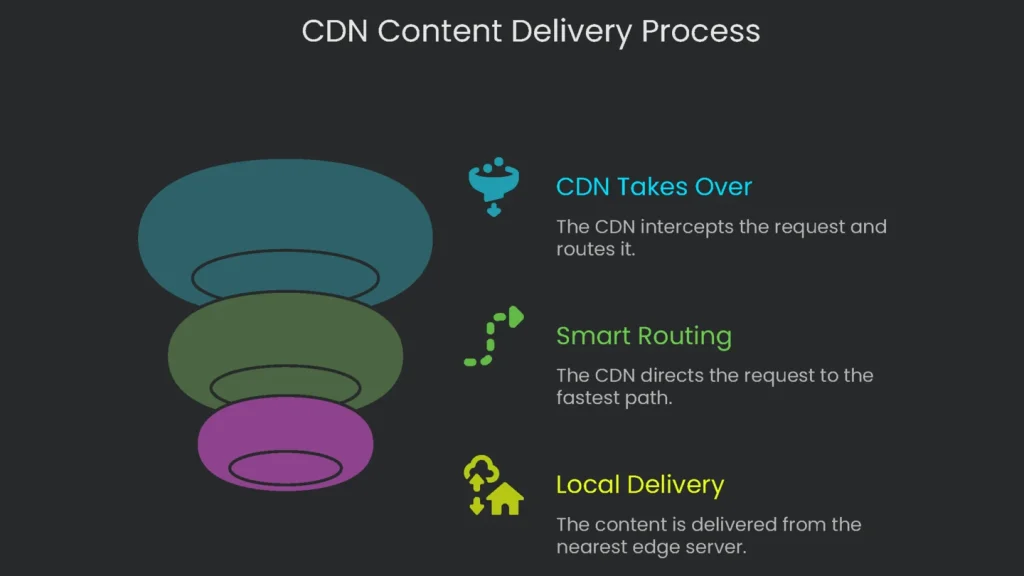
Think of the CDN as a clever shortcut the internet learned to speed up. Once you see the web as a sprawl of cables and computers, the trick becomes clear.
The Problem of Distance
All those GIFs, fonts, and videos must zip over wires, much like orders moving across a busy kitchen. Suppose a teen in Sydney hits “Play” on a video that lives on a server in Detroit. That request hops across undersea cables, through many routers, and into a distant data center. Each hop adds delay, so videos buffer and pages load a moment too long. We cannot beat physics; however, we can shorten the trip.
How a CDN Shrinks the Distance
A CDN, or Content Delivery Network, is like adding a dozen satellite stands in popular neighborhoods. Instead of one slow line, the whole town gets a quick nacho window. Here’s how that works:
- The Visitor Shows Up: A late-night craving starts on Tanaka’s street.
- The CDN Takes Over: Tanaka’s request is routed to the nearest edge location. If the file is already there, it serves instantly. If not, the CDN fetches it from the origin, stores it locally, and then delivers it.
- Smart Routing: Think of the CDN as a digital traffic cop. When your request zooms in from Tokyo, it quickly waves traffic into the fastest lane.
- Local Delivery: The cop radios the nearest data station—the Tokyo Point of Presence (PoP). Inside, an edge server is on standby, only a short hop from your home.
- Instant Content: That Tokyo edge server has your favorite site’s files ready. As a result, the data travels only a few “subway stops,” and the page appears like magic.
Key Terms Explained
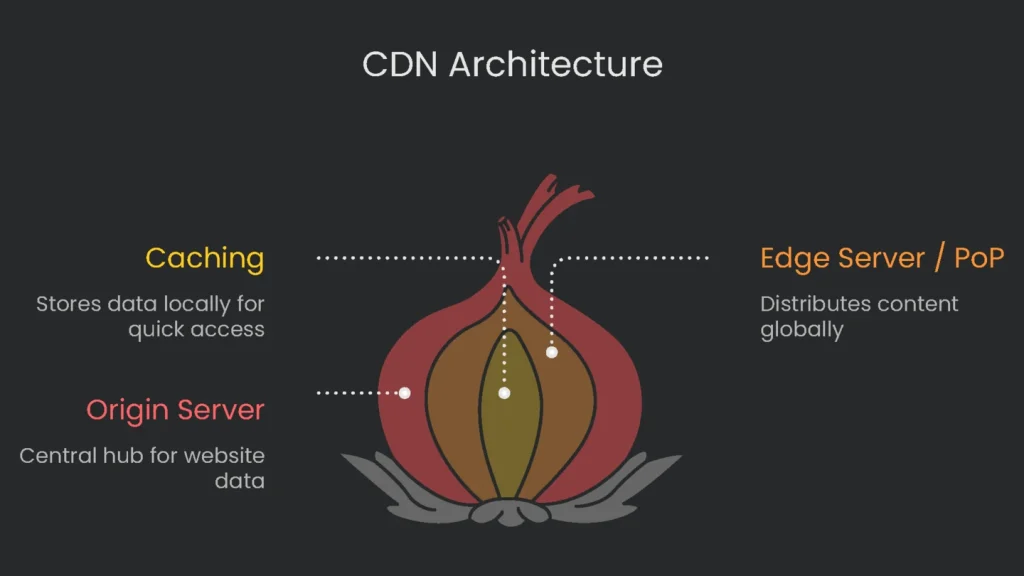
Glossary
Let’s break down the techy words into everyday lingo:
- Origin Server: Your digital HQ that holds the official, complete version of your website. Without a CDN, every visitor must trek back to this HQ.
- Edge Server / Point of Presence (PoP): Local branches tucked in data centers worldwide. These supercharged servers serve people nearby. For best results, choose a CDN with many well-placed branches.
- Caching: Imagine a tiny bakery at the skate park keeping fresh cookies on the counter. Instead of calling the big bakery each time, the small shop keeps a warm tray ready. Consequently, the next skater gets a cookie fast, the big bakery gets a breather, and everyone’s happy.
Business Benefits of a CDN
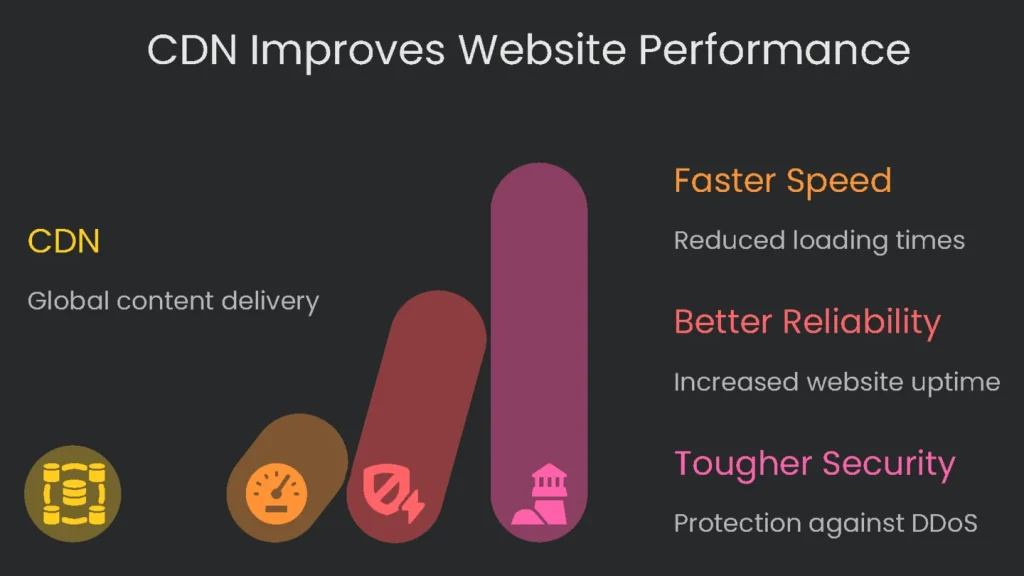
Ready to see the hat trick your business pulls off with a CDN? Therefore, focus on speed, reliability, and security. These are why you want that “cookie counter” at the edge.
Faster Website Speed
Speed is the first gift on your digital porch, and it means money. Speed isn’t a “nice to have.” Rather, it’s the green light for sales.
In an online time race, seconds are gold. A one-second delay can cut conversions by about 7%. Moreover, 53% of mobile users bounce if a page takes over three seconds. If you want page-one visibility, you aim for very fast loads. Otherwise, you risk losing both clicks and customers.
SEO and Core Web Vitals
Page speed matters to Google, and it matters a lot. A speedy site makes visitors happier, and happier visitors help you climb search results. Core Web Vitals—especially Largest Contentful Paint (LCP)—are the key report card. When a CDN serves big images from a nearby server, pages load sooner, your LCP improves, and Google takes note. Consequently, you can earn more search traffic.
Real-World Examples
We’ve already seen CDN speed boosts in practice:
- One sample site in Stockholm hit a USA server without a CDN and loaded in 7.2 seconds. With a CDN, that dropped to 3.3 seconds—a 54.7% improvement.
- Another business added a CDN and watched average load time fall from 4.2 to 2.1 seconds. Visitors stuck around longer.
Bounce rate slipped from 55% to 38%. As a result, the conversion rate jumped from 3.8% to 5.2%.
Better Reliability and Uptime
Speed is useless if the site isn’t there when customers click. A CDN scatters your files across a global network. If one server fails, others step in. Therefore, downtime drops, stability rises, and visitors keep clicking.
Managing Mega-Traffic Storms
Traffic spikes can choke a single server, especially during flash sales, big campaigns, or viral hits. A CDN uses load balancing to spread requests across many locations. Consequently, no single machine carries the entire load, and your site stays fast under pressure.
Staying Open When the Lights Go Out
Servers crash, and entire data centers can go dark. Without a CDN, one hosting failure can freeze the whole site. That means lost sales and unhappy visitors. With a CDN, edge servers cache local copies and can take over when the origin fails. This intelligent failover keeps your site open, so opportunities aren’t missed.
Tougher Security
Modern CDNs include strong, easy-to-enable security. Because the CDN sits in front of your site, features like DDoS protection, web filtering, and bot blocking can be switched on quickly. It’s like fitting your front door with reinforced glass.
Shield Against DDoS Frenzy
Think of a DDoS attack as a rowdy crowd jamming a store entrance. The CDN’s vast network absorbs and reroutes the junk traffic to many doors. Only clean traffic reaches your site. Providers like Cloudflare even offer this guard at no cost for most sites.
Do You Need a CDN?
Quick Checklist
- Are you reaching people across the globe?
- Why it matters: If you serve customers worldwide, you likely need a CDN. Without one, visitors in other countries may see a slow site. A CDN speeds things up everywhere, so your brand looks fast and polished.
- Are big images or videos a regular part of your web pages?
- Why it matters: Media-heavy pages can drag. CDNs serve large files quickly. Some even resize and optimize images automatically so every device gets the right size.
- Are you ready to handle crazy traffic bumps?
- Why it matters: Running an ad blitz or holiday promo? Then you need a site that won’t buckle during the rush. The right CDN distributes the surge and keeps sales flowing.
- Is website speed at the very top of your priorities?
- Why it matters: If a slow site hurts sales, speed is non-negotiable. A CDN can speed up page load, which boosts conversions, keeps customers happy, and may help rankings.
The Bottom Line: If you nodded yes to even one question, a CDN is worth your time and money.
A Word of Caution
Pick the Right Network
Think of a CDN like a high-performance car: it goes fast only when tuned properly. Some providers promise the world; however, a poor setup can slow you down. Before you buy, choose a CDN with many edge servers near your visitors. The best ones let you flip a switch with simple plugins or a quick DNS change—no PhD required.
What to Do Next
If you run a site, a CDN is one of the quickest ways to make it faster, steadier, and safer for visitors everywhere. Once reserved for giants like Netflix, it’s now a checkbox for small shops. Better yet, many providers offer free or budget-friendly plans. Therefore, upgrading is less “Do we have budget?” and more “Can we live without this?”
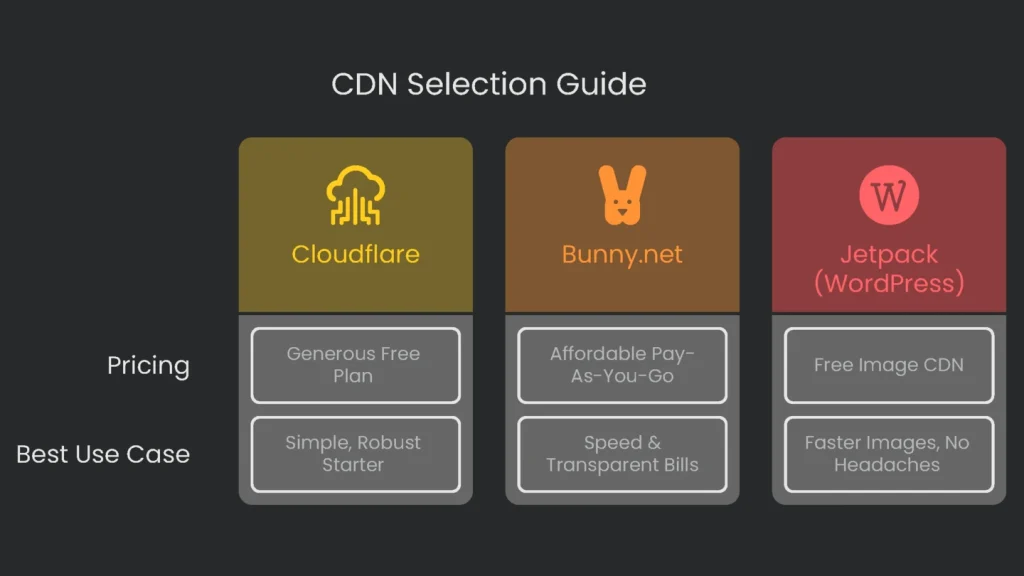
Starter CDN Options
| Provider | Free Plan / Pricing Model | Best For |
| Cloudflare | Generous Free Plan: Get unlimited DDoS protection, global caching, and free SSL—all in one. | Sites that want a simple, robust starter setup. |
| Bunny.net | Affordable Pay-As-You-Go: No free tier, but pay about 0.01/GB after transfer, plus a $1 monthly starter fee. | Small sites and devs who want speed and transparent usage-based bills. |
| Jetpack (for WordPress) | Free Image CDN: No cost if you use the Jetpack plugin. | WordPress sites that want faster images and files with no configuration headaches. |
Final Tips
In 2024 and beyond, fast loading isn’t a bonus; it’s expected. Switch on a CDN today for a quick speed boost, access to free plans, and fewer long waits on every page. Consequently, you can strengthen user experience and grow your online presence.
Implementation steps
- Assess where users are and what files weigh. Edge caching may be the boost users across distant regions need.
- Set up a CDN, or let the host offer it. Proxy your traffic through that.
- Cache static files with elbow grease: long max-age and unique region-revealing file names.
- Activate HTTP/2 or HTTP/3, enforce TLS, and let the CDN tune images on the fly.
- Keep your eye on cache hits percentage and entry time to first byte: monitor by region and readjust caching rules as data comes in
Frequently Asked Questions
What’s a CDN?
A bunch of servers that store copies of files and send them from the spot closest to a visitor.
Who gains the most?
Sites that reach the whole globe, have big images, or get sudden surges of visitors.
Can a CDN fix bad code?
No—tune the server logic and speed up queries; a CDN mainly speeds up delivery and eases server load.
Does it affect SEO?
Not directly—better CWV and less downtime can improve rankings and sales.
How do I set one up?
Change the DNS to point to the CDN, make caching rules, and check the cache-hit rate.