
To reward and improve your pages, use structured data. Learn the effective times to use JSON-LD and the types to focus on, and how to validate and scale monitor.
In Google’s crowded results, you can’t afford to blend in. Picture two links to the same article. One shows a standard blue headline and a plain description. The other is a rich result with yellow star ratings, a price tag, and a product image. Which one grabs your click? Exactly. Behind that upgrade is Schema Markup, a turbocharger for search visibility. This guide breaks schema into bite-size steps that any marketer, shop owner, or beginner SEO can tackle. As a result, you’ll get rich snippets without the tech headache.
What’s Schema Markup, Anyway?
A Simple Definition
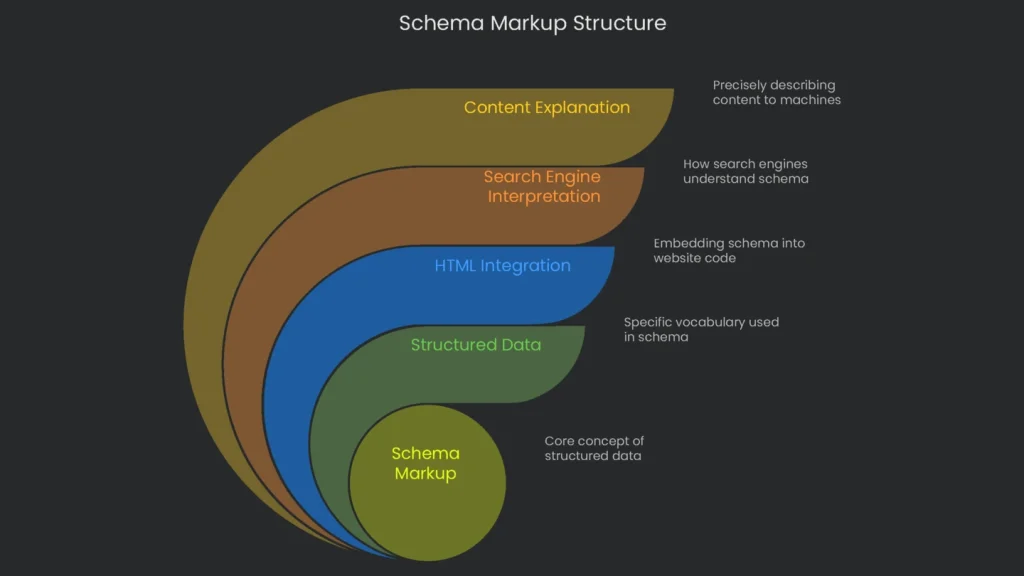
Think of Schema Markup as a secret language that lives in your site’s code. It lets you speak to search engines like Google, Bing, and Yahoo without changing what people see. This special vocabulary, often called structured data, sits inside your HTML and leaves design untouched. Its job is to drop helpful hints that explain your content precisely. For example, if you publish a recipe, schema can label the ingredients and cooking time so machines read it as a recipe. All the major search engines agreed on the same vocabulary, so they interpret it consistently. You can peek at the playbook to see how it works.
Why Should You Care?
The CTR Boost
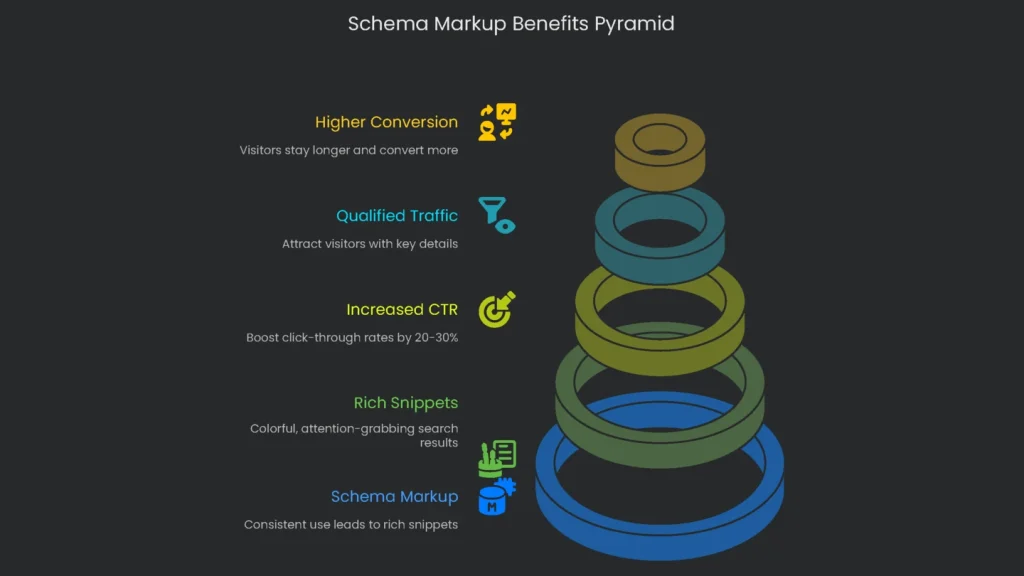
The real magic appears when you use Schema Markup consistently. Consequently, search engines may award rich snippets—colorful, attention-grabbing results that stand out. Studies show these can lift your click-through rate by 20% to 30% or more. One example: Rakuten Japan tripled its search traffic after adding structured data. Because rich snippets surface key details—like price and rating—people decide faster. As a result, they arrive more qualified, stay longer, and convert more often.
Schema and the Next Wave of AI Search
Prepare for Answer Engines
A higher CTR feels great now; however, schema also prepares you for what’s next. AI tools like Google’s AI Overviews and ChatGPT aim to deliver direct answers, not long lists. These systems prefer clean, structured inputs. Schema presents data in a clear key-and-value format that machines parse quickly. Therefore, by adding schema, you polish today’s results and future-proof your content for tomorrow’s answer engines.
Find Schema Champion Pages
Prioritize High-Impact Targets
Don’t add schema to every page blindly. Instead, target pages that drive the most traffic or contain details you want highlighted. If schema doesn’t match on-page content, you may confuse Google. Therefore, stick to accurate markup and avoid surprises that could hurt rankings.
Top Schema for Most Businesses
High-Impact Types
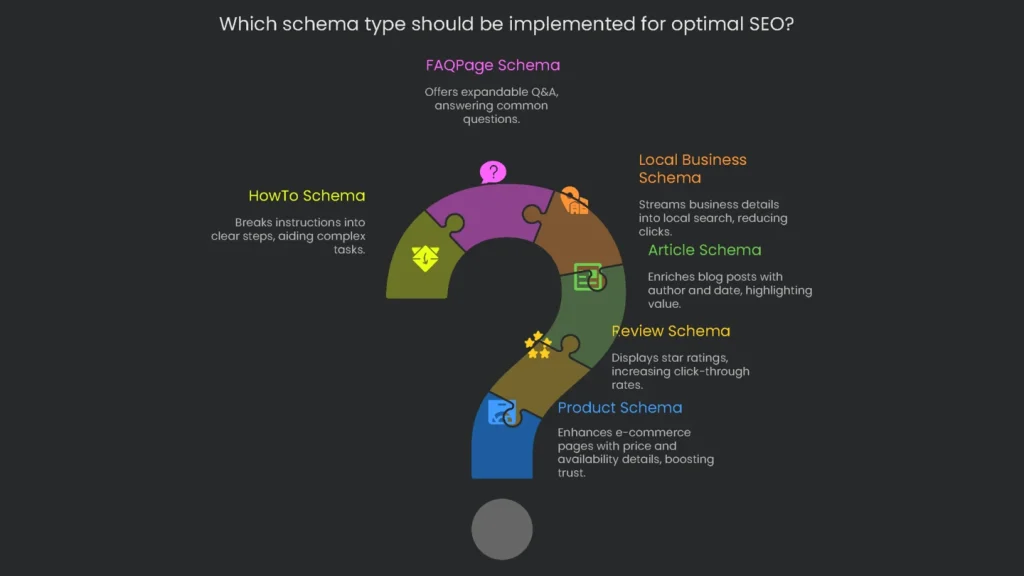
Usually, a handful of schema types deliver most of the results. Focus on these to maximize returns. The table below lists priority types, where to use them, and key properties.
| Schema Type | Purpose & Benefit | Applicable Content | Key Properties to Display |
| Product | Provides price, availability, and ratings so shoppers see essentials at a glance. Consequently, it boosts trust and keeps e-commerce pages sharp. | Single product pages | name, image, description, brand, sku, offers (with price and availability), aggregateRating |
| Review (AggregateRating) | Displays stars beside the result, giving instant feedback and trust. Therefore, it can lift clicks quickly. | Product pages, service pages, recipes, courses, local business pages | ratingValue, ratingCount or reviewCount, itemReviewed |
| Article (BlogPosting) | Enriches entries with author, date, and strong headlines so value is obvious. | Blog posts, news articles | headline, image, author, datePublished, publisher |
| Local Business | Streams address, hours, and phone into local search and Google Maps, reducing clicks. | Homepage, contact page, location-specific landing pages | name, address, telephone, openingHours, geo (geographic coordinates) |
| FAQPage | Offers expandable Q&A in results, taking up screen space and answering common questions. | Pages with a dedicated FAQ section | mainEntity with an array of Question and acceptedAnswer pairs |
| HowTo | Breaks instructions into clear steps so users and bots follow complex tasks easily. | Pages for tutorials, step-by-step guides, DIY articles | step, totalTime, estimatedCost, tool, supply |
FAQ and How-To Schema Changes
Recent Display Changes
Google keeps evolving how it shows results. In late 2023, it limited FAQ rich snippets mainly to highly trusted sites, often health and government. At the same time, it removed HowTo rich results. However, schema still helps Google understand your pages and can support future features. Therefore, keep implementing accurate FAQ and HowTo schema to signal expertise and prepare for AI-driven search.
Generate Schema Code
Use a Free Generator
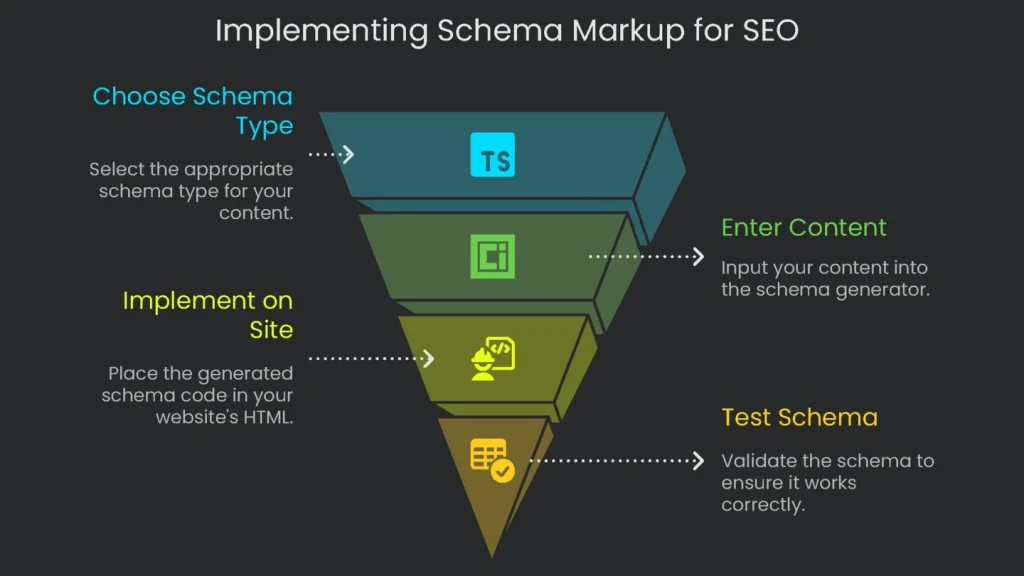
Feeling nervous about code is normal; however, the bar is low. No developer cape required. Use free schema markup generator tools. If you have 30 seconds, try the Technical SEO Schema Markup Generator. Simply enter your info, choose a schema type, and it outputs JSON-LD—Google’s preferred format. The code lives alongside your page, while the visible design stays the same.
Example: Build Your FAQ Schema
Follow these steps to set up an FAQPage schema with Merkle’s generator. You can use the same quick process for other types.
- Head to the Tool: Open Merkle’s Schema Markup Generator.
- Pick Your Schema: From the dropdown on the left, choose “FAQ Page.”
- Paste Your Q&As: Copy a question into “Question,” then paste the answer into “Answer.”
- Add Extra Q&A Pairs: Click “Add Question” for more entries until all FAQs are added.
- Check the Live Code: The JSON-LD script appears on the right as you type.
That JSON-LD script is your ticket to a rich snippet. Next, drop it into your site.
Implement Schema on Your Site
Where to Place JSON-LD
After you generate the code, place the JSON-LD in the <head> of the page’s HTML. Many platforms let you do this without editing core theme files. Therefore, choose the simplest method your stack supports.
WordPress: Schema the Easy Way with a Plugin
If WordPress is your stage, an SEO plugin can be your crew. Let it handle the heavy lifting.
- Plugin: Use Yoast SEO. Yoast attaches basic schema to every post. For extra polish, choose the “FAQ” block in the editor. Add your questions and answers, and Yoast inserts the full schema. For a full guide, see the Yoast guide at the bottom.
- Using Rank Math: Rank Math includes a simple schema generator. In the editor, open Rank Math > “Schema” > “Schema Generator.” Pick the type (for example, “FAQ”), fill the fields, and save.
Shopify: Find It in Your Theme or Grab an App
Shopify merchants can use schema so items shine in search results.
- Inspect Your Theme: Many modern Shopify themes already include Product schema. Open a product page, view source, and search for “schema.org.” Duplicating schema can cause red flags, so if it’s present, don’t add more.
- Adding Custom Schema: If your theme lacks it—or you need another type—edit
product.liquidif you’re comfortable, or install an app from the Shopify App Store. Tools like “JSON-LD for SEO” or “Smart SEO” add schema with a few clicks.
Other Platforms: Use GTM or Ask a Developer
On other sites—or when you can’t edit code—Google Tag Manager can inject the schema. Otherwise, hand it to a developer to add directly.
- Working with Google Tag Manager (GTM): Create a “Custom HTML” tag, paste your JSON-LD, and trigger it only on the target URL.
- Passing it to a Developer: If GTM isn’t your jam, forward the page link and the JSON-LD. Ask them to tuck it into the <head> of that page.
Test and Validate Your Schema
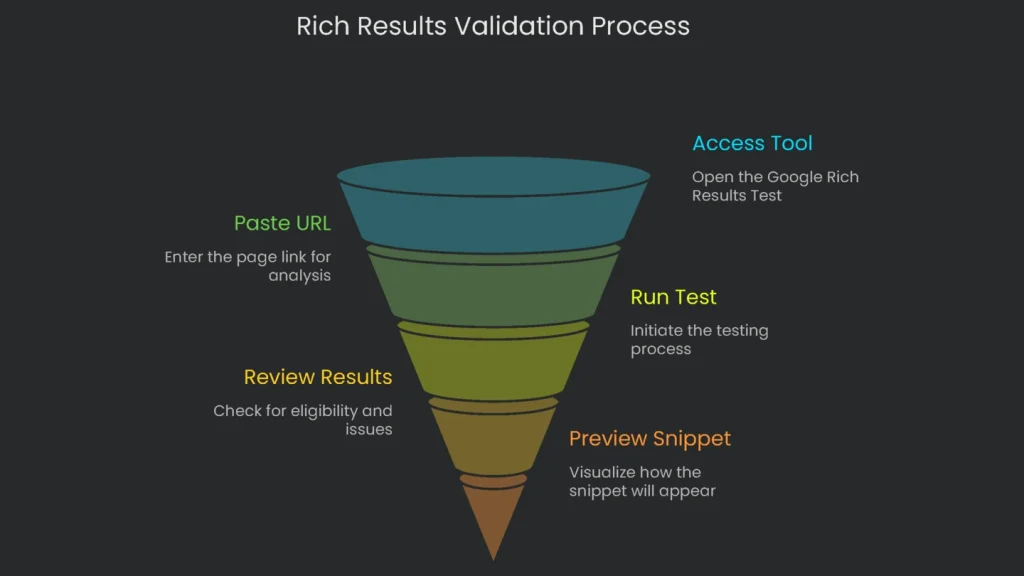
Why Validation Matters
Adding schema and hoping for the best is risky. The key step is testing. Validation ensures search engines can read your data and that you’re eligible for rich results.
Using the Rich Results Test
Google’s free Rich Results Test scans your code and shows which rich results your page may earn. Therefore, you can catch issues before they ship. Use this clean workflow:
- Head to the Tool: Open the Google Rich Results Test.
- Paste the Page Link: Click “URL,” then paste the full link. Testing the live URL is best because it reflects scripts and rendering.
- Run the Test: Keep “Smartphone” selected and click “TEST URL.”
- Review the Outcome: When results load, check eligibility and fix any issues.
- Green check: “Page is eligible for rich results.” You’re good to go.
- Red triangle (Errors/Warnings): The tool pinpoints the problem (for example, “Missing field”). Correct it, republish, and retest.
Preview Your Snippet
Use “PREVIEW RESULTS” to see a screenshot of how your rich snippet could appear. Consequently, you’ll confirm that the markup renders as intended.
Conclusion: Start Using Schema Today
Key Takeaways
Follow these steps and schema markup can boost your visibility and bring stronger traffic. The techy part is no longer a mystery—it’s a practical marketing move.
Steps For a Schema Sprint
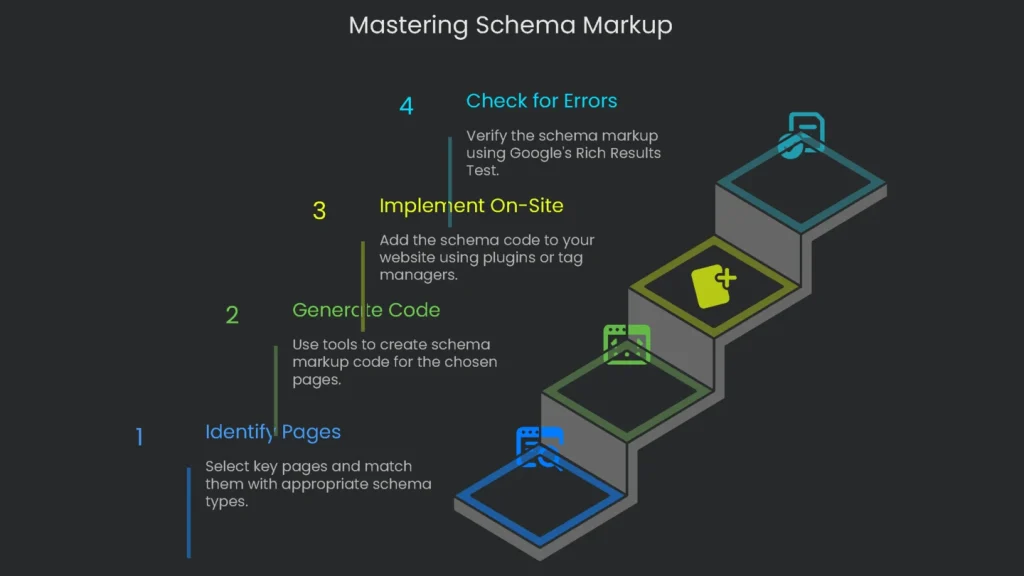
You’ll sail through this four-phase checklist that puts you in control of how search engines read your pages:
- Identify: Pick the pages that matter and pair each with the best-fit schema type.
- Generate: Use a free tool like Merkle’s Schema Markup Generator to create the code.
- Get It on-Site: Use a plugin, an app, or Google Tag Manager to add the code.
- Check Your Work: Run Google’s Rich Results Test to confirm it’s error-free.
Pick a Single Page
Schema can feel like an ocean at first. In short, start small. Choose one key page—your bestseller or most-shared post—and run it through the four moves. Consequently, you’ll build confidence and momentum for the rest of your site.
Deeper Schema Moves
This guide gives you the starter pack, but structured data goes deeper. As your site scales, advanced tactics can set you apart.
- Schema Nesting: Connect types by nesting one inside another. For example, put a Review inside a Product to show the review belongs to that item. Consequently, search engines get richer context.
- Tailor-Made Schema & Entity Design: If your field is unique, go beyond templates (see the schema article at Playwire) and craft a careful map. Each property helps engines recognize your brand more clearly.
- Comprehensive Schema Reviews: A full review finds mistakes, spots new opportunities, and ensures your system works end to end. When you’ve mastered the basics and want a complete plan, a pro audit helps. The folks at Technicalseoservice can run a detailed schema check and roll out a custom system that boosts visibility and prepares you for new search features.
Implementation steps
- Choose the needed schema types for each template: BreadcrumbList, Article, Product, FAQ, and Organization.
- Embed JSON-LD with all required and recommended fields properly filled.
- Ensure the markup matches what's on screen; steer clear of mismatched values.
- Confirm with the Rich Results Test and track enhancements in Search Console.
- Set up auto checks to fix warnings and errors on deployments
Frequently Asked Questions
What’s schema markup?
It’s structured info that tells search engines exactly what your content is.
Which format is best?
JSON-LD is what Google loves, and it's the easiest to tweak later on.
Does schema guarantee rich results?
Not exactly—using it boosts your chances, but it’s not a promise.
Which types should I start with?
Kick off with BreadcrumbList, Article, Product, FAQPage, and Organization.
How do I validate it?
Run the Rich Results Test, then check the enhancements report in Search Console.