
Control encaged collections and avoid crawl pandemonium. Maintain order with well-defined series pages, avoid parameter configuration, and use link strategy for ease of discovery and seamless UX.
What is Pagination?
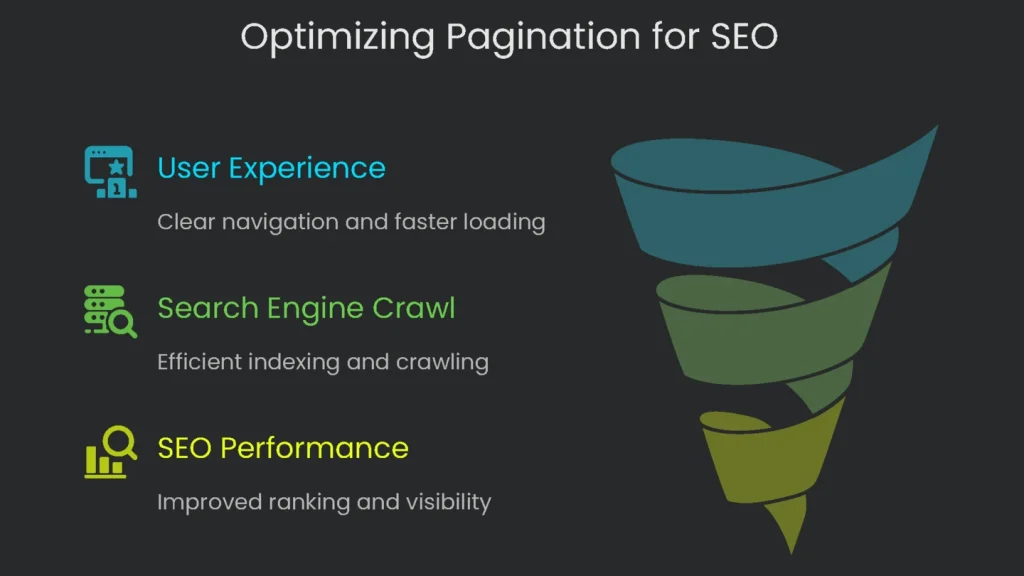
Pagination is when you break up big lists—like product catalogs, news articles, or search results—into separate pages. This is important for both users and how well your site runs. By showing only part of the info each time, you prevent overwhelm. Consequently, you give clear links to the next section. Therefore, the page loads faster because the server sends less data. Any website with lots to read or shop for needs smart pagination.
Why Pagination Matters for Users
When users land on a paginated list, they get structure, choice, and a clear picture of the landscape. Instead of a never-ending scroll, they see a numbered list—like “Page 1 of 50.” As a result, they can hop straight to the section they want. This is especially handy in big online stores when you narrow hundreds of shoes.
“Load More” and endless scroll are trendy. However, pages with clear numbers give you more control and are easier to predict. Plus, since every page has its own proper URL, search engines can read them more easily than versions that depend heavily on JavaScript to load the next set of results.
The Search Engine Puzzle Made by Pagination
Pagination helps visitors move smoothly. However, the same feature can trip up technical SEO if we aren’t careful. Here’s why the trick can turn sticky:
- Near-Repeat Content: Stacked pages in a series—page 2, page 3, and onward—look almost the same. The H1 often stays unchanged, while the list swaps. Consequently, this template copying makes search engines see near-twins. Lacking strong signals, Google may hesitate and rank the weaker twin, dimming the authority of the entire site. A full breakdown is in the duplicate content guide.
- Squandered Crawl Budget: Google has a limited budget to scan and index your pages. Bigger sites have stricter limits, and misconfigured pagination can burn through it chasing slow-change twins. Consequently, Googlebot may miss fresh products or vital landing pages, causing delays in visibility and sales.
- Diluted Link Equity: Link equity is the power that travels from one link to another. Normally, a healthy site passes this power from key pages—like the homepage—to smaller pages, such as top sneakers or science articles. However, broken or looping pagination steals that boost. Instead of flowing freely, the equity gets stuck on endless “next” pages or goes in circles, never lighting up the page you want people to discover.
So, pagination SEO exists to fix that. In short, you want a site that feels natural to people while giving search engines clear directions. Therefore, use technical steps that guide users and hand search engines a good map. As a result, they reach the right pages and reward them correctly.
Outdated Pagination Methods to Avoid
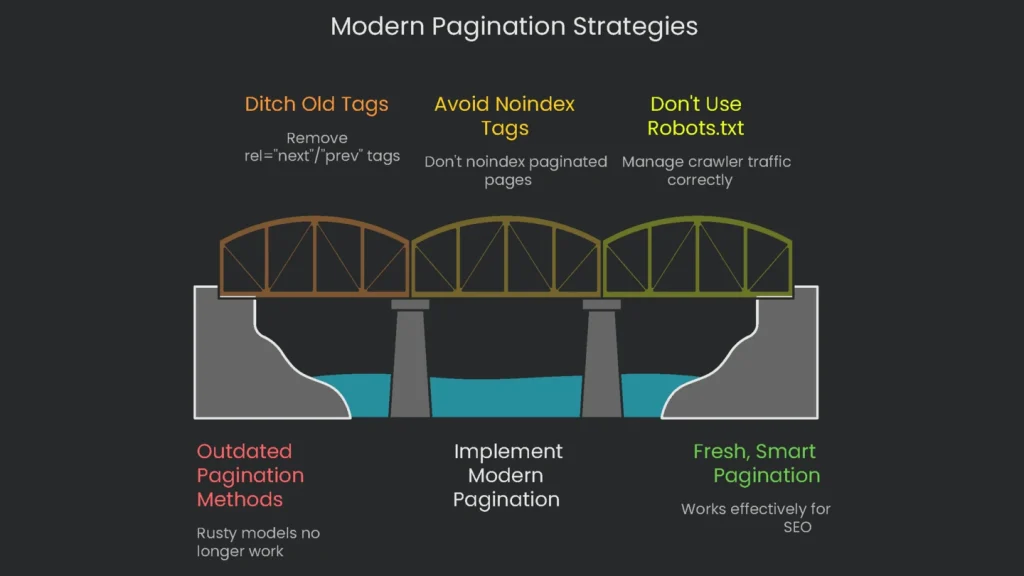
Before we build modern pagination, we must ditch the rusty models that no longer work. Tons of folks still follow outdated tips in old plugins and templates. Unfortunately, a few stubborn blogs keep spreading them. Once you see the wreckage these tips leave, the lesson is clear: avoid the old so you can ship the fresh, smart pagination that works today.
The Rel=”next”/”prev” Tags are Old News
Back in 2011, Google rolled out the rel="next" and rel="prev" tags so webmasters could show when pages are part of a series. For a while, stuffing these tags into pagination pages felt essential for SEO. You can read the fonder classic posts from 2011. Fast-forward to 2019: Google stated that rel=”next” and rel=”prev” no longer count when indexing. Later comments from Google employees made it clear these signals hadn’t been checked in a long time. Their indexing systems learned to follow series using basic internal links.
In a 2025 live test I ran, the results line up. Googlebot ignored pages linked solely through these rel=”next” and rel=”prev” signals. I found that a URL won’t be crawled unless there is a visible <a> tag. Consequently, the tags are no longer a factor.
Even with the dormancy, keep in mind that smaller engines, such as Bing, may still glance at the tags. Therefore, there’s no emergency to strip them out. However, remember they can’t save you.
The Noindex Tag Mistake You Can’t Afford
Here’s a common trap: slapping noindex tags on every paginated page past the first one—page 2, 3, 4—thinking they are “thin” or “duplicate.” This misreads how noindex works and what paginated pages do for your site.
The damage unfolds step by step:
- The URL /category?page=2 gets the meta tag
<meta name="robots" content="noindex">. - Googlebot spots the tag and, then, that page vanishes from the index.
- After a while, Google hits the page far less frequently.
- Before long, that noindex page disappears from the crawl queue, and the engine stops following the links inside.
- Suddenly, every product or post on that second page is off the radar: no internal link credit, no discovery, and potential drops from the index because there’s nowhere else to find them.
The idea that paginated pages are “extra” is dangerous. Those pages carry link equity and guide discovery. Treat them with noindex, and you barricade the very access you need.
Why Robots.txt Isn’t the Answer
Many still block crawlers from paginated pages using robots.txt. However, that misunderstanding spells trouble. The file is meant to manage crawler traffic, not to assign “index” permissions. Robots.txt simply asks bots to stay away; it’s not an “index or don’t” command.
Hiding a paginated URL from bots can still let it slip into the index. If another site links to it, the URL may enter the index queue anyway. Result: a ghosted entry. Google Search Console may report “Indexed, though blocked by robots.txt,” and search results will show a blank title and the “no description because robots.txt” line. Consequently, the link equity that page could carry vanishes. Therefore, avoid using robots.txt to keep paginated pages out of the index.
Modern Pagination Best Practices
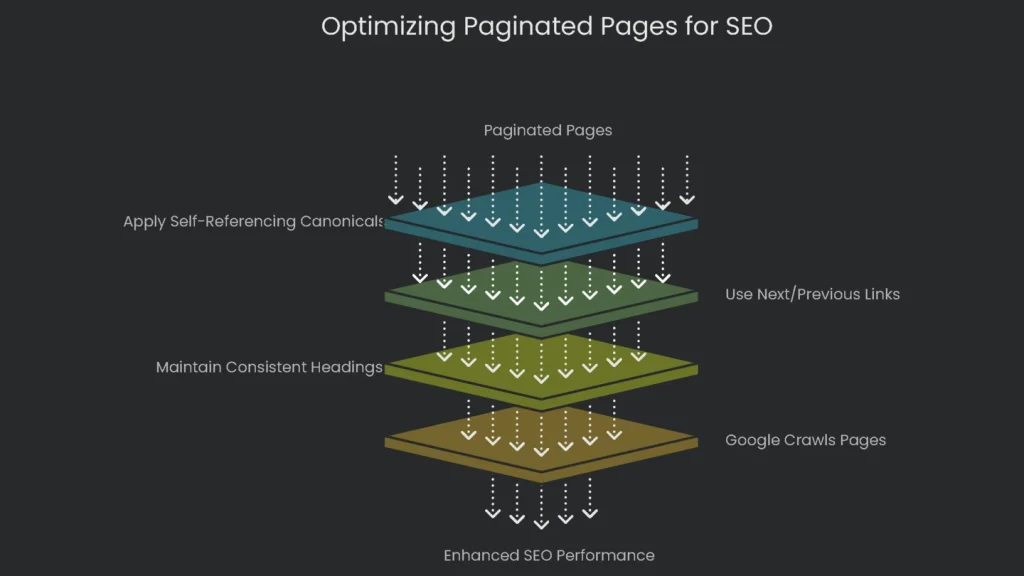
Forget the old tricks that caused problems. Today, Google encourages a simpler, cleaner approach. Instead of stuffing complicated rules behind paginated lists, let every page stand on its own. Give it a clear title, a neat URL, and easy links to next and previous pages. When a website does this, you page the collection items, and Google is smart enough to spot the pattern.
Core Idea: Make All Pages Indexable
Think of each paginated page as a full chapter in a book. It belongs, it gives info, and it should be noticed. Therefore, strip away tricks that try to mash pages together. Instead, guide search engines with regular links and consistent heading markup. The moment you trust the algorithm, Google’s crawlers zip down the entire list, connect the dots, and pass along growing link equity to every product and article in the series.
Using Self-Referencing Canonicals
The biggest trick for keeping pagination neat in SEO is the rel="canonical" link. When we say self-referencing, we mean the tag that sits in the page’s code and points back to the exact URL it’s on. Think of it as a page looking in a mirror and saying, “Yep, that’s me.” For search engines, it’s the simplest way to say, “I’m the original. No copies here.”
For a set of paginated products, like a list of laptops, every single page needs a canonical tag saying that it’s the star of its own show.
Imagine the URL for page 2 is:
https://www.example.com/laptops?page=2
The page’s head would include:
<link rel=”canonical” href=”https://www.example.com/laptops?page=2″ />
For page 3 the URL is:
https://www.example.com/laptops?page=3
The page would similarly include:
<link rel=”canonical” href=”https://www.example.com/laptops?page=3″ />
This tag is search-engine shorthand for: “Page 2 of the laptop list is the main event here. Don’t confuse it with page 1.” With this one line, the site closes the door on duplicate content worries. This is far better than pointing every paginated page to the first one, which tells Google: “Ignore all the content and links on page 2, 3, and onward.” That move would wipe later pages from the index. Therefore, the self-referencing route is safer.
Why This Method Works
The self-referencing canonical approach aligns with how today’s search engines crawl and digest sites.
- It Tells Crawlers Where to Go: By letting every page get its own canonical tag and chaining them with “Next,” “Previous,” and page numbers, you draw Googlebot a map. It starts with page 1, hops to 2, then 3, and repeats until every item gets checked off. Consequently, nothing important gets left behind.
- It Keeps Link Power Intact: This method serves link equity the way it should flow. If another site points to page 3 of a collection, that authority stays there. Page 3 passes that power to the items it lists, and internal links pass it down the line. As a result, the entire category gets a lift.
- It Works with Google’s Brain: Google groups related pages and knows they belong together. If you search something broad like “laptops,” Google usually shows the first page. The rest remain indexed for narrower searches or simply ensure each product is discovered.
Below is a chart showing the newest smart way to do this versus old methods that aren’t useful anymore.
| Method | Crawlability | Indexability | Link Equity Flow | Crawl Budget Impact | Google’s Stance |
| Self-Referencing Canonicals | Excellent | Excellent | Preserved & Distributed | Efficient | Recommended |
| Canonicalize to Page 1 | Poor (discouraged) | Only Page 1 | Blocked to deeper content | Inefficient (orphan links) | Strongly Discouraged |
| noindex on Pages 2+ | Degrades to Blocked | Only Page 1 | Blocked | Inefficient (unproductive crawl) | Strongly Discouraged |
| Block in robots.txt | Blocked | Unpredictable (may still be indexed) | Blocked | Inefficient (bad SERP snippets) | Strongly Discouraged |
| “View All” Page | Excellent | Only “View All” page | Consolidated to single URL | Efficient (if page loads quickly) | Recommended (if workable) |
How to Optimize Paginated Pages
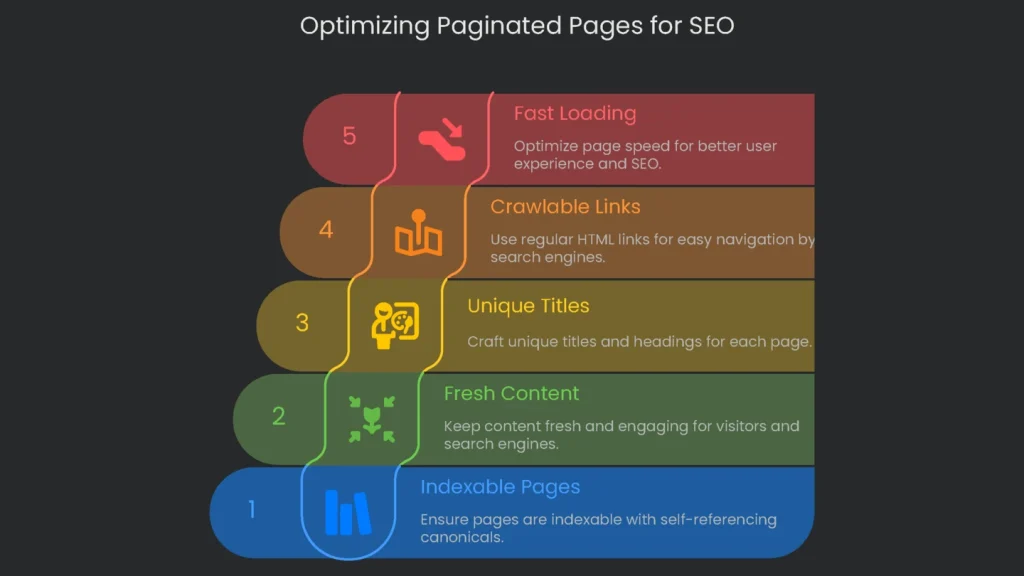
The key is to keep paginated pages indexable with self-referencing canonicals. To get the best results, apply on-page SEO directly to paginated content, too. Though they form a sequence, every page acts like a separate document. Therefore, optimize title tags, meta descriptions, headers, and alt text so they serve both people and crawlers.
Keep Each Page Sharp and Fresh
Every time you click “next,” the items on the screen must change. If Page 2 shows the same items as Page 1, visitors tune out. Therefore, each list must add fresh items so visitors see something new. That freshness tells search engines the page is worth attention and prevents stale results. If you have a blurb like “Best gadgets of 2030,” keep it on Page 1. After that, let the gadgets do the talking.
Craft the Page Titles and Main Headings
Browsers and search bots appreciate titles and main headings with their own flavor. For example, if Page 1 says “Top 2030 Smart Speakers,” Page 2 could say “Best Budget Smart Speakers—2020 Lineup,” and Page 3 could read “2020 Premium Speakers—Discover the Difference.” These tweaks keep tabs tidy and search results clearer. In short, each tag whispers, “Hey, I’m new.”
Use this template for page titles:
[Main Topic] – Page [Digit] of [Total] | [Your Brand Name]
Example: Best Gaming Laptops – Page 2 of 12 | Gadget-Hub
You can take the same approach with meta descriptions and the H1. Sometimes it’s fine to set the H1 to one title for the whole batch—like “Best Gaming Laptops.” However, make sure other elements still set each page apart. Pro tip: don’t let every part look the same, or search engines may miss the variation.
Stick with Regular Crawlable Internal Links
For search engines to notice every page in a large set, the inside nav—like “Next” and “Page 5”—must be basic HTML <a> links. This bit of tech is a must.
Plenty of newer sites use JavaScript to make the UI snappy. That’s okay as long as each pagination control uses a regular click—an onscreen button with a JavaScript onclick that still carries an href. If pagination skips the href, search bots may miss everything after page one. Therefore, every page number or “next” button should carry its full href.
Keep Your Paged Product Pages Snappy
Fast-loading pages matter to Google, and that includes paginated product pages. A category full of high-resolution thumbnails can lag if every image loads at once. Long waits make shoppers grumpy and signal to Googlebot that your site isn’t on its A-game. Consequently, crawls can slow and trust can slip.
Therefore, plug in everyday speed tricks on each paginated page. Scale images to web-friendly sizes. Next, connect hidden images to lazy load so they appear only when scrolled into view. Then trim any code that delays rendering, and make sure your database returns the right product set fast.
Advanced Pagination Approaches
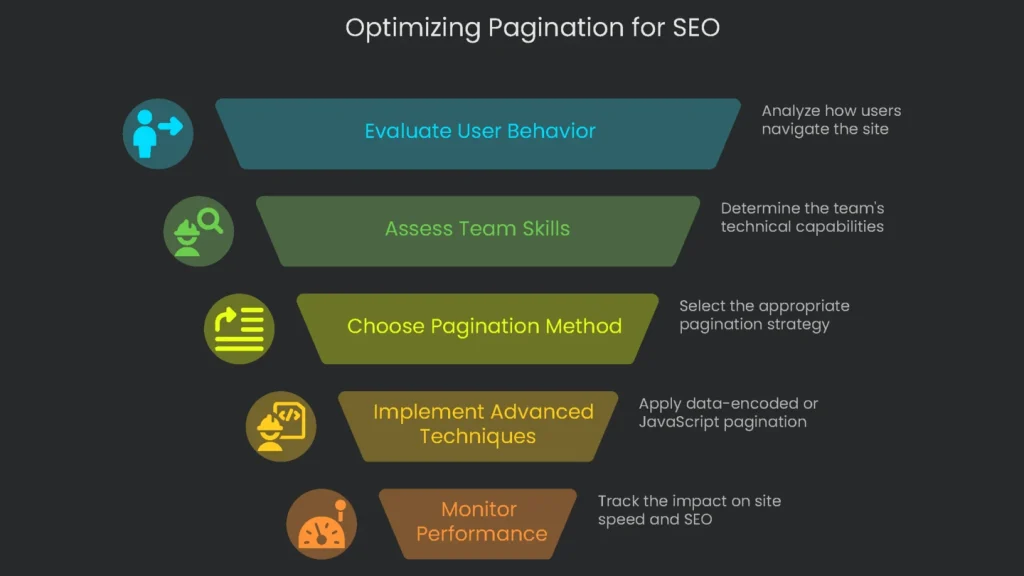
The self-referencing canonical tag is the safe default for page links. Yet certain pages may need more. Options like data-encoded pagination or JavaScript management can deliver performance when applied well. However, these tricks add complexity and require a careful plan, server capacity, and code changes. Therefore, study marketplace patterns, watch how users move, and assess your team’s skills before you switch from basic to “snappy+.”
The “Show Everything” Page Shortcut
A “Show Everything” page puts every item on one URL, letting visitors see all results in a single scroll. When you choose this shortcut, make sure each page in the series (like /products?page=1, /products?page=2) contains a rel=”canonical” link that directs to the “Show Everything” URL.
- Upside: This keeps all link value—whether from media, comments, or social—flowing into one page. Consequently, that page gets stronger and ranks better for its key term.
- Downside: To work, that one page must load very fast. If the category has hundreds of photos and descriptions, every one loads on that URL and the browser may spin forever. Lists that are too long cause bounces and drag down real-world speed scores.
So the rule is simple: use “Show Everything” for small categories, like a fresh season of sneakers. For an entire gear line or a large article library, the classic “next” button keeps the site pleasant and ranking high.
Infinite layouts like scroll-to-load and “Load More” keep mobile users zipping through posts. However, if you drop these features onto a page and stop there, search power can vanish in the next crawl. If new stories load with JavaScript and the URL stays the same, search robots can’t interact. As a result, they miss the fresh content.
The trick is to layer modern JavaScript on a classic, crawl-friendly pagination structure. Here’s your checklist for a bot-friendly setup:
- Build a fully crawlable paginated series where each URL is distinct (think
/category?page=1,/category?page=2, and so on). This set acts as a roadmap for spiders. - When the browser first serves the page, show the posts for the first page.
- When a user scrolls or taps “Load More,” JavaScript requests the next set—page two’s content in this case.
- As the new items appear, update the address bar via the History API (
pushStateorreplaceState) to reflect the visible page. Therefore, after fetching page two, the bar should read/category?page=2.
Following these steps keeps users scrolling happily and search engines recognizing every update. This mix of server-side and client-side rendering stays quick for visitors and generates crawlable, indexed URLs for Google and other bots.
Conclusion: Use Clear Pagination, Not Jargon.
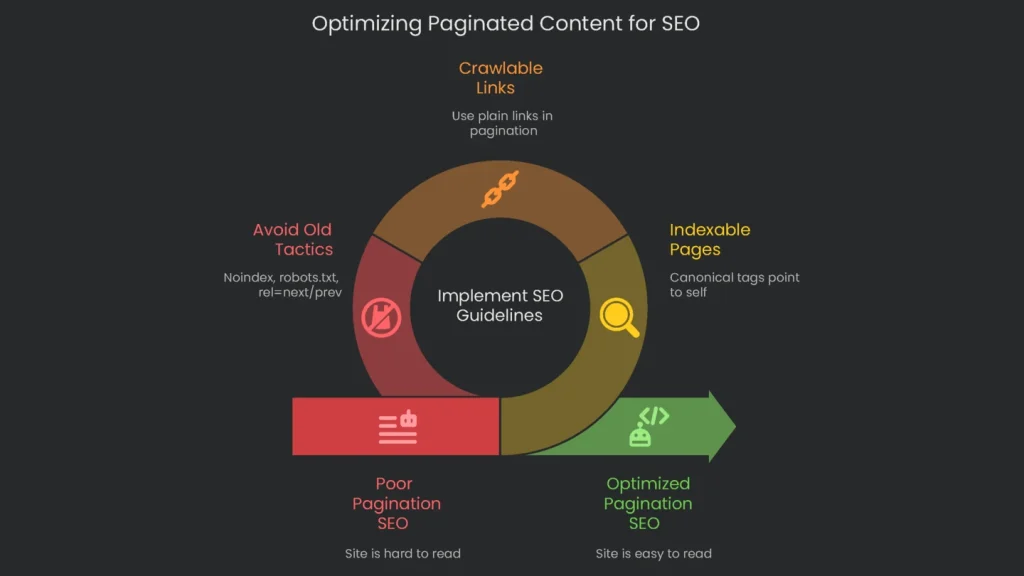
Handling paginated content the right way signals that your site is built the right way. What used to spark endless arguments now has reliable guidelines from the Google team. The rules discourage ancient hints like rel=”next/prev” and favor a tidy, logical setup. In other words, the best SEO moves today keep the site easy to read, easy to click, and easy to love.
Key Takeaways
The big idea is to see paginated pages as helpful parts of the site, not clutter to block. Here’s the quick checklist:
- The Standard Practice: Let the entire paginated sequence be indexable. Ensure each page includes a canonical tag that points to itself.
- Ensure Crawlability: Use plain links in your pagination. Consequently, search bots get a clear path and your crawl budget stays healthy.
- Skip Dangerous Old Tactics: Outdated tricks can hurt. Therefore, never add the noindex tag to paginated pages—doing so drops link value and hides deeper pages. Avoid blocking paginated links with robots.txt, since that misuses the file and leads to poor results. Lastly, forget the rel=”next”/”prev” pair for grouping pages; it’s no longer the right guide.
Got a Technical SEO Puzzle?
Pagination is clear in theory, but making it work across a sprawling site can get bumpy. Faceted navigation, SEO-friendly infinite scroll, and big crawl budget plans add complexity. When large sites run these extras, details matter, and guesswork can derail performance. At Technicalseoservice, our crew digs into the fine details. We spare the headache. Whether it’s a massive store or a rich editorial hub, we audit the URL database, map the exact architecture, and enforce the policies. As a result, every property is crawled, indexed, and ranked the way it needs to be.
Implementation steps
- Ensure every page in a series is crawlable, with a canonical for itself only.
- Place easy-to-identify next/previous links, and push deeper content from earlier pages.
- Serve a speedy "view all" only if it loads fast in user tests, else stick to pagination.
- Dodge messy URL parameters; stick to tidy paths like /category/page/2/.
- Confirm crawlers access all links, and note that deeper pages attract bot traffic
Frequently Asked Questions
Should I use rel=next/prev?
Google dropped it; keep your pagination clear and link logically instead.
Should paginated pages be indexable?
Most of the time yes—self‑canonical the pages and don’t keep everything pointing to 1.
Is a 'view all' page helpful?
Only if it loads quickly and is really handy; if not, stick to normal pagination.
Does infinite scroll work for SEO?
Only if it uses server-render or clear paginated URLs that bots can see.
How do I pass equity deeper?
Link deeper pages from early content and hubs, not just home or previous pages.