
Hreflang focuses on the right user with the corresponding language and region. We explain the use of syntax, the role of x-default, and the difference between sitemaps and tags, and how the canonicals work with hreflang.
A hreflang tag is a code snippet that tells search engines like Google which language and regional version of a page to show to a user. While it can be a complex part of international SEO, it is essential for improving user experience and avoiding issues with duplicate content.
Structure of an Hreflang Tag
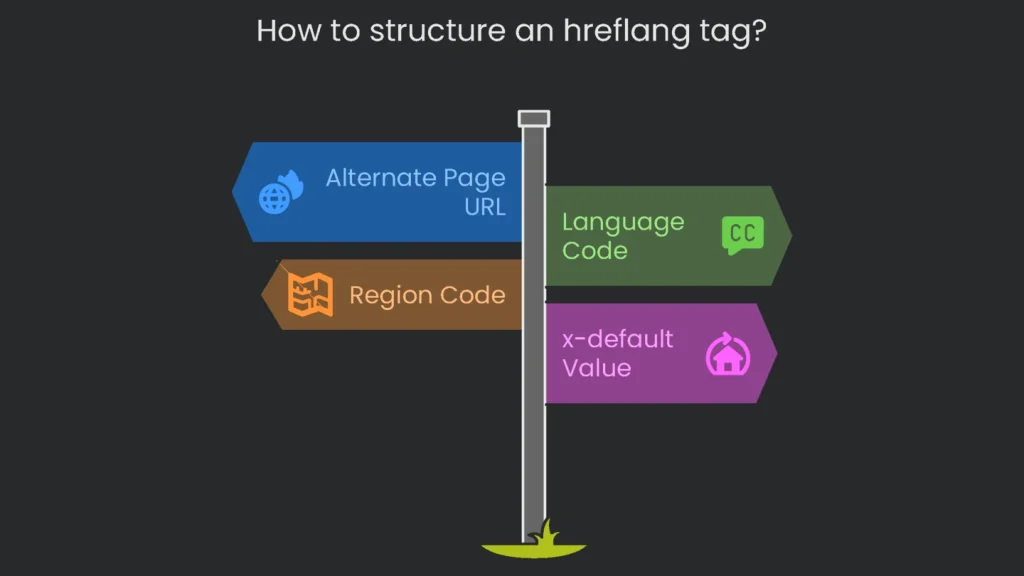
Elements and Placement
An hreflang tag is a <link> element placed in the <head> section of a webpage. Therefore, its structure should include three key components.
- link rel=”alternate”: This attribute signals to search engines that an alternate version of the page exists.
- hreflang=”lang-code”: This attribute specifies the language, and optionally the region, for which the alternate page is intended.
- href=”url of page”: This attribute contains the full URL of the alternate page.
Hreflang Code and x-default Value
The value used for the hreflang attribute must follow specific formats for language and region codes. In short, stick to the standards to avoid errors.
- Language Code: A required two-letter code (ISO 639-1) identifies the language (e.g., en for English, es for Spanish).
- Region Code: An optional two-letter code (ISO 3166-1 Alpha-2) can be added to target a specific region (e.g., es-mx for Spanish in Mexico, en-gb for English in Great Britain).
- x-default: A special value,
hreflang="x-default", specifies a fallback page for users whose language and region settings do not match any other hreflang tag. Consequently, it is often used for a homepage with a country selector or a primary global site.
Common ISO Language and Region Codes
| Language | ISO 639-1 Code | Country | ISO 3166-1 Alpha-2 Code |
| English | en | United States | US |
| Spanish | es | United Kingdom | GB |
| German | de | Canada | CA |
| French | fr | Australia | AU |
| Chinese (Simplified) | zh | Mexico | MX |
| Japanese | ja | Spain | ES |
| Portuguese | pt | Germany | DE |
| Italian | it | France | FR |
| Russian | ru | Brazil | BR |
| Arabic | ar | China | CN |
How to Set Up Hreflang Tags
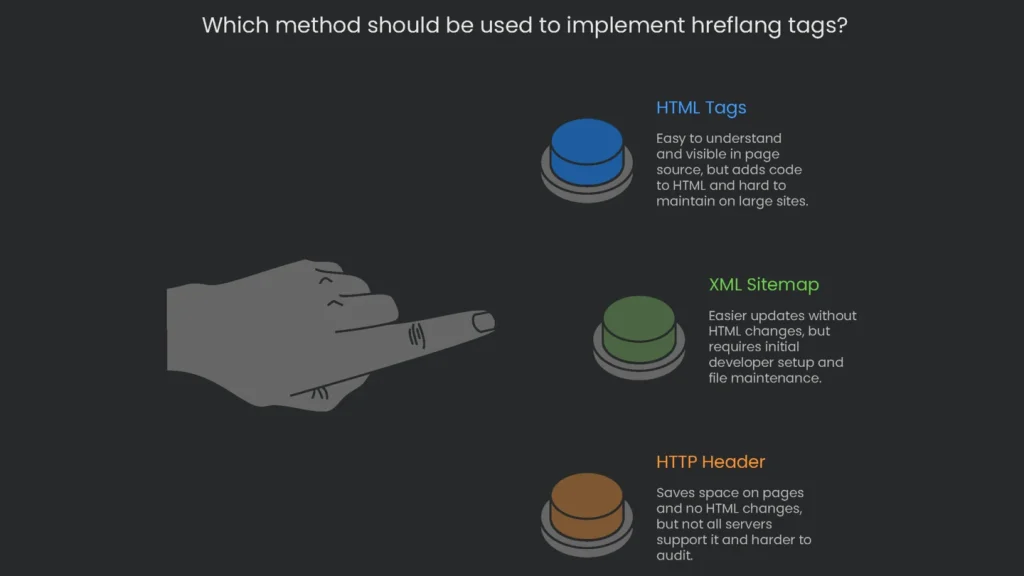
Implementation Methods Overview
There are three primary methods for implementing hreflang tags. Therefore, choose the one that fits your stack and team.
| Method | How It Works | Pros | Cons | Best For |
HTML<head> Tags | <link> elements are added to the <head> of every page in a group. | Easy to understand; visible in page source for checking. | Adds code to HTML; hard to maintain on large sites. | Small to medium websites with few language versions. |
| XML Sitemap | Each page has one entry with <xhtml:link> elements for all language versions. | All hreflang in one file; easier updates without HTML changes. | Initial setup needs a developer; must keep file updated. | Large sites with many languages and consistent template pages. |
| HTTP Header | The server sends a Link HTTP header with hreflang info. | No change to HTML; may save space on pages. | Not all servers support it; harder to audit. | Advanced sites with performance-focus and control over headers. |
Big Hreflang Rules and Common Mistakes
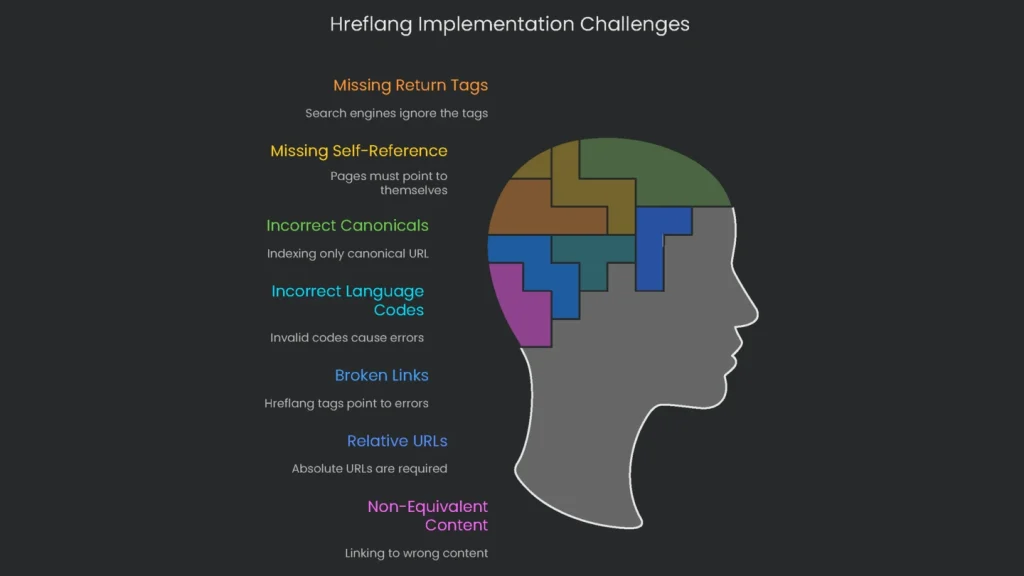
A single mistake can cause hreflang implementations to fail, so it is crucial to follow the rules strictly. As a result, review these points before launch.
Key Rules
- Return Tags (Reciprocity): If page A links to page B as an alternate version, page B must link back to page A. Search engines may ignore the tags if this two-way link is not present.
- Self-Referencing Tags: Every page within a hreflang set must include a tag that points back to its own URL.
- Self-Pointing Canonicals: Each page in a hreflang group should have a
rel="canonical"tag that points to itself. Pointing all canonical tags to a single “main” version will cause search engines to ignore the hreflang tags and only index the canonical URL.
Common Errors to Avoid
- Using incorrect language or region codes, such as
en-UKinstead ofen-GB. - Pointing hreflang tags to pages that are broken, redirecting, or blocked by robots.txt.
- Using relative URLs (e.g.,
/page.html) instead of absolute URLs (e.g.,https://example.com/page.html) in thehrefattribute. - Linking to non-equivalent content, such as linking a product page in one language to the homepage in another.
How to Audit and Debug Hreflang
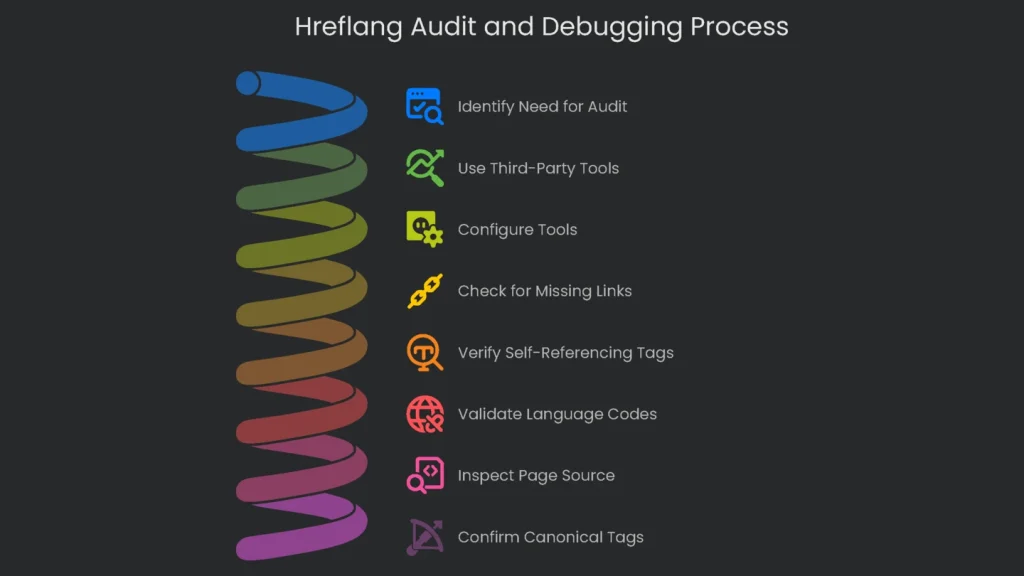
Regular audits are important for catching errors, especially on large websites. However, the hreflang report in Google Search Console was deprecated, so third-party tools can help identify issues.
Using Third-Party Tools
Tools like Screaming Frog and Ahrefs can crawl a site and report on hreflang issues. For example, both can be configured to check for common problems, including the following.
- Missing return links or reciprocal tags.
- Missing self-referencing hreflang tags.
- Incorrect language and region codes.
- Broken URLs in hreflang attributes.
- Conflicts between hreflang and canonical tags.
Manual Checks
For quick checks on important pages, view the page source and inspect the <head> section. Next, verify that a self-referencing tag exists, the codes are correct, and that alternate versions link back to the original page. Finally, confirm that the rel="canonical" tag on each page points to itself.
Implementation steps
- List all language and region URL versions along with their canonical tags.
- Drop hreflang tags (or XML entries) for each region, and loop back each page to itself.
- If there’s a catch-all lang switch, mark a single x-default URL.
- Every translated page must self‑canonical—don’t cross-link canonicals between languages.
- Double-check reciprocity with a tool, then log hreflang issues in GSC reports
Frequently Asked Questions
What does hreflang do?
It connects different language or region versions, so users land on the right local page.
Where can I implement it?
Place it in the HTML head or in XML sitemaps, and make sure tags point back to one another.
What is x-default?
A back-up URL for users whose language or region isn’t specified—think of it as a location chooser.
How do canonicals interact?
Keep each language page self-referential with canonicals—don’t point them all to one single canonical.
Common mistakes?
Wrong codes, no return tags, or all variants pointing at one single URL.