
When Google crawls and does not index, the issues may relate to content quality, duplication, and internal link weakness. Read the checklist to analyze the underlying issues and achieve indexation.
Here’s Why—and What to Do About It
What “Crawled, Currently Not Indexed” Means
When you see “Crawled, currently not indexed” in Google Search Console (GSC), it can feel super techy and annoying. In short, a Google bot visited, read your page, and chose not to save it for search. Understanding that choice is the first step to changing it.
Understanding the Status
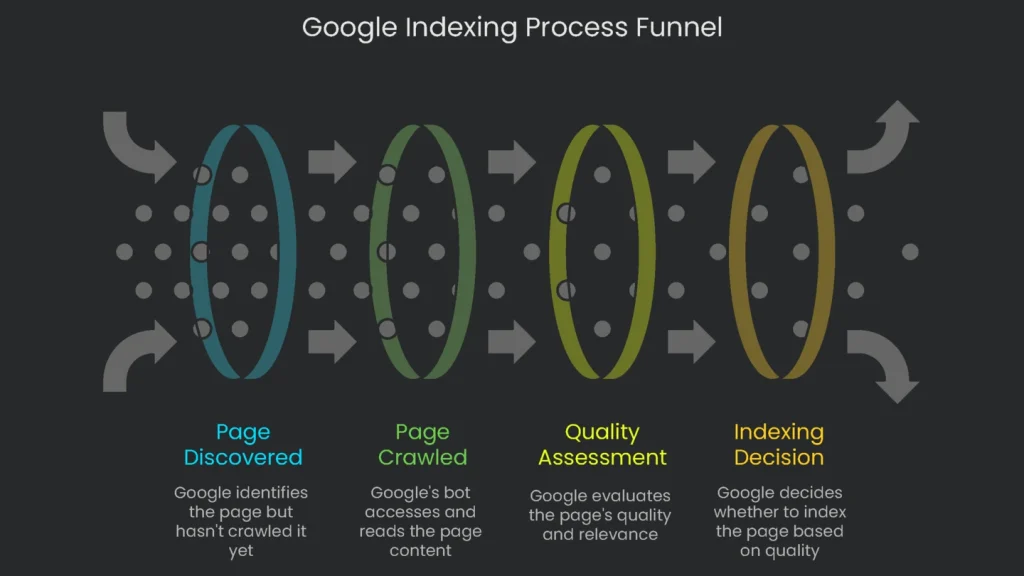
Google’s definition gives the big picture: the bot has read your page, and, for now, it sits in limbo instead of the search library. It isn’t blocked by a robots.txt rule, a server error, or anything that should kill access. However, what’s holding it back is a judgment call about quality. Google thought the page wasn’t yet useful or important enough, so it hit the pause button. Therefore, resubmitting the URL will not help, since the bot can return anytime. What you need is to raise the page’s “please index me” score before the next crawl.
Quality vs. Technical Issues
The real cause here is usually content quality. Tons of new stuff goes online every day, especially with AI. Consequently, Google is filtering more. Crawling every page costs Google, and it won’t spend that budget on pages it thinks are weak. This status reflects Google’s reinforced quality drive, especially from the Helpful Content system and the Core Update rolling out in March 2024. Both favor people-first writing over words stuffed for rank.
Crawled vs. Discovered
Don’t confuse this “Crawled” line with “Discovered—currently not indexed.” They sound alike; however, they are not the same.
- Discovered—currently not indexed: Google found the page but hasn’t crawled it yet. This is a traffic jam in the crawl queue. For example, Google may think the page is low priority or is trying not to bog down your server. If this shows up, there won’t be a last crawl date in GSC because it’s still waiting.
- Crawled, not indexed: Google checked the page but doesn’t consider it good enough to show. That’s a thumbs-down on quality, not a technical hiccup.
Knowing the difference helps. “Discovered” hints at crawling delays or site authority issues. “Crawled” means Google read the page but didn’t like the quality at that moment.
Should You Panic?
Not really. Many pages in this bucket won’t hurt you. Therefore, it’s often smarter to leave them alone. Pushing pages Google doesn’t trust into the index rarely works. Instead, take a breath. Here are page types that often land here and are still okay:
- Paginated URLs: Think /page/2/ or /page/3/ in your blog archive. Google views them as repeats of page one and skips them to keep results tidy. That’s fine—the stories they link to usually get indexed.
- RSS Feed URLs: URLs ending in /feed/ exist for syndication, not rankings. It’s fine that they appear in the report.
- Search Results Pages: Your on-site search can create results that look like duplicates. Google spots this and passes.
- Temporary Redirects: After page moves, new links may linger in the report briefly. As a result, Google is simply updating its map.
- Outdated Archives: Old date archives or thin tag pages add little value. Consequently, Google filters them out. That is expected.
Therefore, ignore this background noise. Next, focus on high-value pages—your crown-jewel services, must-have product pages, or cornerstone articles—that still aren’t indexed.
Fixing the Issue
Once you’ve set the harmless cases aside, roll up your sleeves. Use this six-step plan to fix the quality issues behind “Crawled, currently not indexed.”
Audit Content Quality
Most often, the culprit is content that isn’t pulling its weight. Google spots filler fast and prefers content that makes a visit a win. When we say “quality deficit,” we mean anything that doesn’t help your visitors. For example, watch for:
- Thin Content: Pages that barely explain anything. Think a product page with a blurry photo and no copy, or a review that parrots comments with zero insight.
- Unhelpful Content: Pages that ramble yet answer only half the question. They’re outdated, error-prone, or unclear.
- Low-Value Content: Pages with no original thinking. They repeat what’s elsewhere or dump specs no human asked for.
Now, about Google: the Helpful Content Update looks broadly at your site. If your domain carries many weak pages, that signal can drag strong pages down, too. Therefore, fix the source of the noise rather than adding icing to a stale cake.
When reviewing a page, think like a quality rater looking for
E-E-A-T: Experience, Expertise, Authoritativeness, and Trustworthiness. Here’s your checklist:
- Does your article share new information, original reporting, or careful analysis not found elsewhere?
- Does it cover the topic from every angle so the reader gets a complete picture?
- Are the insights based on your own use, visit, or hands-on work?
- Can the reader immediately apply the information to achieve their goal?
Answering “no” to any of these is a signal. Google may leave the page as “Crawled, currently not indexed.” To make it shine, try the following:
- Go all the way: Fill the gaps your competitors left. Cover sub-topics and related questions. For example, use “People also ask” as a cue.
- Inject real experience: Share original photos, videos, or commentary. In short, show your work. Personal stories, problem-solving steps, and verified case studies build authority.
- Grab attention with fresh data: Create an infographic, re-analyze public datasets, or run a survey. As a result, your page becomes a link magnet.
- Design for scanning: Use bold H2/H3 headings, micro-paragraphs, and bullets. Consequently, skimmers can grasp the gist fast.
- Give it regular tune-ups: Double-check links and stats. Fresh dates signal, “This page still keeps its promise.”
Address Duplicate Content
When crawlers hit a page packed with copy they’ve already indexed, they ignore it. Google aims to deliver variety, and plastering the same page multiple times makes results boring.
Why Google Filters Duplicate Pages
When Google sees many pages that say the same thing, it picks one “main” version for results. If your page isn’t chosen, it gets pushed out and may show “Crawled, currently not indexed” or “Duplicate without user-selected canonical.” This isn’t a penalty; it’s prioritization. However, signals like clicks and links get split across duplicates, which isn’t ideal. Typical troublemakers include sneaky ?source=email links, session IDs, a mix of HTTP and HTTPS, and printer-friendly views.
Canonical Tag or 301 Redirect
Deciding how to fix duplicates is a key technical SEO move. A canonical tag politely tells Google, “Treat this page as the original.” A 301 redirect says, “This page moved. Send everyone to the new address.” Use the table below as a guide.
| Feature | rel="canonical" Tag | 301 Redirect |
| User Experience | Visitors can reach any version, though the URL stays the same in the browser. | Quietly sends the user to the correct page, and the old URL disappears for them. |
| Search Engine Signal | Suggests which version to keep, but search engines can ignore it. | States the move is permanent, so engines drop the old URL and pass value to the new one. |
| Implementation | Add a canonical tag in the page HTML with a line in the <head> that points to the preferred URL. | Set a server rule or CMS redirect to send users and bots to the preferred URL. |
| Link Value | Consolidates signals by combining authority from duplicates into the designated page. | Passes link value from the old page to the new one directly. |
| Common Uses | • Facet or filter parameters (e.g., ?color=blue) | • Campaign tags show who got here (e.g., ?utm_source=…) |
How to Make the Fix the Right Way
- Put in a canonical tag: In the head of any duplicate-like page, add
<link rel="canonical" href="https://example.com/the-real-deal-page/" />. That page declares, “I’m the true one.” The canonical page should also self-reference. - Pull the 301 redirect in: Use server settings or, in a CMS like WordPress, a plugin such as Yoast or Redirect. A 301 shifts anyone who calls page A to page B permanently. Use this when the old page is gone or the new one should carry the score.
Improve Internal Linking
Think of internal links as your site’s road map. They guide visitors and search engines, show connections, and keep structure clear. When links are missing or weak, Google notices.
Why Internal Links Count
Google uses internal links to see your blueprint and decide which content is VIP. When a page has no links pointing to it, it stands alone as an “orphan page.” Search engines assume it isn’t important. Also, high crawl depth slows visits to those pages. Consequently, indexing lags and importance drops.
How to Plan Your Links
Think of each piece as a bridge to the next. Therefore, spread authority and create logical paths between related articles, products, or categories.
- Use relevant links in sentences: Add contextual links inside the copy. For example, write “see the section on keyword research,” not “click here.”
- Link from your strongest pages: From your homepage, top posts, or key service pages, link to pages that need attention. As a result, you pass helpful “link equity.”
- Build topic clusters: Use a pillar hub with detailed spokes. Each spoke links to the hub and to nearby spokes. Consequently, navigation and topical authority improve.
- Refresh old posts with new links: After publishing, add links from older pages to the new one. This keeps content fresh and reduces orphan pages.
Enhance Site-Wide Quality
Sometimes a page shows that status because overall site quality is low. Even a great page can stall if the domain hosts too much junk.
The “Bad Neighborhood” Effect
Google’s quality systems, including the Helpful Content filter, look at the entire site. When many URLs are empty or low-value, reputation suffers. Consequently, new or well-researched pages can sink by association.
How to Do a Content Audit
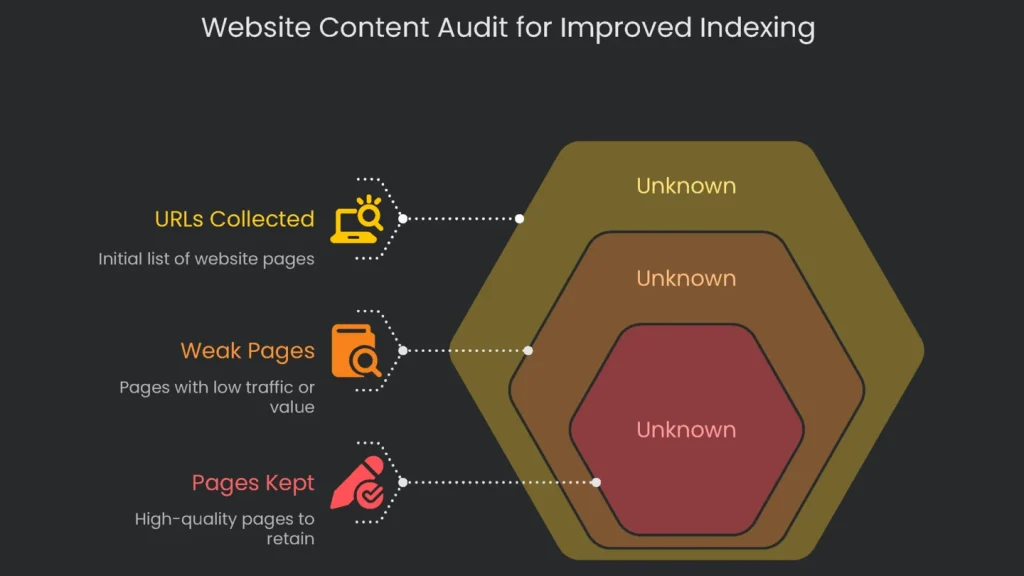
The long-term win is to audit content and lift the whole domain. You’ll review every URL and make smarter choices.
- Phase 1: Collect Data: Use Screaming Frog to grab every URL. From Google Search Console, export clicks and impressions.
Next, in Google Analytics, check pageviews and bounce rate; and from a backlink tool like Ahrefs, review referring domains.
- Phase 2: Analyze and Classify: Locate weak pages—no traffic, very thin copy, or no backlinks. Then apply E-E-A-T and Helpful Content standards. Ask: Is the info true and useful?
- Phase 3: Decide What to Do (Keep, Improve, Prune):
- Keep: Pages that attract visitors and still deliver real help.
- Improve: Pages with promise that need work. Prioritize these first.
- Prune: Pages that are old, unhelpful, or irrelevant. Merge similar weak pages into one strong piece, or delete pages that can’t be fixed.
- Phase 4: Take Action:
- Consolidation: Combine weak articles on the same topic into a thorough guide. Then set 301 redirects from old URLs to the new one. Consequently, value consolidates and links are preserved.
- Deletion: When you delete a page, 301-redirect to a related category or closely related page. This prevents a jarring visit to a 404 error page. If the page has no visitors or links, you can return a 410 “Gone” status. This often drops it faster from results.
Deleting low-value pages lifts your site’s overall quality. As a result, Google pays more attention to the pages you want ranked.
Boost Page Authority
A strong piece on a strong site can still miss crawlers if the page lacks authority. Page authority reflects how important a page seems to the web. Other sites need to say, “We trust this,” through links.
Understanding Page Authority
Tools like Moz estimate Page Authority (PA) and Domain Authority (DA). The core is the number and quality of inbound links. Each link is a high-five that signals importance. Without endorsements, Google may shrug, especially in crowded topics.
How to Score Great Links
Think of link building this way: earn links; don’t buy them. Create content so useful or surprising that others share it. Avoid schemes or link farms. Consequently, every piece becomes a magnet.
- Build “linkable assets”: Start with content that earns links by itself. Good bets include:
- Original research and data: Share fresh survey results or unique analysis writers will quote.
- Comprehensive guides: Craft the deepest, most practical how-to so readers must reference it.
- Free tools and calculators: Code something handy that removes a small thorn in your niche.
- Launch digital PR and outreach: After polishing the asset, tell the world. Email journalists and niche editors.
- Write relevant guest posts: Help respected sites in your field. Naturally include a contextual link to bonus content.
- Use broken link building: Find dead links on resource pages and suggest your live replacement.
Even a handful of top-quality, relevant links can wave a green flag for Google to crawl and index your page.
Use Google Search Console Smartly
After fixing quality, duplication, linking, and authority, be cool and use GSC the right way. Most indexing headaches flare up from rushed deadlines and tool misuse.
Common GSC Goofs
Indexing Expectations
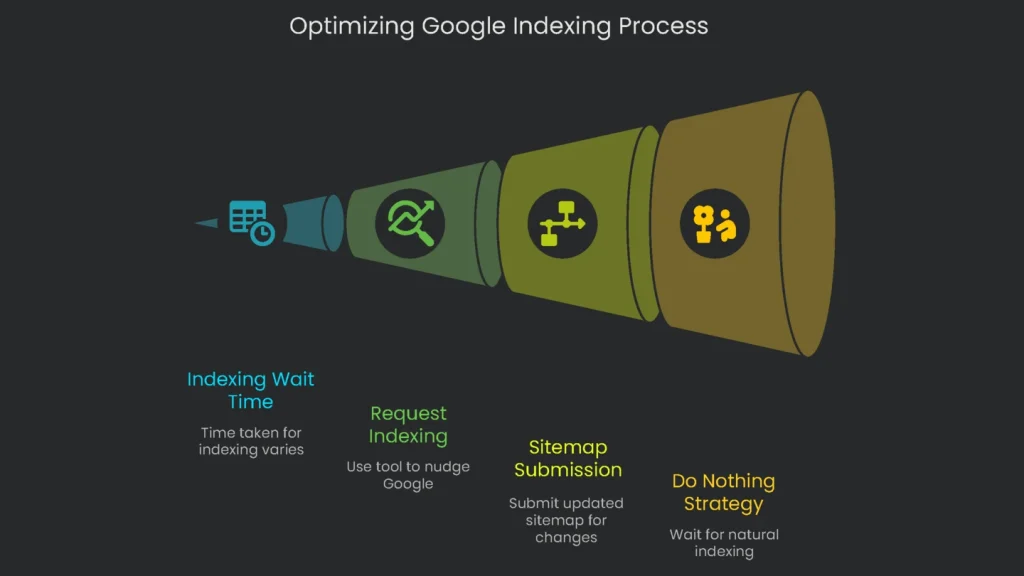
A common slip is assuming a page is indexed the moment you hit “publish.” However, the crawl dance can take time.
Know the Indexing Clock:
- A shiny new site might wait days to a couple of weeks.
- A big, trusted news site can see indexing in minutes.
- For the average site, a week is common, though not guaranteed.
Use “Request Indexing” Properly
Another mistake is slamming the “Request Indexing” button on the Inspection tool, as if it will force indexing. It won’t.
How to Play GSC the Right Way
- Purpose: The option asks Google to fast-track a crawl. It’s a nudge, not a promise.
- Limitations: You can ask for only a small number of URLs daily—about 10 to 15 per GSC account. This guardrail blocks automation abuse.
- Best practice: Nudge only priority URLs. If dozens changed, create a fresh XML sitemap and submit it in GSC.
When Doing Nothing Works
- The “Do Nothing” strategy: If a page is solid and has good links, the smartest move is often to wait. Crawlers will come.
- Also, some low-priority pages—like old tag archives—may never be indexed, and that’s okay. Google’s filters are keeping the index tidy.
If you find yourself pressing “Request Indexing” constantly, that’s a sign your site lacks a solid SEO foundation. This tool feels like a quick fix, but the real win is building a site so useful that Google crawls and indexes it without a nudge.
Conclusion
Key Takeaways
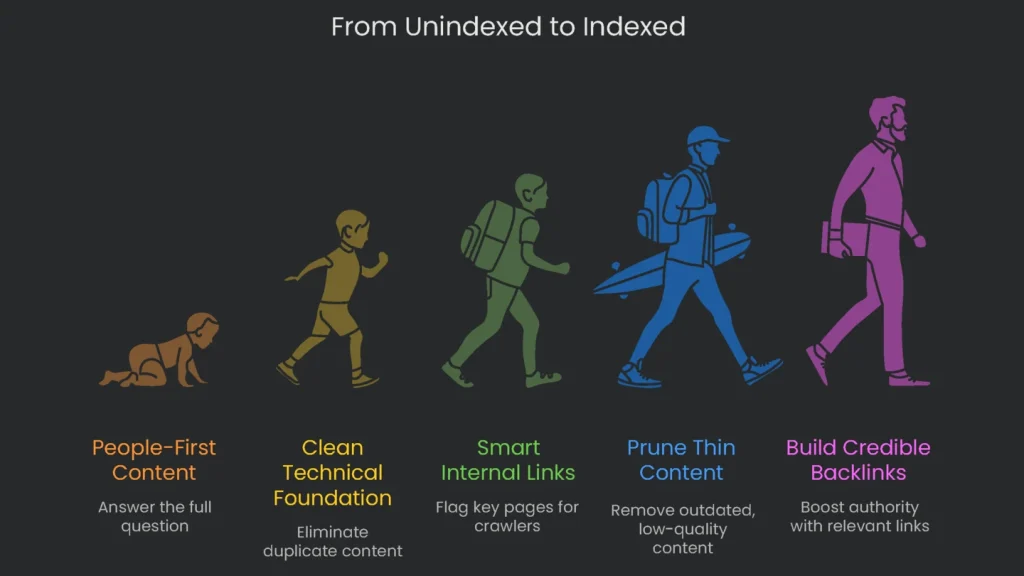
“Crawled, currently not indexed” isn’t a toggle you can flip. Google is looking for real value, and the fix is to prove it to bots and humans alike. Start with people-first content that answers the full question. Then keep the technical foundation clean—duplicates are a no-go. Next, add smart internal links to flag key pages and guide crawlers. Regularly prune thin or outdated content to raise your site’s quality floor. Finally, build credible, relevant backlinks to boost authority. When these pieces lock in, that status can flip the way you want, and your site earns durable growth.
Implementation steps
- Pull the affected URLs report from Search Console, sorting by your output template and content type.
- Upgrade light pages by adding original content and improving internal links to related hub pages.
- Merge duplicates using 301 redirects or canonical tags, and remove low-value duplicates entirely.
- Ask for indexing only after issues are fixed and the page renders correctly for users and crawlers.
- Monitor the index status over the following weeks; continue refining content and improving signal strength from backlinks
Frequently Asked Questions
Currently Not Indexed: What this means?
Google found the link but didn’t put it in the main index yet.
Currently Not Indexed: Why doesn’t it index?
It might see tiny content, copies of other pages, or a lack of incoming links.
Currently Not Indexed: How to fix?
Bulk up the page, scrap the twins, and link from other useful posts.
Currently Not Indexed: Is an index request helpful?
Not unless you fix things first; it won’t change quality or copies.
Currently Not Indexed: How long until it indexes the fix?
It depends—work on quality, links, and demand to get a spot.