
Focus bots on pages that count. Merge, remove, fix, and optimize internal links, sitemaps, and canonicals to centralize automated discovery and recrawls.
When you run a huge website, you can’t just cross your fingers and hope it appears in Google. Part of forming a good plan is to manage something called your “crawl budget.” It’s one of those buzzwords you never hear in school, yet it matters a lot. Therefore, here’s how to take your cluttered crawling routine and fine-tune it so search bots surf your pages smoothly.
What is Crawl Budget?
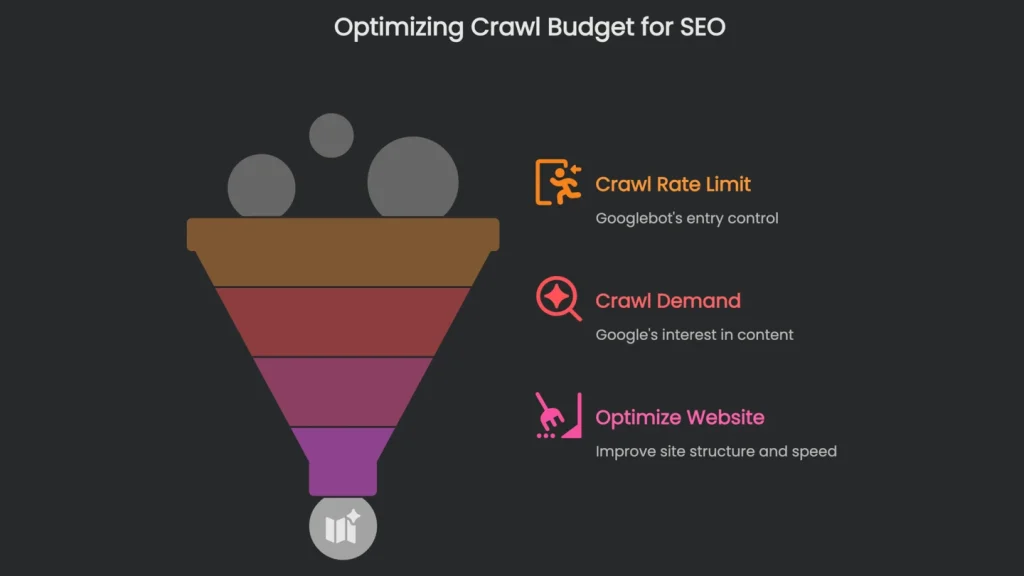
Your crawl budget isn’t fixed or even just one single number on a pie chart. Instead, it’s a fluctuating stack of coins Google’s crawlers can spend on your website. Google itself says it’s the number of pages its bot, called Googlebot, crawls in a day or a chunk of time. In short, understanding it means recognizing two buddies that never leave each other’s side.
Core Components of Crawl Budget
- Crawl Rate Limit: Crawl Rate Limit is the doorway Googlebot sets. Imagine an extra rule at a roller rink: not everyone skates at once. The limit is how many crawlers can move across your site without blocking visitors. As a result, if your pages load smoothly and you’ve cleared technical errors, Googlebot lets more in. However, if pages stall, throw server errors, or load slowly, Googlebot tells the skaters to slow down.
- Crawl Demand: Crawl demand is how curious Google is to peek inside your virtual house. Even with a shiny front door and a fast server, boring rooms get fewer knocks. Therefore, popularity, fresh changes, and tidy structures raise that curiosity.
So, think about crawl budget not as a cap to blast through but as an invitation to manage. Consequently, sparkling floors help, yet the magic happens when you tidy up. When you archive low-value corners—pages nobody visits—Google gets a clearer aisle to your prize pieces. For example, with a map, you blitz through a vast museum to the must-see exhibits. Crawl budget optimization is that map for Googlebot.
Why Crawl Budget Matters
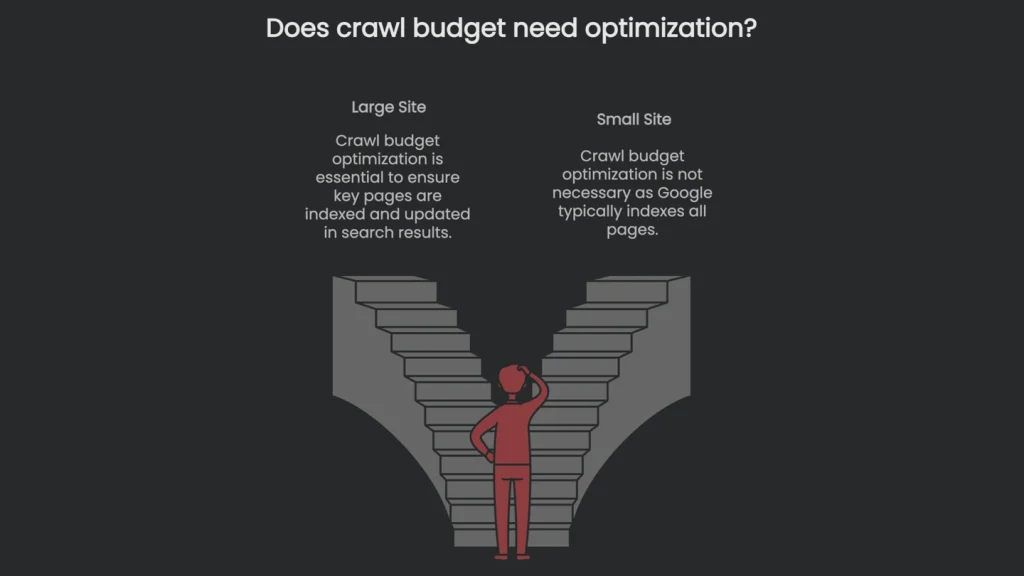
When It Matters
Crawl budget matters most for huge sites, like e-commerce stores with millions of items or news sites with years of content. Small sites with a few thousand pages rarely need to worry, because Google usually scoops everything up. However, when a site is large and layered, the budget feels smaller, so attention is essential. If filters, faceted search, or pagination explode page counts, key pages can sit unseen. As a result, sales slip and headlines go stale if updates take days to surface in search.
Analyzing Your Crawl Budget
Start with High-Level Stats
You can’t fix the budget without first seeing how Googlebot visits your site. Therefore, check the high-level numbers—average pages crawled per day, last crawl dates, and server response times. This quick scan helps you spot patterns. Next, drill down to logs, page sizes, server settings, or redirects to find why important pages get left on the shelf.
Use Google Search Console
Grab the Google Search Console first—it’s the best launchpad for checking whether Google is visiting as expected. In the console, go to Settings, then Crawl stats. There, the overview gives you the last 90 days of crawling activity. It’s a bird’s-eye view that still reveals how well your site is being served.
Key Metrics in Crawl Stats
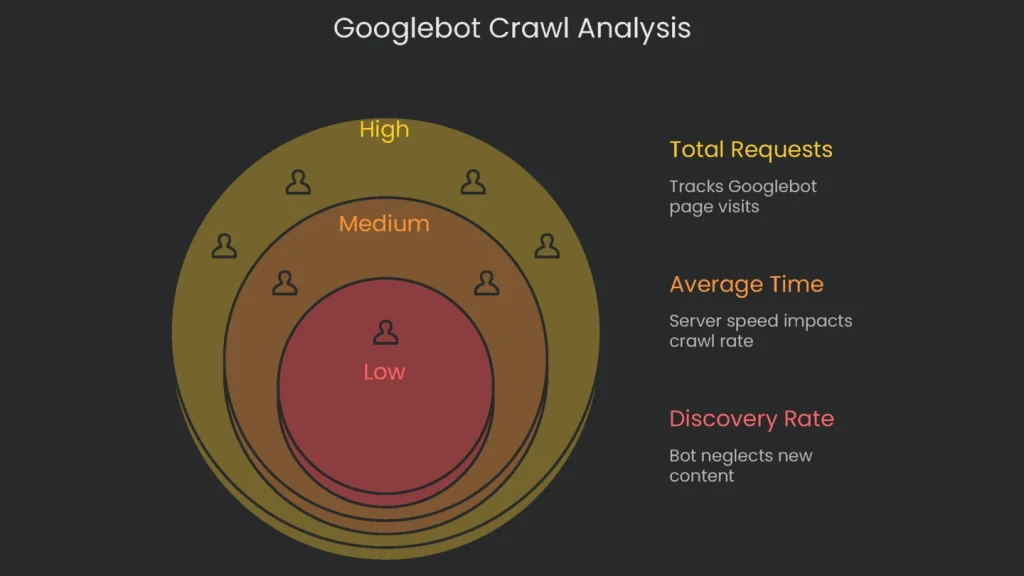
Pay special attention to three main numbers in the Crawl stats box:
- Total Crawl Requests: This tracks how many times Google pinged your pages over the period. If you see a sharp drop that sticks, something’s off. As a quick check, divide your total number of pages by “average crawled per day.” If the result is higher than 10, it’s worth revisiting your crawl budget.
- Average Response Time: This shows how quickly your server answers Google’s requests. If the number climbs and stays high, the server is a bottleneck. Consequently, Google slows visits to keep things stable.
- Host Status: This gives a 3-in-1 check on what Google needs for a successful crawl: does robots.txt load, are DNS lookups quick, and is the server reachable? If any test fails, the crawl schedule is at risk, so fix it right away.
- Crawl Responses: Here you can check messages Googlebot sent back. You want green lights (200 pages loaded just right). However, if the board fills with Not Found (404), the bot wastes energy on dead links. Server fumbles (5xx codes) sting even more—Google slows the whole site when it sees them.
- Crawl Purpose & File Type: The “Purpose” donut chart tells you whether Google is discovering new pages or refreshing known ones. If you publish often but “Discovery” is tiny (say, less than five percent), the bot is neglecting your new work. Meanwhile, the “By Type” chart shows where requests land. If most hits target images or scripts, tidy them to reduce waste.
Analyzing Server Log Files
GSC is the dugout scoreboard, but the server logs are the replay in the coach’s office. They show every URL Googlebot visited. To pull what you need, filter for the Googlebot user-agent and set columns for IP, timestamp, requested URL, status code (200, 404, 301, 5xx), and user agent. Consequently, you’re ready for a deep dive into the raw data. Next, make targeted adjustments to improve your crawl margin.
This tidy set of log info helps you answer four loud questions:
- Do my most important URLs get most of the crawl, or is Googlebot chasing random junk with oversized parameters?
- How many crawl requests waste themselves on spots that return “gone forever” (404) or that redirect “move here instead” (301)?
- Does Google hang on sub-category pages that look over-filtered, burning budget for a handful of products?
- And lastly, is your robots.txt still friendly with Googlebot, or did the spider decide to ghost you?
The log file is only the starting line. Multiply that view by a big business number to turn nerd stats into money stats. For example, logs may show forty percent of crawls hitting filter URLs with zero products. As a result, those pages might deliver only a tiny slice of revenue, while a high-margin product gets no crawls at all. Therefore, prioritizing fixes becomes a bottom-line decision.
Optimizing Your Crawl Budget
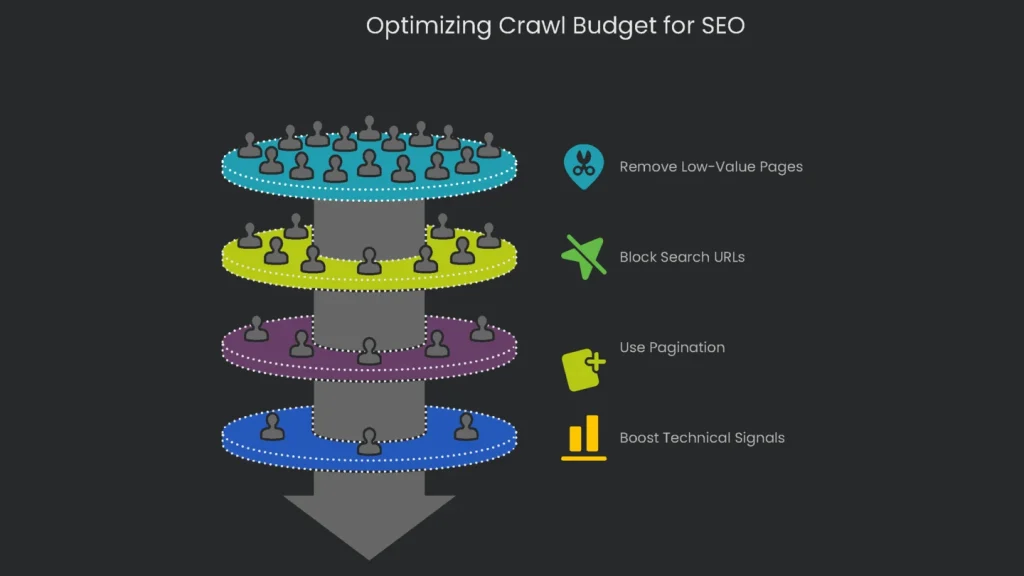
Finishing your audit is just the first step. The real work is tightening things so Googlebot makes the most of its time. Therefore, your plan has two heroes: remove low-value pages and polish the signals that point the bot in the right direction.
Trim Low-Value URLs
To free up crawl budget, cut down every page that doesn’t help visitors. Most big sites face three culprits: messy filters, internal search links, and broken pagination trails.
Tame the Facets
If your site sells products, you already know that faceted navigation—filters for size, color, or brand—spawns endless URLs. Each filter can generate a fresh page, often creating millions of near-duplicates. Consequently, three problems appear:
- Crawl Budget Lost: Googlebot spins its wheels on similar pages that add little new content.
- Index Balloon: Thin, redundant pages clutter Google’s index and drag quality down.
- PageRank Spread: Your best internal links scatter across “size-large-red-shirt” and “size-medium-blue-shirt” URLs instead of boosting the main category page.
There isn’t a one-size-fits-all answer. What works best depends on your goals. The comparison below lays out your main choices and when to use them.
| Method | How It Works | Pros | Cons | Ideal Use Case |
| AJAX (No links) | The page uses JavaScript to load options without creating a separate, crawlable URL for every filter. The visible URL can change for people, but robots skip the link. | It preserves crawl budget and PageRank and feels smooth for visitors. | Building it isn’t simple; key content must remain reachable without JavaScript. | Use it if the goal is to conserve crawl budget and you don’t want indexed filtered URLs. |
| robots.txt Disallow | The robots.txt file tells crawlers to skip any page with certain parameters (like Disallow: /?color=). | It quickly prevents budget drain from parameter pages. | It can’t stop indexing; if another site links to the URL, it can still appear in results. | Use it when crawl budget is the priority and you accept a small chance of filtered pages showing up. |
| rel=“canonical” | This link in a filtered page’s code points to the main category page as the source. | It consolidates link equity from filtered pages to the category. | It’s a hint, not a rule; Google may ignore it. Crawling still occurs, so no budget is saved. | Use it to bundle link equity from valuable filtered pages. |
| meta noindex | This tag tells search engines not to index the page. | It keeps low-value pages out of results. | There’s no crawl saving, since bots must load the page to see the tag. Also, robots.txt cannot block it if you want the tag read. | Use it to prevent index bloat when crawl spend is acceptable. |
Block Search and Parameter URLs
Search results pages generate staggering numbers of URLs. Most do not help users or search engines. The easiest fix is a simple Disallow rule in robots.txt. For example, add: User-agent: * then Disallow: /search/. As a result, bots stay out and your crawl budget stays happy.
The same goes for URLs with parameters used for filtering, tracking, or sorting—think “?utm_source=” or “&sort=date”. They show the same content and create duplicates. You can block these in robots.txt or use the Parameters tool in Google Search Console. Both keep content visible while minimizing wasted resources.
Use Pagination for Discoverability
Infinite scrolling feels modern, but it can stress search engines. Googlebot relies on HTML for discovery, and JavaScript-only scrolling hides content. Therefore, use pagination so both users and crawlers can click to the next page. Consequently, each page number has a unique URL, giving bots a simple trail. You can still add infinite scroll for UX, but keep the paginated links in HTML.
Boost Technical Signals
Tidy URL structures prevent circular paths. However, a strong technical base attracts crawlers and speeds responses. Therefore, build for speed, sitemaps, and clarity.
Amp up Your Loading Speed
Crawl rate ties closely to server speed. Google has confirmed that speed helps users and increases visit frequency. If the server replies quickly, the bot squeezes in more pages. Therefore, compress images, set up a Content Delivery Network (CDN), and apply other performance tips so your budget stretches.
Create a Smart Internal Link Map
Internal links act like an express subway map for Google. If a page has several strong internal links, Google’s spider visits more often. Therefore, do this:
- Link the Stars: Your most important pages—like major product categories—should be the stops other key pages point to, especially the homepage.
- Go Flat, Not Deep: Important pages should be three clicks or fewer from the homepage. The deeper you go, the harder it gets for bots to visit and to find “lost pages” (orphan pages).
Keep Your XML Sitemap Sparkling
Think of XML Sitemaps as printed train guides for search engines. To keep the guide reliable, prune broken stops, outdated pages, and anything you don’t want indexed. Only include the final, canonical pages that return “200 OK.” As a result, you reduce confusion and protect crawl budget.
If your site is huge, create a sitemap index to group smaller, logical sitemaps. Consequently, issues surface faster in Search Console. Finally, automate sitemap generation so it always reflects the latest changes.
Remove Redirects and Fix Broken Links
Each redirect costs a crawl request, since the bot must hop with no new content yet. If you have a chain—A → B → C—you force three hops before the target page. Therefore, update internal links so they hit the final URL directly. If a link points to a “404,” fix it or remove it. Consequently, both users and bots get a cleaner path.
Limit Repeated Pages
When many copies of the same page exist, Google wastes time crawling duplicates. The quickest smart fix is rel="canonical" to mark the preferred version. Set the tag on copies so they point to the page you want. Thus, you preserve crawl budget for truly fresh content.
Conclusion
Make Crawl Budget a Habit
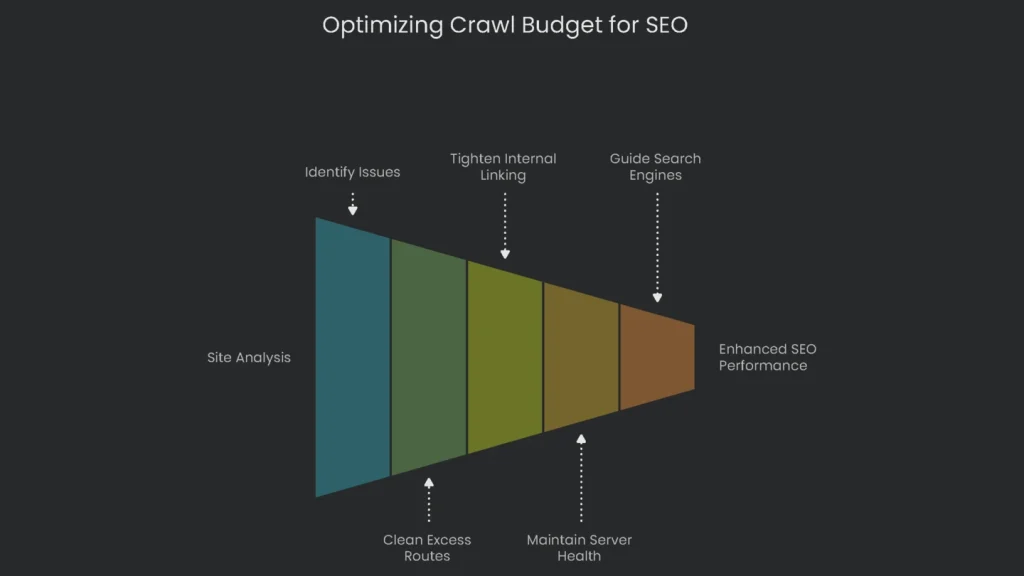
When your site is sprawling, optimizing crawl budget is not a one-time tip; it’s a habit. Start with Search Console and server logs. These reports reveal broken links, duplicates, and wasted paths. Next, clean excess routes, tighten internal linking, and keep the server healthy. As a result, each precious crawl hits the URLs that matter most for growth. Finally, keep guiding search engines to the shiny new gear, timely updates, and small fixes that help your pages climb.
Implementation steps
- Dive back into server logs and Crawl Stats to catch crawl waste, the kind caused by parameters and endless duplicate spaces.
- Merge duplicates with a 301 redirect or tag the low-value sets with a noindex.
- Keep key pages reachable within three or four clicks of the homepage by guiding page links.
- Accelerate page load times with CDNs or browser caching and steady servers to tell bots you’re ready for more.
- Track which bot templates still call those wasted URLs and tweak again if bot behavior changes
Frequently Asked Questions
What is crawl budget?
The cap on how many pages a bot will dig into when it visits your site.
Who needs to worry?
Big or constantly changing sites; tiny ones usually stay cool and rarely hit the wall.
How do I reduce waste?
Combine duplicate pages, cap thin facets, fix broken links, and boost helpful internal links.
What improves crawl rate?
Quick server replies, steady uptime, and strong internal links.
How do I monitor it?
Use GSC Crawl Stats and server logs to see how bots behave and where they hang out.